




Here's how it works



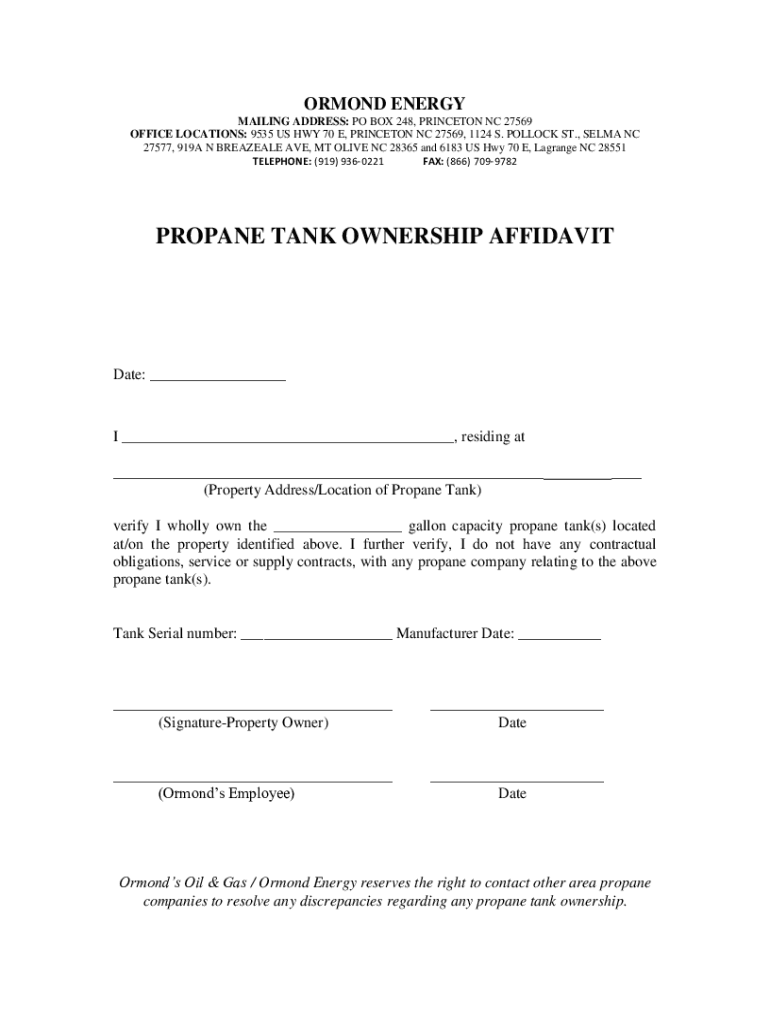
How to use or fill out PROPANE TANK OWNERSHIP AFFIDAVIT - Ormond's Energy with our platform

- Click ‘Get Form’ to open the PROPANE TANK OWNERSHIP AFFIDAVIT in the editor.
- Begin by entering the date at the top of the form. This is essential for record-keeping purposes.
- In the first blank, write your full name as the property owner. Ensure that it matches your identification documents.
- Next, fill in your complete property address where the propane tank is located. This helps in identifying ownership accurately.
- Indicate the capacity of the propane tank(s) you own by filling in the appropriate gallon number in the designated space.
- Provide the tank serial number and manufacturer date, which are crucial for verification and tracking purposes.
- Sign and date where indicated as the property owner, confirming your ownership and lack of contractual obligations with other propane companies.
- Lastly, leave space for an Ormond’s employee to sign and date upon completion of verification.
Start using our platform today to easily complete your PROPANE TANK OWNERSHIP AFFIDAVIT for free!
It's free
See more PROPANE TANK OWNERSHIP AFFIDAVIT - Ormond's Energy versions
Got questions?
How do I sign my fill propane tank near me online?
Sign in to your DocHub account and import your fill propane tank near me to our editor using one of its upload methods - from your device, cloud storage, protected URL, or your DocHub folders if you have already managed your document before. Open our editor, click the Sign button in the upper toolbar, and decide on your signing method. You can upload a picture of your handwritten signature, draw it, type in your name, or utilize a QR code instead.
How to manage my navmc 11386 from Gmail?
In case your go-to electronic mail service is Gmail, it is simple to incorporate your DocHub editor into your work. Modify your navmc 11386 with DocHub instruments and connect it to your drafts in Gmail. See how effortless it is to exchange files and work together with a swift PDF editing solution at hand.
Security and compliance
At DocHub, your data security is our priority. We follow HIPAA, SOC2, GDPR, and other standards, so you can work on your documents with confidence.
Learn more




