



Imm 0008 schedule 2-2026

Get Form
0008 Preview on Page 1

Here's how it works

01. Edit your 0008 online
Type text, add images, blackout confidential details, add comments, highlights and more.

02. Sign it in a few clicks
Draw your signature, type it, upload its image, or use your mobile device as a signature pad.

03. Share your form with others
Send form imm 0008 via email, link, or fax. You can also download it, export it or print it out.

How to use or fill out imm 0008 schedule 2 with our platform

Form edit decoration
9.5
Ease of Setup
DocHub User Ratings on G2
9.0
Ease of Use
DocHub User Ratings on G2
  1. Click ‘Get Form’ to open the imm 0008 schedule 2 in the editor.
  2. Begin by entering your personal information in Section A. This includes your name, date of birth, and contact details. Ensure all entries are accurate to avoid processing delays.
  3. Move to Section B, where you will provide details about your family members. Fill in each field carefully, including their relationship to you and their respective dates of birth.
  4. In Section C, outline your immigration history. Be thorough when detailing previous applications or statuses held in Canada.
  5. Finally, review all sections for completeness and accuracy. Utilize our platform’s editing tools to make any necessary adjustments before saving or submitting the form.

Start using our platform today for free and streamline your form completion process!

See more imm 0008 schedule 2 versions

We've got more versions of the imm 0008 schedule 2 form. Select the right imm 0008 schedule 2 version from the list and start editing it straight away!
Versions Form popularity Fillable & printable
2020 4.8 Satisfied (260 Votes)
2020 4.3 Satisfied (181 Votes)
2018 4.3 Satisfied (92 Votes)
2011 4.4 Satisfied (1435 Votes)
2006 4.1 Satisfied (35 Votes)
be ready to get more

Complete this form in 5 minutes or less

Get form

Got questions?

We have answers to the most popular questions from our customers. If you can't find an answer to your question, please contact us.
Contact us
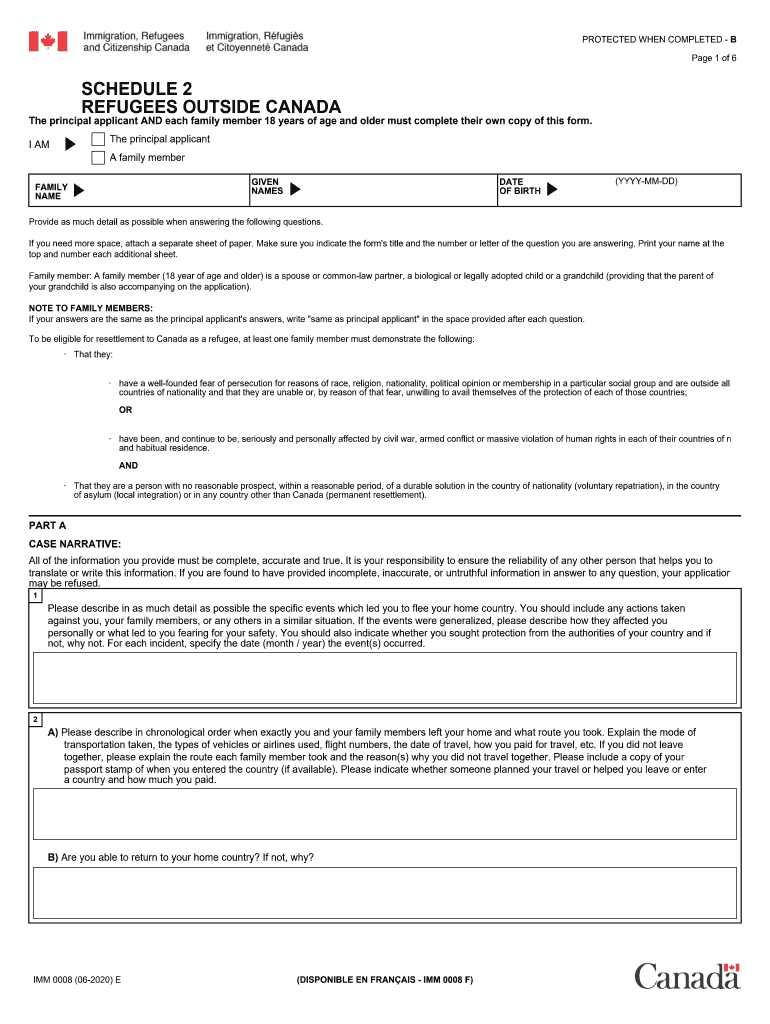
Canada IMM 0008 Schedule 2 is a supplementary form that must be completed by applicants when applying for permanent residency under certain immigration programs. It is used to gather detailed information about the applicants family members.
Confirmation of Permanent Residence number (IMM 5292 or 5509) You will find this number in top right corner of your Confirmation of Permanent Residence document issued to you by a Immigration, Refugees and Citizenship Canada office or by the visa office where you submitted your application.
99 (1) A claim for refugee protection may be made in or outside Canada. (2) A claim for refugee protection made by a person outside Canada must be made by making an application for a visa as a Convention refugee or a person in similar circumstances, and is governed by Part 1.
The principal applicant must fill out the IMM 0008 form. If you have a spouse and dependent children, their information is also required, whether they accompany you to Canada or not.
What is Canada IMM 0008 Schedule 2? Canada IMM 0008 Schedule 2 is a supplementary form that must be completed by applicants when applying for permanent residency under certain immigration programs. It is used to gather detailed information about the applicants family members.

People also ask

In Canada Refugee Claim. In Canada Protected Person (for Convention Refugees or other protected persons applying for permanent residence from within Canada) Outside Canada Refugee (for Convention Refugees or other protected persons applying for permanent residence from outside Canada)
Immigrants are broken into 4 categories: economic immigrants, immigrants, sponsored by family, refugee, and Other immigrants.
Canada IMM 0008 Schedule 8 is a form that applicants must complete when applying for permanent residence in Canada under specific immigration programs. It is used to provide additional information about the applicants family members.

imm 0008

