Physical Medicine Progress Report (F245-453-000). Physical Medicine Progress Report (F245-453-000) 2026

Get Form
Physical Medicine Progress Report (F245-453-000). Physical Medicine Progress Report (F245-453-000) Preview on Page 1

Here's how it works

01. Edit your form online
Type text, add images, blackout confidential details, add comments, highlights and more.
02. Sign it in a few clicks
Draw your signature, type it, upload its image, or use your mobile device as a signature pad.
03. Share your form with others
Send it via email, link, or fax. You can also download it, export it or print it out.

How to use or fill out Physical Medicine Progress Report (F245-453-000) with our platform

Form edit decoration
9.5
Ease of Setup
DocHub User Ratings on G2
9.0
Ease of Use
DocHub User Ratings on G2
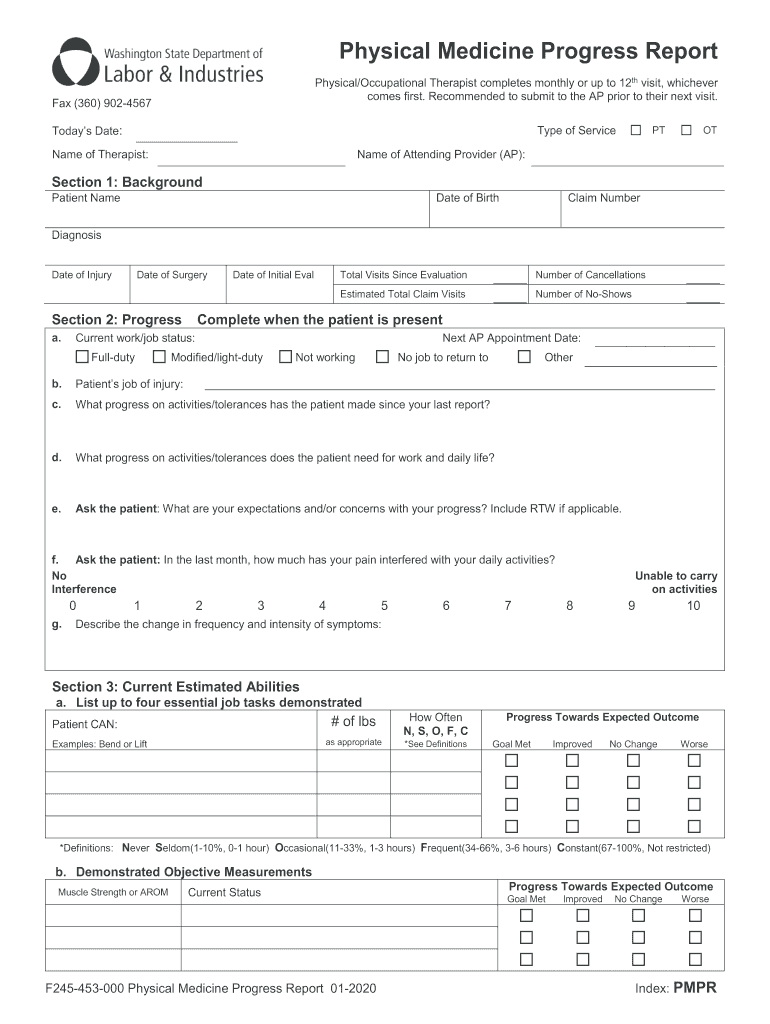
  1. Click ‘Get Form’ to open the Physical Medicine Progress Report in the editor.
  2. Begin by filling out Section 1: Background. Enter the patient's name, date of birth, claim number, diagnosis, date of injury, and date of surgery.
  3. Move to Section 2: Progress. Indicate the current work/job status and provide details on total visits since evaluation, cancellations, and no-shows. Document the patient's job of injury and their progress on activities/tolerances.
  4. In Section 3: Current Estimated Abilities, list essential job tasks and indicate how often they can perform these tasks. Include objective measurements and self-reported functional outcomes.
  5. Address any barriers to recovery in Section 4. Identify issues that may impede recovery and outline strategies for overcoming these barriers.
  6. Complete Section 5: Treatment Plan & Signature by detailing the therapy plan and signing off as required. Ensure all sections are filled accurately before submission.

Start using our platform today to streamline your document editing process for free!

See more Physical Medicine Progress Report (F245-453-000). Physical Medicine Progress Report (F245-453-000) versions

We've got more versions of the Physical Medicine Progress Report (F245-453-000). Physical Medicine Progress Report (F245-453-000) form. Select the right Physical Medicine Progress Report (F245-453-000). Physical Medicine Progress Report (F245-453-000) version from the list and start editing it straight away!
Versions Form popularity Fillable & printable
2020 4.8 Satisfied (31 Votes)
be ready to get more

Complete this form in 5 minutes or less

Get form

Got questions?

We have answers to the most popular questions from our customers. If you can't find an answer to your question, please contact us.
Contact us

Electronic document signing demands a software solution that complies with data protection and eSignature regulations. DocHub is a great tool for that, because it fulfills all the above mentioned requirements. Whatever method you prefer to sign your Physical Medicine Progress Report (F245-453-000). Physical Medicine Progress Report (F245-453-000) in DocHub, your electronic signature will be legally binding and court-admissible.

When you edit your Physical Medicine Progress Report (F245-453-000). Physical Medicine Progress Report (F245-453-000) with DocHub, you simply will not need to look for other software or solutions to sign it. An electronic signature is a component of DocHub’s substantial editing toolset, which allows you to apply changes in your form without switching between platforms. Simply complete your form, double-check the correctness of the data and put your electronic signature at the end to make it submission-ready in minutes.