mmddy Preview on Page 1

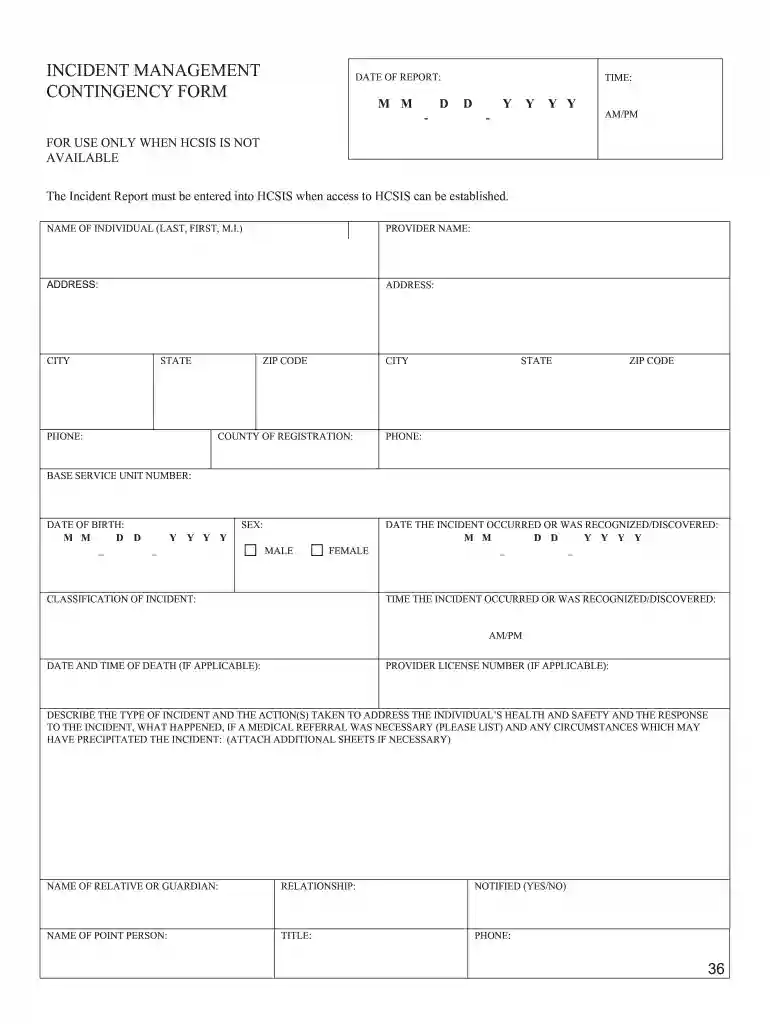
INCIDENT MANAGEMENT CONTINGENCY FORM M M D D Y ... - Amazon S3 2026

Here's how it works

  • 01. Edit your mmddy online

    Type text, add images, blackout confidential details, add comments, highlights and more.

  • 02. Sign it in a few clicks

    Draw your signature, type it, upload its image, or use your mobile device as a signature pad.

  • 03. Share your form with others

    Send upload amazon via email, link, or fax. You can also download it, export it or print it out.

How to use or fill out INCIDENT MANAGEMENT CONTINGENCY FORM M M D D Y ... - Amazon S3 with our platform

Form edit decoration
9.5
Ease of Setup
DocHub User Ratings on G2
9.0
Ease of Use
DocHub User Ratings on G2
  1. Click ‘Get Form’ to open the INCIDENT MANAGEMENT CONTINGENCY FORM in the editor.
  2. Begin by entering the DATE OF REPORT in the designated fields, ensuring you follow the MM-DD-YYYY format.
  3. Fill in the TIME of the report using AM/PM notation, providing clarity on when the incident was reported.
  4. Complete the NAME OF INDIVIDUAL section with last name, first name, and middle initial as required.
  5. Input PROVIDER NAME and ADDRESS details accurately, including CITY, STATE, ZIP CODE, and PHONE number.
  6. Provide information about COUNTY OF REGISTRATION and BASE SERVICE UNIT NUMBER for proper identification.
  7. Enter the DATE OF BIRTH of the individual in MM-DD-YYYY format and select SEX from available options.
  8. Document CLASSIFICATION OF INCIDENT and specify both DATE and TIME THE INCIDENT OCCURRED or was discovered.
  9. If applicable, include DATE AND TIME OF DEATH along with PROVIDER LICENSE NUMBER.
  10. In the description section, detail the type of incident, actions taken for health and safety, medical referrals if necessary, and any relevant circumstances. Use additional sheets if needed.
  11. Finally, fill out information for NAME OF RELATIVE OR GUARDIAN including their relationship to the individual and whether they were notified.

Start using our platform today to efficiently complete your forms online for free!

See more mmddy versions

We've got more versions of the mmddy form. Select the right mmddy version from the list and start editing it straight away!

VersionsForm popularityFillable & printable
20184.7 Satisfied (52 Votes)

be ready to get more

Complete this form in 5 minutes or less

Security and compliance

At DocHub, your data security is our priority. We follow HIPAA, SOC2, GDPR, and other standards, so you can work on your documents with confidence.

Related links

master agreement ma-202003 - California Courts

Amendment: written contract document issued by a JBE, and signed by both Contractor and the JBE, which, in the case of the Establishing JBE, modifies theRead more

Learn more
Projects Spring 2020

The resulting data will need to be uploaded to an AWS S3 bucket, through the Raspberry Pi. Management Resiliency. Command-and-control of the robot willRead more

Learn more
If you believe that this page should be taken down, please follow our DMCA take down process here