01. Edit your motion to quash subpoena template online
Type text, add images, blackout confidential details, add comments, highlights and more.
02. Sign it in a few clicks
Draw your signature, type it, upload its image, or use your mobile device as a signature pad.
03. Share your form with others
Send motion to quash template via email, link, or fax. You can also download it, export it or print it out.
How to use or fill out motion to quash with our platform
Ease of Setup
DocHub User Ratings on G2
Ease of Use
DocHub User Ratings on G2
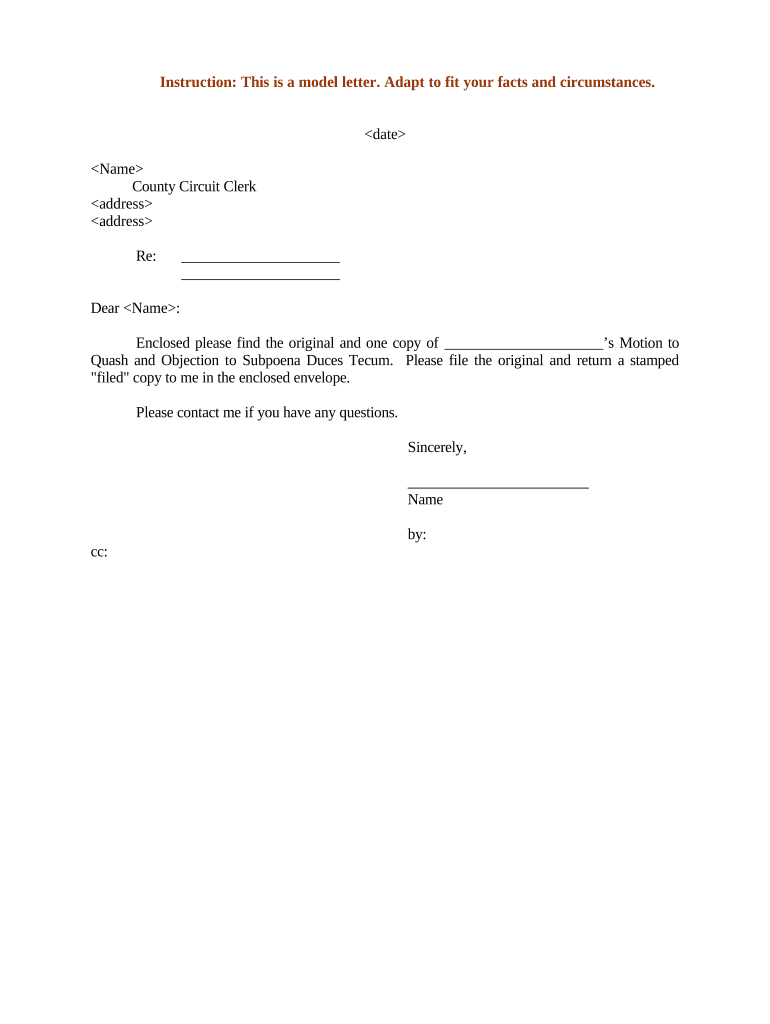
Click ‘Get Form’ to open the motion to quash in the editor.
Begin by entering the date at the top of the form. This is crucial for establishing a timeline for your motion.
Next, fill in your name and the address of the County Circuit Clerk. Ensure that all details are accurate to avoid any processing delays.
In the section labeled 'Re:', specify the subject of your motion clearly. This helps in identifying your case quickly.
Draft a personalized greeting using the name of the clerk, followed by a brief introduction stating that you are enclosing a Motion to Quash and Objection to Subpoena Duces Tecum.
Include any additional information or context necessary for your case in the body of the letter, ensuring clarity and professionalism.
Conclude with a polite closing statement, offering your contact information for any questions, and sign off with your name.
Start editing your motion to quash online for free today!
Motion to quash subpoenaWhat are the grounds for a motion to quashMotion to quash exampleMotion to quash formMotion to quash IllinoisMotion to quash CaliforniaMotion to quash discoveryHow to file a motion to quash
Security and compliance
At DocHub, your data security is our priority. We follow HIPAA, SOC2, GDPR, and other standards, so you can work on your documents with confidence.
motion to quash | Wex | US Law | LII / Legal Information Institute
A motion to quash is a formal request made to a court to declare a specific proceeding, such as a subpoena, an arrest warrant, or a legal complaint, as invalidRead more
filed a motion to quash, and the Government anticipates --. THE COURT: Where did he file that? MS. FARRELL: I dont know if it was ever filed. It was sent to
(a) A person to whom a subpoena is directed may, by motion with notice to the party requesting the subpoena, ask the ALJ to quash or modify the subpoena.Read more
Cookie consent notice
This site uses cookies to enhance site navigation and personalize your experience.
By using this site you agree to our use of cookies as described in our Privacy Notice.
You can modify your selections by visiting our Cookie and Advertising Notice.