Type text, add images, blackout confidential details, add comments, highlights and more.

02. Sign it in a few clicks
Draw your signature, type it, upload its image, or use your mobile device as a signature pad.

03. Share your form with others
Send oklahoma title 42 cost via email, link, or fax. You can also download it, export it or print it out.

How to use or fill out Oklahoma 42 with DocHub
Ease of Setup
DocHub User Ratings on G2
Ease of Use
DocHub User Ratings on G2
Click ‘Get Form’ to open the Oklahoma 42 document in our platform's editor.
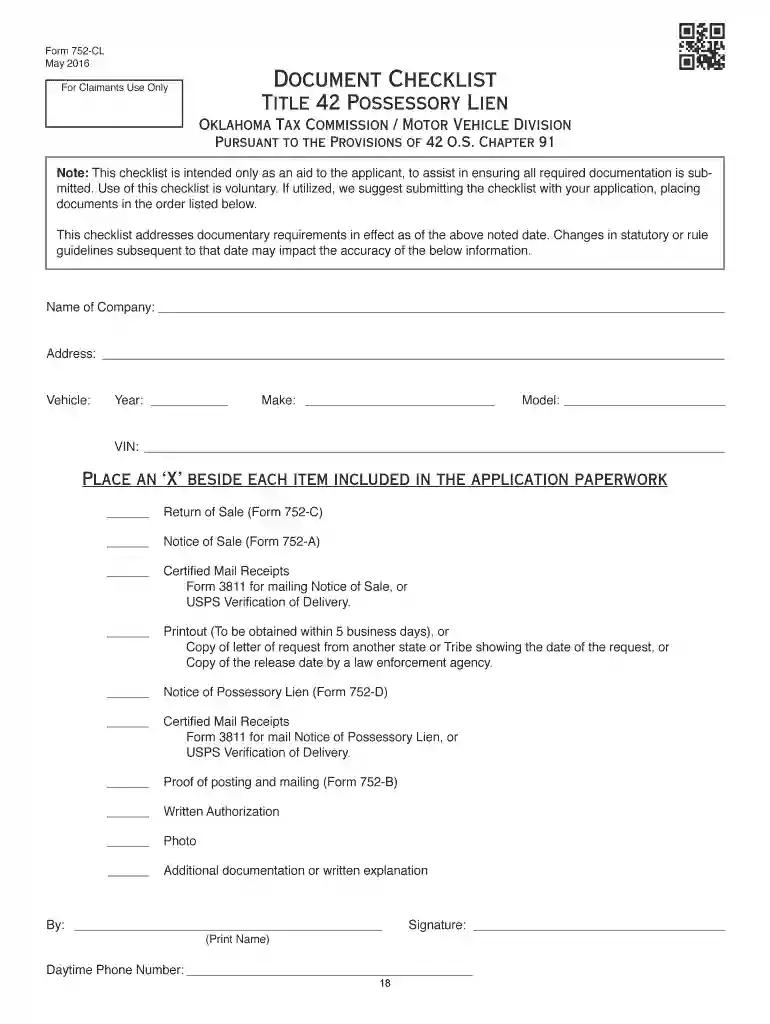
Begin by filling out the 'Notice of Possessory Lien' (Form 752-D). Include your complete legal name, business name if applicable, and contact information. Clearly describe the property and services provided.
Next, complete the 'Notice of Sale' (Form 752-A). Ensure you include all required details such as the sale date, location, and itemized charges. Attach any necessary photographs or inspection confirmations.
Fill out the 'Proof of Posting and Mailing' (Form 752-B) to confirm that notices were posted in public places and sent to interested parties via certified mail.
Finally, submit all completed forms along with any supporting documentation through our platform for a streamlined review process by the Oklahoma Tax Commission.
Start using our platform today to efficiently manage your Oklahoma 42 filings for free!
How to get a Title 42 in OklahomaOklahoma Title 42 costOklahoma Title 42 paperworkHow to get a Title 42 in Oklahoma onlineOklahoma mechanics lien statuteOklahoma Mechanics Lien formWhat is a Title 42 for a carHow to file a lien for unpaid work in Oklahoma
Security and compliance
At DocHub, your data security is our priority. We follow HIPAA, SOC2, GDPR, and other standards, so you can work on your documents with confidence.
Possessory liens under Title 42 of the Oklahoma Statutes
Any person who wishes to claim a possessory lien and sell property for storage fees or work done for which they have not been compensated must comply with theRead more
Cookie consent notice
This site uses cookies to enhance site navigation and personalize your experience.
By using this site you agree to our use of cookies as described in our Privacy Notice.
You can modify your selections by visiting our Cookie and Advertising Notice.