Name change marriage 2026

Get Form
name change marriage Preview on Page 1

Here's how it works

01. Edit your form online
Type text, add images, blackout confidential details, add comments, highlights and more.
02. Sign it in a few clicks
Draw your signature, type it, upload its image, or use your mobile device as a signature pad.
03. Share your form with others
Send it via email, link, or fax. You can also download it, export it or print it out.

How to use or fill out name change marriage with our platform

Form edit decoration
9.5
Ease of Setup
DocHub User Ratings on G2
9.0
Ease of Use
DocHub User Ratings on G2
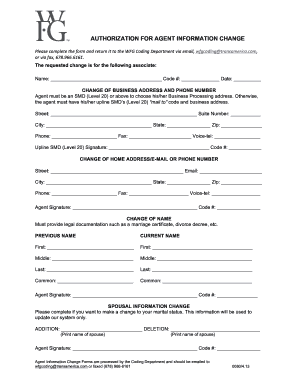
  1. Click ‘Get Form’ to open the name change marriage document in the editor.
  2. Begin by entering your current name in the designated field. This is essential for identifying your previous records.
  3. Next, input your new name as it will appear on official documents. Ensure accuracy to avoid future complications.
  4. Select the reason for your name change from the provided options, such as marriage, divorce, or court order.
  5. Fill in any additional required fields, including your address and Social Security number, ensuring all information is up-to-date.
  6. Review all entries for accuracy before submitting. Use our platform’s editing tools to make any necessary adjustments.
  7. Once satisfied, save your completed form and follow the instructions for distribution to relevant organizations.

Start using our platform today to effortlessly manage your name change process online for free!

be ready to get more

Complete this form in 5 minutes or less

Get form

Got questions?

We have answers to the most popular questions from our customers. If you can't find an answer to your question, please contact us.
Contact us

With DocHub, it’s quite simple. The editor offers users an add-on called DocHub for Gmail, which you can locate in the Google Workspace Marketplace free of charge. Set it up and give it access to your Google account. Open your email with your name change marriage attached and click on the add-on button in the right-side panel. Log in to your DocHub account, and import the form to our editor, where you can complete it and sign.

You can easily edit fill out your name change marriage on any iOS gadget. Open an internet browser of your liking, visit the DocHub website, authorize or create a new account, upload your file for editing, and make your required alterations. Our service is mobile-friendly, so using its functions on your smartphone will be a no-brainer, even on the first try.

In most cases, you must file a petition with your local court to change your name. To do so, you may need to file paperwork and appear before a judge to complete the process. Find your local government website and contact your circuit court to get information about how you can legally change your name.
Legal Administrative Hurdles Keeping your maiden name means youll need to prove your marital status more often. For instance, if youre traveling with your spouse and your last names dont match, you might need to carry a marriage certificate to avoid issues.
It simply requires you to use the documentation of your marriage or divorce to update your identification documents (Drivers License, Social Security, etc). In the case of changing the name of a child (minor), both parents must agree to the change before the courts will review the request.

Security and compliance

At DocHub, your data security is our priority. We follow HIPAA, SOC2, GDPR, and other standards, so you can work on your documents with confidence.

Learn more
ccpa2
pci-dss
gdpr-compliance
hipaa
soc-compliance
be ready to get more

Complete this form in 5 minutes or less

Get form

People also ask

Name Change Filing Fees StateFiling Fee SC $150 SD $70 TN $160 TX $200 - $35047 more rows
Your marriage license doesnt expire, so there is no deadline for a name change after marriage. You dont have a time limit that you must adhere to in order to change your name after marriage. In fact, many spouses and newly married couples may choose to wait to see what happens after they get married.
You should wait at least 30 days after the date of your marriage to request a replacement card. This allows the state time to update its records.

Related links