Type text, add images, blackout confidential details, add comments, highlights and more.
02. Sign it in a few clicks
Draw your signature, type it, upload its image, or use your mobile device as a signature pad.
03. Share your form with others
Send it via email, link, or fax. You can also download it, export it or print it out.
How to use or fill out contract independent contractor with our platform
Ease of Setup
DocHub User Ratings on G2
Ease of Use
DocHub User Ratings on G2
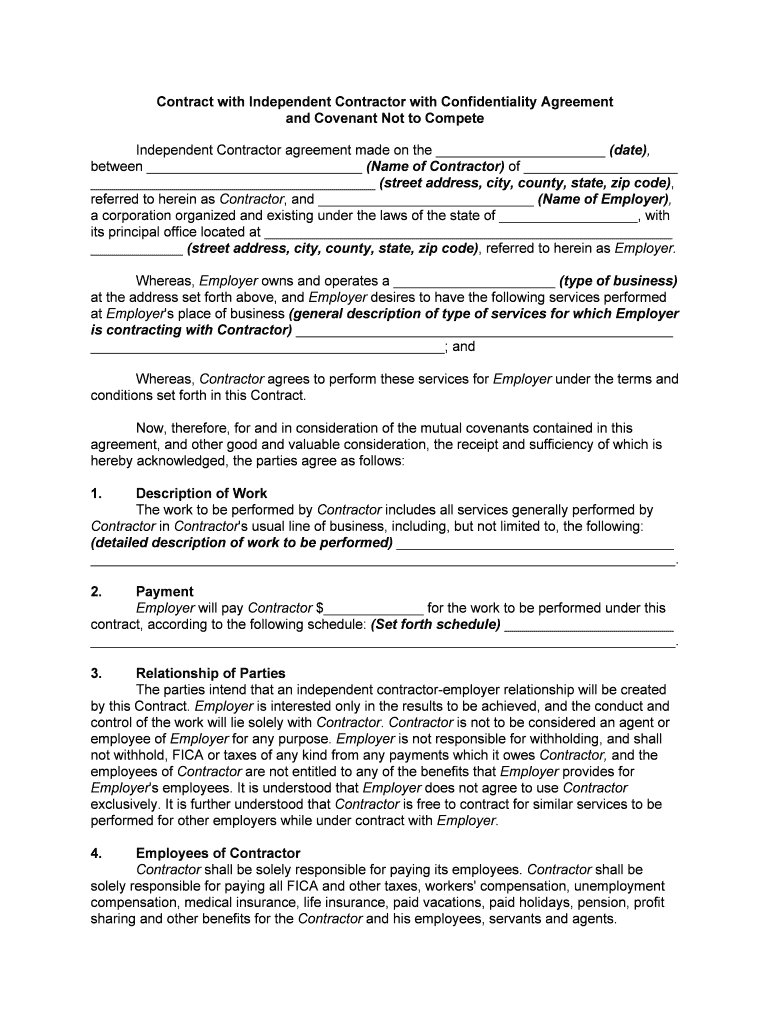
Click ‘Get Form’ to open the contract independent contractor in the editor.
Begin by entering the date of the agreement at the top of the form. Next, fill in the name and address of the Contractor and Employer in their respective fields.
In the 'Description of Work' section, provide a detailed description of the services that will be performed by the Contractor.
Specify the payment amount and schedule in the 'Payment' section to clarify compensation terms.
Review and complete sections regarding liability, confidentiality, and duration to ensure all parties understand their responsibilities.
Finally, have both parties sign at the bottom of the document to finalize the agreement. Ensure all signatures are dated appropriately.
Start using our platform today for free to streamline your contract management!
Fill out contract independent contractor online It's free
The Contractor is an Independent Contractor of MoHA. Nothing contained in this document will be construed to create the relationship of employer and employee,Read more
Sample Independent Contractor Agreement This includes
Contractor is an independent contractor, and neither Contractor nor Contractors employees or contract personnel are, or shall be deemed, Clients employees.Read more
Independent contractor defined | Internal Revenue Service
Oct 10, 2025 The general rule is that an individual is an independent contractor if the person for whom the services are performed has the right to control or direct onlyRead more
Cookie consent notice
This site uses cookies to enhance site navigation and personalize your experience.
By using this site you agree to our use of cookies as described in our Privacy Notice.
You can modify your selections by visiting our Cookie and Advertising Notice.