




Here's how it works

01. Edit your uniform disclosure statement online
Type text, add images, blackout confidential details, add comments, highlights and more.

02. Sign it in a few clicks
Draw your signature, type it, upload its image, or use your mobile device as a signature pad.

03. Share your form with others
Send uniform disclosure via email, link, or fax. You can also download it, export it or print it out.
How to use or fill out form Maryland Assisted Form with our platform

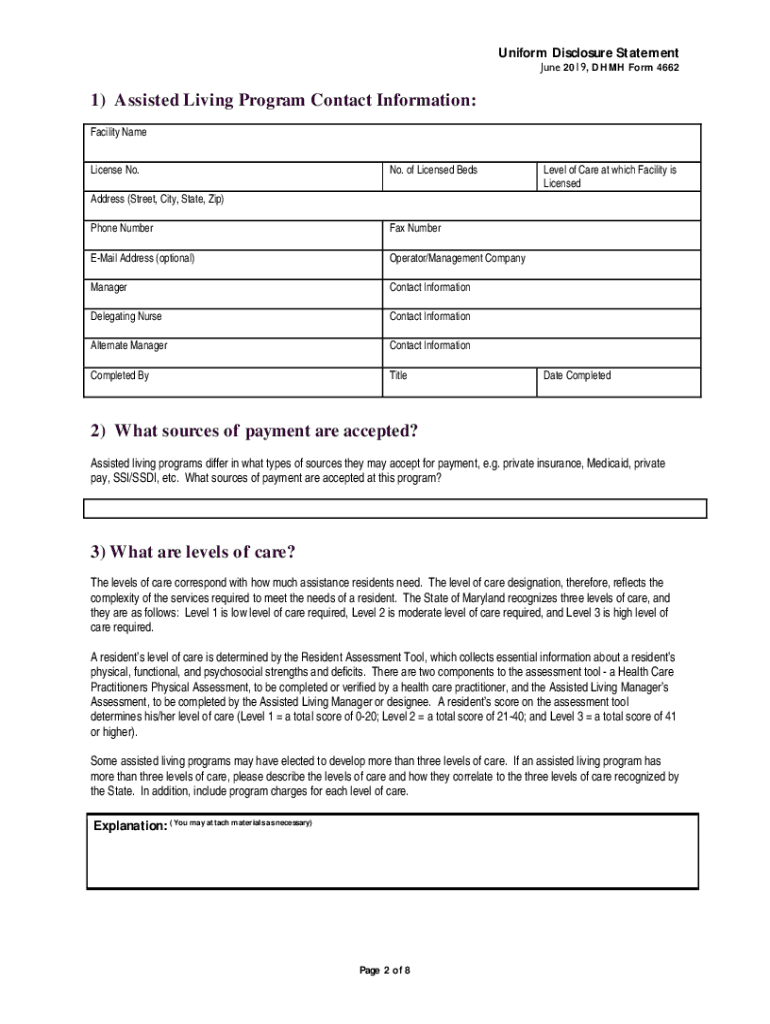
- Click ‘Get Form’ to open the Maryland Assisted Living Program Disclosure Statement in the editor.
- Begin by filling out the 'Assisted Living Program Contact Information' section. Enter the facility name, license number, address, and contact details accurately.
- In the 'Sources of Payment' section, specify what payment methods are accepted at your program, such as private insurance or Medicaid.
- For 'Levels of Care', indicate the level of assistance provided. Use the Resident Assessment Tool to determine and document each resident's level.
- Complete the 'Resident Agreement' section by outlining key contractual obligations and services provided. Ensure clarity on financial matters and service expectations.
- Fill in the 'Services Provided' chart, marking which services are included in the base rate and any additional costs for extra services.
- Review all sections for accuracy before saving your completed form. Utilize our platform’s features to easily share or print your document.
Start using our platform today to fill out your Maryland Assisted Living Program Disclosure Statement online for free!
Fill out form maryland assisted form online
It's free
It's free
See more form maryland assisted form versions
We've got more versions of the form maryland assisted form form. Select the right form maryland assisted form version from the list and start editing it straight away!
Got questions?
We have answers to the most popular questions from our customers. If you can't find an answer to your question, please contact us.
Contact us
Who qualifies for assisted living in MD?
Adults age 62 years old or older who are already residents in an assisted living community, or approved for entrance into the community and have entered into a service agreement with an Area Agency on Aging. Adults who are physically or mentally impaired and in need of assistance with the activities of daily living.
How do you qualify for assisted living in Maryland?
If a senior could jeopardize the safety and health of other residents, the senior may be denied admission to an assisted living facility. Some of the most common conditions for disqualification include seniors who have severe memory impairments, who need extensive medical care, or who are bedridden.
How do I contact Maryland medical assistance?
The toll free number is (855) 642-8572 or TTY (855) 642-8573. You may also apply at your local health department or local department of social services.
What is the Maryland form 510E?
2021. Purpose of Form Maryland law provides for an extension of time to file the pass-through entity income tax return (Form 510) or the electing pass-through entity income tax return (Form 511), but not to pay the tax due. Use Form 510E to remit any tax that may be due.
Who must file Maryland Form 1?
An Annual Report must be filed by all business entities formed, qualified or registered to do business in the State of Maryland, as of January 1st. Failure to file the Annual Report may result in forfeiture of the entitys right to conduct business in the State of Maryland. The deadline to file is April 15th.
Security and compliance
At DocHub, your data security is our priority. We follow HIPAA, SOC2, GDPR, and other standards, so you can work on your documents with confidence.
Learn more




