Certificate of Sole Proprietorship - apcu.com 2026

Get Form
apcu com Preview on Page 1

Here's how it works

01. Edit your apcu com online
Type text, add images, blackout confidential details, add comments, highlights and more.
02. Sign it in a few clicks
Draw your signature, type it, upload its image, or use your mobile device as a signature pad.
03. Share your form with others
Send it via email, link, or fax. You can also download it, export it or print it out.

How to use or fill out Certificate of Sole Proprietorship - apcu.com with our platform

Form edit decoration
9.5
Ease of Setup
DocHub User Ratings on G2
9.0
Ease of Use
DocHub User Ratings on G2
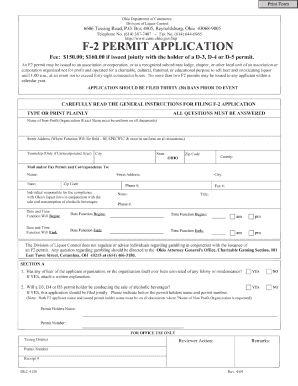
  1. Click ‘Get Form’ to open the Certificate of Sole Proprietorship in the editor.
  2. Begin by entering your name in the designated field, confirming that you are the sole owner of the business.
  3. Next, fill in the name of your Sole Proprietorship in the provided space. This is crucial as it identifies your business officially.
  4. Complete the address section by entering the location where your business operates, including city, state, and zip code.
  5. Review the statement regarding personal responsibility for any debts incurred by your Sole Proprietorship and ensure you understand this commitment.
  6. Finally, sign and date the document at the bottom to validate your Certificate of Sole Proprietorship.

Start using our platform today to easily complete and manage your Certificate of Sole Proprietorship for free!

See more Certificate of Sole Proprietorship - apcu.com versions

We've got more versions of the Certificate of Sole Proprietorship - apcu.com form. Select the right Certificate of Sole Proprietorship - apcu.com version from the list and start editing it straight away!
Versions Form popularity Fillable & printable
2016 4.9 Satisfied (32 Votes)
be ready to get more

Complete this form in 5 minutes or less

Get form

Got questions?

We have answers to the most popular questions from our customers. If you can't find an answer to your question, please contact us.
Contact us
You can also email us at BusinessServices@apcu.com. To assist State and Federal governments fight against the funding of terrorism and money laundering activities, Federal law mandates all financial institutions to obtain, verify, and record information that identifies each person or business that opens an account.
How To Join. Its easy to become an APCU and Center Parc member! If youre eligible to join, all you have to do to get started is open a Primary Savings (Share) Account with a deposit of $1 or more. You can open an account by visiting our Online Application Center.
We would like to inform you of convenient and easy payment options for your GPOFCU loans and Visa credit cards. How to make a loan/Visa payment by phone: Call GPOFCUs main number ((202) 512 - 1067, select Option 2) Or, email your callback contact information to: info@gpofcu.org.
For more information or help with this service, visit one of our convenient branch locations or call (800) 849-8431.
For questions, you can contact 800-325-9905 or email membercontactcenter@togethercu.org. *Federally Insured by NCUA. Membership eligibility and account approval required. Select Employer Group benefits are only available to employees of Together Credit Union SEG partners.

Security and compliance

At DocHub, your data security is our priority. We follow HIPAA, SOC2, GDPR, and other standards, so you can work on your documents with confidence.

Learn more
ccpa2
pci-dss
gdpr-compliance
hipaa
soc-compliance
be ready to get more

Complete this form in 5 minutes or less

Get form

People also ask

What is Credit Union 1 email format? The widely used Credit Union 1 email format is {firstinitial}{last} (e.g. jsmith@creditunion1.org) with 100% adoption across the company.
For coverage details and other information about this service, visit one of our convenient branch locations or call (800) 849-8431.
For further assistance, please call us at our 24-hour Customer Service at (632) 8841-8600 or email us at customer.service@unionbankph.com.