




01. Edit your child information record online
Type text, add images, blackout confidential details, add comments, highlights and more.

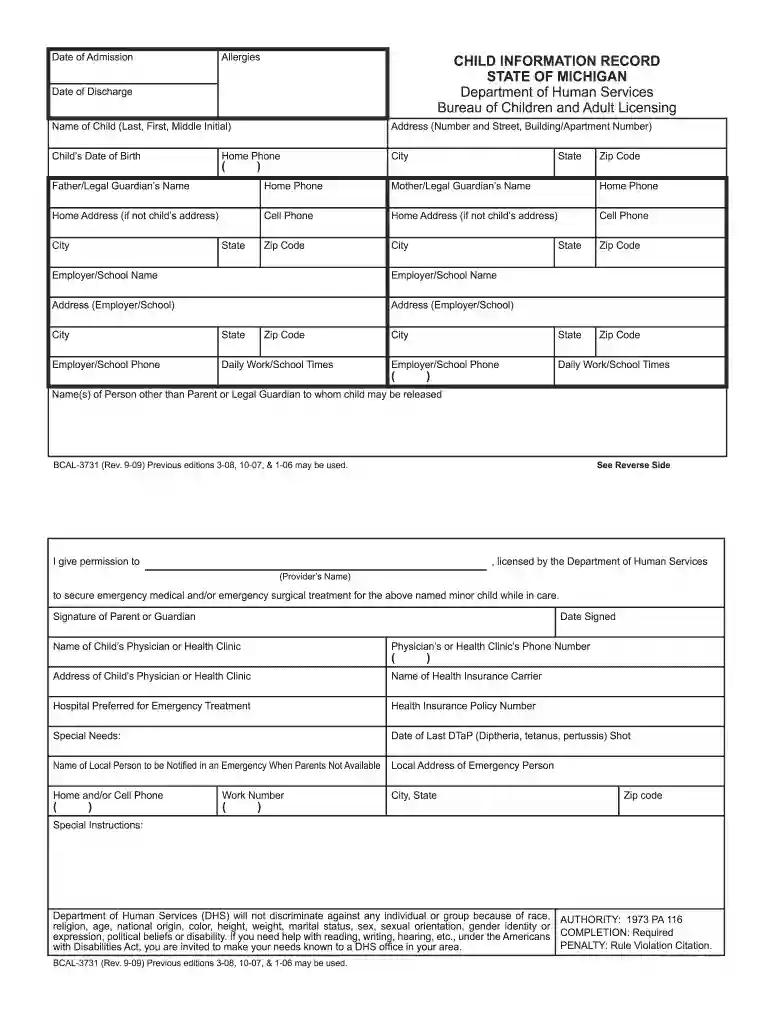
Type text, add images, blackout confidential details, add comments, highlights and more.

Draw your signature, type it, upload its image, or use your mobile device as a signature pad.

Send it via email, link, or fax. You can also download it, export it or print it out.

Start filling out your child information record 2009 online for free today!
We've got more versions of the child information record form. Select the right child information record version from the list and start editing it straight away!
Electronic document approval requires a software solution that complies with data security and eSignature laws. DocHub is a great tool for that, because it meets all the above mentioned requirements. Whatever method you prefer to sign your child information record 2009 in DocHub, your eSignature will be legally binding and court-admissible.
You can find the latest and most relevant version of the child information record 2009 in our DocHub forms library. Search it by categories or utilize the search field to get the exact template that fits your situation. You can open this form for editing once you find it.
At DocHub, your data security is our priority. We follow HIPAA, SOC2, GDPR, and other standards, so you can work on your documents with confidence.
Sep 13, 2022 The privacy interest in identifying information may be further diminished where the individual identified in the record is deceased.Read more
The majority of longitudinal databases that we examined held detailed information about each child in what appeared to be non-anonymous student records. 2009Read more
by CCL Centers 2025 the vehicle for each child being transported. The emergency medical information record for each child shall include a listing of the childs full name, dateRead more


