




Here's how it works



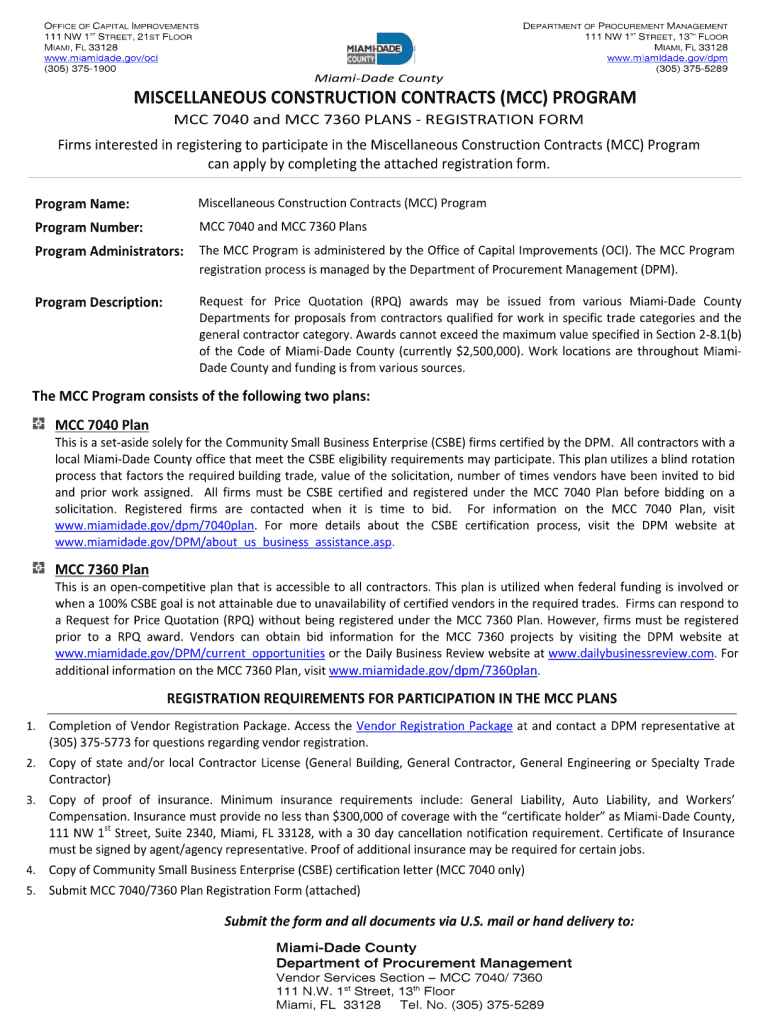
How to use or fill out mcc 7360 plans with our platform

- Click ‘Get Form’ to open the mcc 7360 plans in the editor.
- Begin by reviewing the introductory section, which outlines the purpose of the mcc 7360 plans. Ensure you understand the objectives before proceeding.
- Move to the first section labeled 'Project Overview.' Fill in all required fields, including project name, description, and timeline. Use clear and concise language for better clarity.
- Next, navigate to the 'Budget Allocation' section. Input your financial estimates accurately in each designated field. Utilize our platform's calculation tools if necessary to ensure precision.
- In the 'Stakeholders' section, list all relevant parties involved in the project. Make sure to include their roles and contact information for effective communication.
- Finally, review all entries for accuracy and completeness before saving your work. You can easily share or export your completed mcc 7360 plans directly from our editor.
Start using our platform today for free and streamline your document editing experience!
It's free
See more mcc 7360 plans versions
| Versions | Form popularity | Fillable & printable |
|---|---|---|
| 2010 | 4.9 Satisfied (414 Votes) |
Got questions?
How can I send my mcc 7360 plans from Google Drive for signing?
If you frequently deal with documents stored in your Google Drive, DocHub is a superb solution for you to easily and quickly fill out, adjust, and approve them. This editor integrates properly with Google apps, so you can export your mcc 7360 plans from your Google Drive to the editor without downloading and re-uploading it. Right-click on your file, select Open With → DocHub PDF Sign and Edit. In our editor, add and assign Signature Fields for all parties involved, then click on the Menu button above → Send → choose how you want to share your paperwork.
How to complete and sign mcc 7360 plans online?
You may quickly complete, modify, and even eSign your mcc 7360 plans using DocHub. Create a new account and start your free trial. After that, you can add the file with the form and simply make all the required edits. No need to print on paper or use a third-party application to sign it, as you can place your electronic signature on your document quicker through DocHub.
Security and compliance
At DocHub, your data security is our priority. We follow HIPAA, SOC2, GDPR, and other standards, so you can work on your documents with confidence.
Learn more




