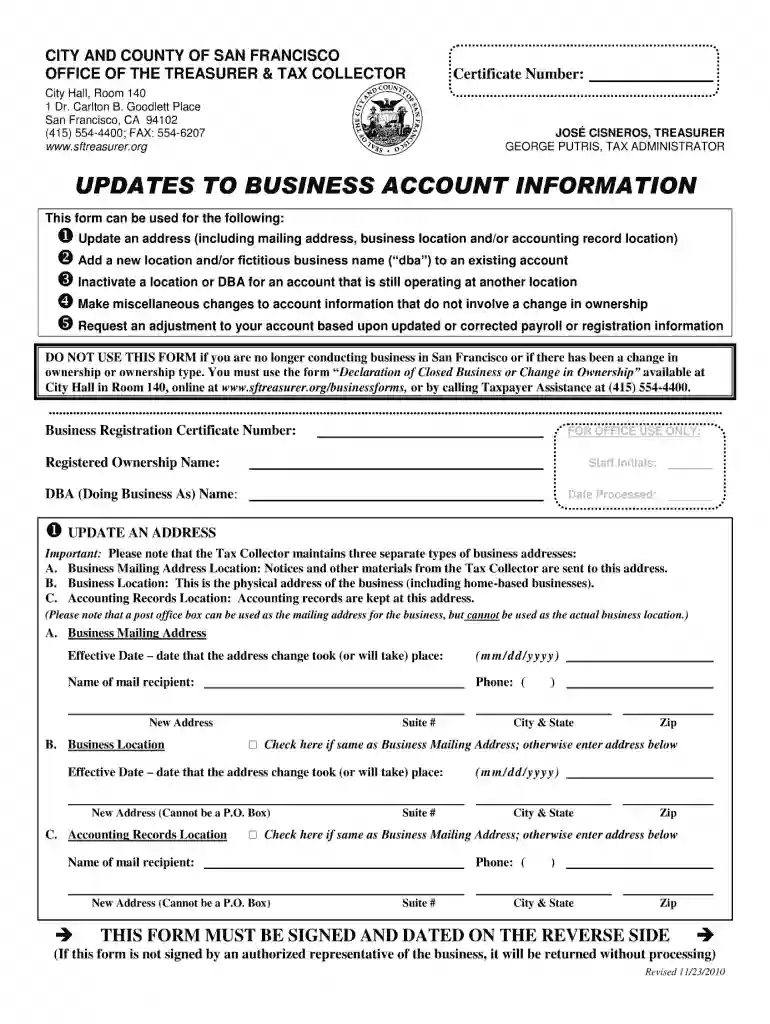
Updates to business account information pdf 2010-2026

Get Form
updates to business account information pdf 2010 Preview on Page 1

Here's how it works

01. Edit your form online
Type text, add images, blackout confidential details, add comments, highlights and more.

02. Sign it in a few clicks
Draw your signature, type it, upload its image, or use your mobile device as a signature pad.

03. Share your form with others
Send it via email, link, or fax. You can also download it, export it or print it out.

How to use or fill out updates to business account information pdf 2010 with DocHub

Form edit decoration
9.5
Ease of Setup
DocHub User Ratings on G2
9.0
Ease of Use
DocHub User Ratings on G2
  1. Click ‘Get Form’ to open the updates to business account information pdf 2010 in our platform's editor.
  2. Begin by reviewing the header section, where you will find fields for your business name and account number. Ensure that these details are accurate as they are crucial for identification.
  3. Next, navigate to the contact information section. Fill in your updated address, phone number, and email. This ensures that all communications reach you promptly.
  4. Proceed to the financial details section. Here, you may need to update your banking information or payment methods. Double-check these entries for accuracy.
  5. Finally, review the entire document for any missing fields or errors before saving your changes. Use our platform’s tools to highlight any areas that require attention.

Start using our platform today to effortlessly update your business account information for free!

See more updates to business account information pdf 2010 versions

We've got more versions of the updates to business account information pdf 2010 form. Select the right updates to business account information pdf 2010 version from the list and start editing it straight away!
Versions Form popularity Fillable & printable
2012 4.9 Satisfied (231 Votes)
2010 4.1 Satisfied (55 Votes)
be ready to get more

Complete this form in 5 minutes or less

Get form

Got questions?

We have answers to the most popular questions from our customers. If you can't find an answer to your question, please contact us.
Contact us
How to apply Start a scenario using the Business Licensing Wizard. Apply online applications will take approximately 10 business days to process. By mail complete the Business License Application, along with any additional forms, and payment to the address on the form.
Form BLS 700 160 This form can be used to make simple changes to your business account. This form cannot be processed if the required signature in Section E (on page 3) is not complete. Business Licensing Service will contact you if additional forms or fees are required.
You may need to file a new Business License Application to change the physical address of a business. Contact Business Licensing Service at 360-705-6741 to have a customer service specialist review your account and determine if you need to file a new Business License Application.
To obtain applicable licensing and register a business in Washington State, youll need to follow these basic steps: Register your business with the Washington Secretary of State. Obtain an EIN. Obtain licenses and permits. Register for taxes. Comply with labor laws. Explore your insurance options.
Washington State Business License Fee. The Washington State Business License costs $90. This is a one-time fee.

Security and compliance

At DocHub, your data security is our priority. We follow HIPAA, SOC2, GDPR, and other standards, so you can work on your documents with confidence.

Learn more
ccpa2
pci-dss
gdpr-compliance
hipaa
soc-compliance
be ready to get more

Complete this form in 5 minutes or less

Get form

People also ask

If your company is an LLC or Corporation, youll need to file with the Washington Secretary of State prior to applying for a business license. Choose whether or not youll be hiring employees and if they will be adults or minors. Add either your business address or the city where youll operate.

Related links