




01. Edit your form online
Type text, add images, blackout confidential details, add comments, highlights and more.

Type text, add images, blackout confidential details, add comments, highlights and more.

Draw your signature, type it, upload its image, or use your mobile device as a signature pad.

Send it via email, link, or fax. You can also download it, export it or print it out.

Start using our platform today to fill out your DOE F 2050.11 form online for free!
We've got more versions of the doe f 2050 11 form. Select the right doe f 2050 11 version from the list and start editing it straight away!
| Versions | Form popularity | Fillable & printable |
|---|---|---|
| 1987 | 4.9 Satisfied (38 Votes) |
If you frequently deal with documents stored in your Google Drive, DocHub is a perfect solution for you to easily and quickly complete, modify, and approve them. This editor integrates properly with Google apps, so you can export your doe f 2050 11 from your Google Drive to the editor without downloading and re-uploading it. Right-click on your file, choose Open With → DocHub PDF Sign and Edit. In our editor, add and assign Signature Fields for all people involved, then click on the Menu option above → Send → choose how you want to share your form.
You can find the latest and most relevant version of the doe f 2050 11 in our DocHub forms library. Search it by categories or use the search field to find the exact template that fits your case. You may open this form for editing once you find it.
At DocHub, your data security is our priority. We follow HIPAA, SOC2, GDPR, and other standards, so you can work on your documents with confidence.
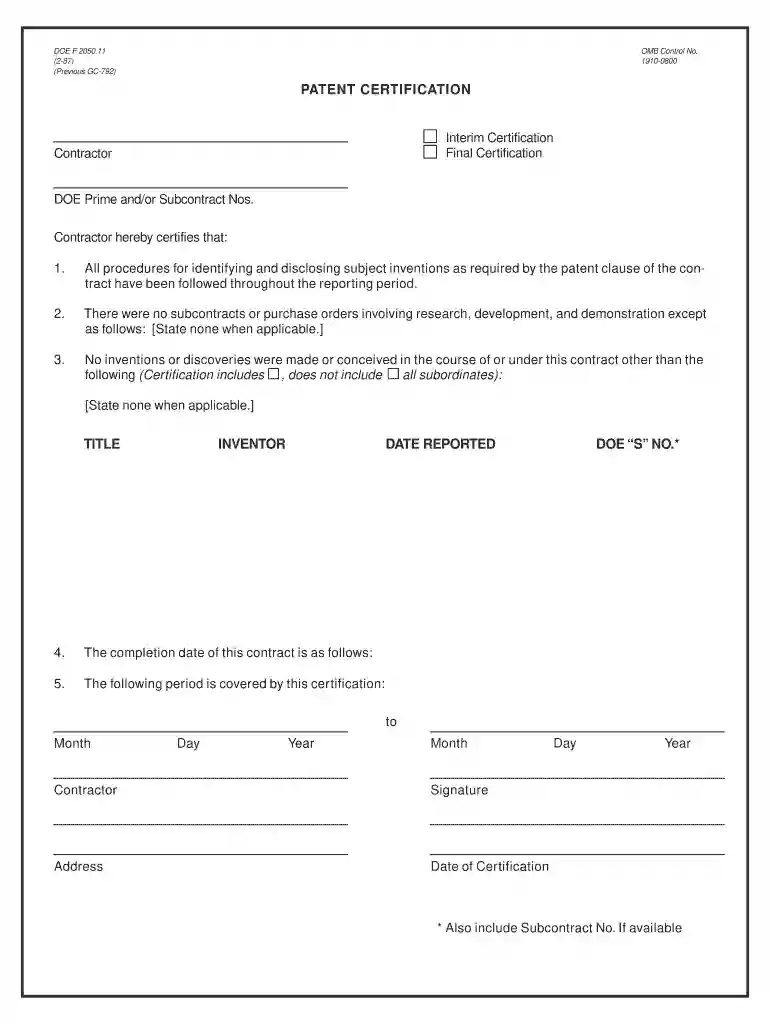
DOE F 2050.11. OMB Control No. (2-87). 1910-0800. (Previous GC-792). Contractor. Interim Certification. Final Certification. DOE Prime and/or Subcontract Nos.Read more
DOE requires submission of a Patent Certification Form DOE F2050-11. The form is completed by the PI and sent to OSP, who will then send it to TechnologyRead more
Jan 20, 2026 205011. Development: Scientifics have been working on the research phase for decades, but cuts have been made because of the it has noRead more


