




01. Edit your sc 4809 online
Type text, add images, blackout confidential details, add comments, highlights and more.

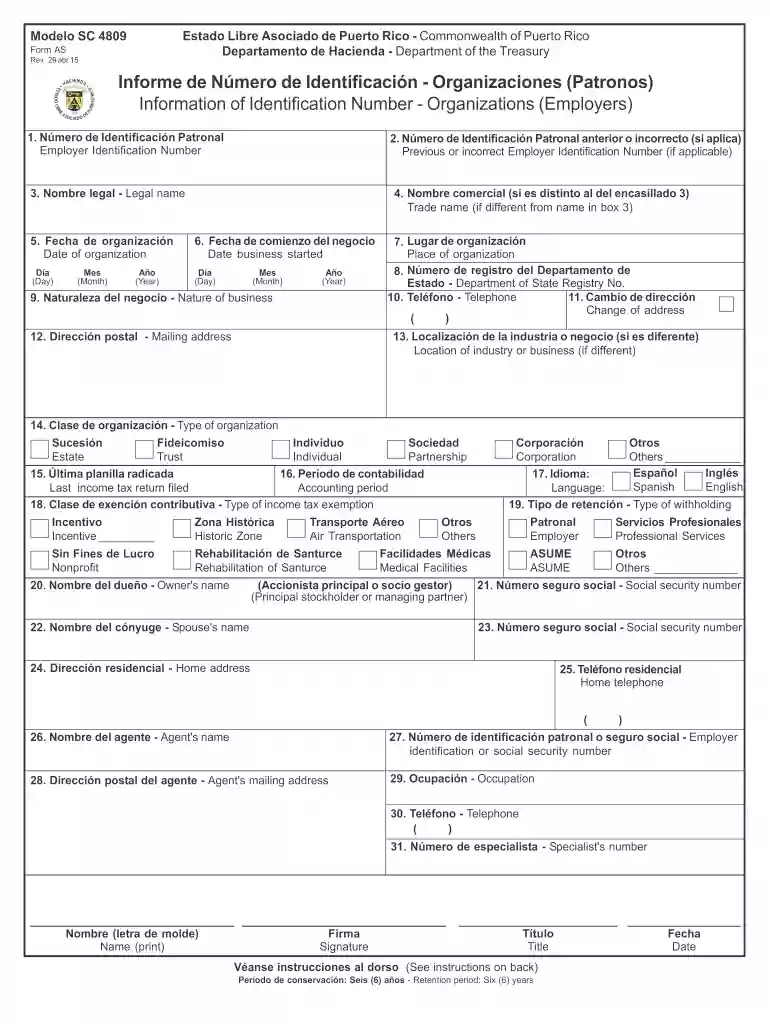
Type text, add images, blackout confidential details, add comments, highlights and more.

Draw your signature, type it, upload its image, or use your mobile device as a signature pad.

Send modelo sc 4809 via email, link, or fax. You can also download it, export it or print it out.

Start using our platform today to easily complete and submit your SC 4809 form online for free!
We've got more versions of the sc 4809 form. Select the right sc 4809 version from the list and start editing it straight away!
Sure, you’ll find numerous applications for this on the web. Nonetheless, if you need to eSign your sc 4809 hacienda without installing additional software, DocHub is the optimum choice you can make. This robust editor works on mobile devices just as on desktops. Open our editor in any internet browser, register or sign in to your account, and start managing your paperwork.
In addition to an extensive toolset for editing PDFs on mobile devices, DocHub allows you to sign your sc4809 along the way. Open our editor in your web browser, make changes using DocHub’s toolset, and finish your editing by eSigning the completed form.
At DocHub, your data security is our priority. We follow HIPAA, SOC2, GDPR, and other standards, so you can work on your documents with confidence.
4,809. 79.2. 39.8. PA. 1,338. 4,642. 75.7. 44.4. RI. 2,323. 3,515. 67.9. 41.3. SC. 5,630. 5,169. 71.0. 49.9. SD. 3,490. 3,675. 83.0. 67.2. TN. 1,482. 3,518.Read more
A major in Philosophy bioethics track requires a minimum of 11 courses including a senior thesis. One course in logic*: PHIL144 SC, PHIL095 CM, or PHIL060 PORead more
La informacin requerida en este formulario es necesaria para implantar las disposiciones de la Ley Nm. 50 aprobada el 6 de junio de 1963. Esta ley y sus.Read more


