Download pdf - Cosdel 2026

Get Form
Download pdf - Cosdel Preview on Page 1

Here's how it works

01. Edit your form online
Type text, add images, blackout confidential details, add comments, highlights and more.

02. Sign it in a few clicks
Draw your signature, type it, upload its image, or use your mobile device as a signature pad.

03. Share your form with others
Send it via email, link, or fax. You can also download it, export it or print it out.

How to use or fill out Download pdf - Cosdel with our platform

Form edit decoration
9.5
Ease of Setup
DocHub User Ratings on G2
9.0
Ease of Use
DocHub User Ratings on G2
  1. Click ‘Get Form’ to open the Download pdf - Cosdel in the editor.
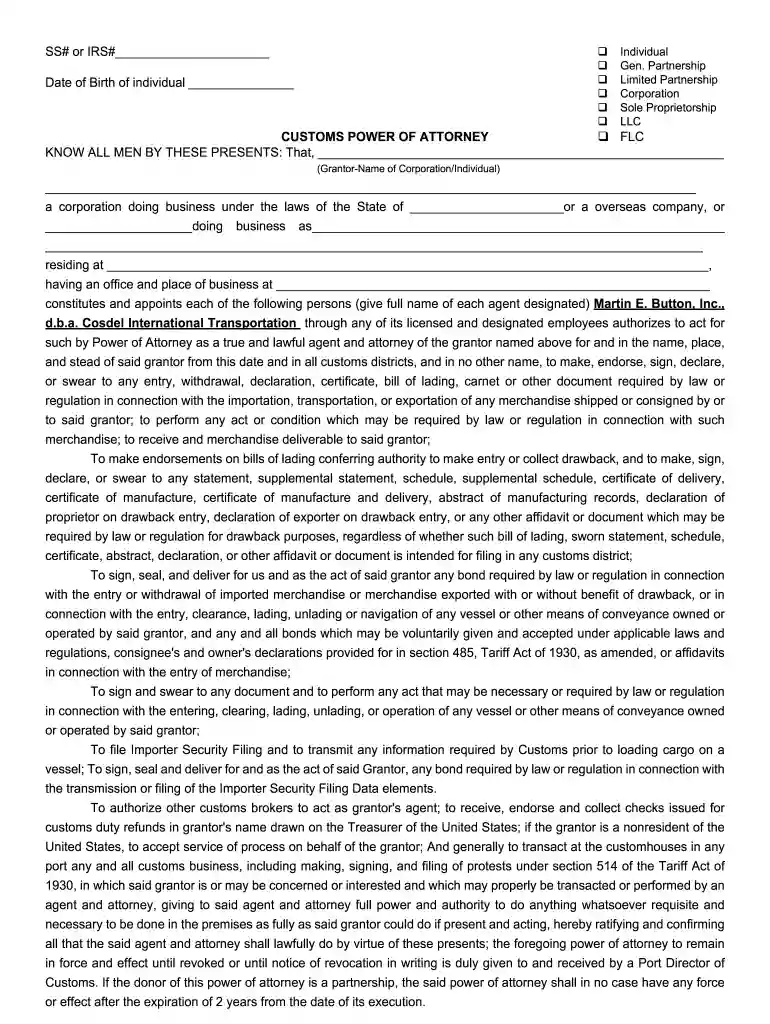
  2. Begin by entering the SS# or IRS# in the designated field at the top of the form.
  3. Fill in the Date of Birth of the individual as required, ensuring accuracy for compliance.
  4. Select the appropriate entity type from options such as Individual, Corporation, LLC, etc., by checking the corresponding box.
  5. In the Grantor section, provide the full name of the corporation or individual granting power of attorney.
  6. Complete all necessary details regarding business operations and address in the specified fields.
  7. Sign and date where indicated to validate your authorization and ensure all information is correct before submission.

Start using our platform today to easily fill out your Download pdf - Cosdel form for free!

See more Download pdf - Cosdel versions

We've got more versions of the Download pdf - Cosdel form. Select the right Download pdf - Cosdel version from the list and start editing it straight away!
Versions Form popularity Fillable & printable
2016 4 Satisfied (59 Votes)
2012 4.9 Satisfied (31 Votes)
be ready to get more

Complete this form in 5 minutes or less

Get form

Got questions?

We have answers to the most popular questions from our customers. If you can't find an answer to your question, please contact us.
Contact us
Quick Steps Open the webpage of the PDF you want to download. Right-click (or Command-click) the contents of the PDF document. Click Save as. Select a save location and click Save.
How to save a PDF of a web page Open the print menu by pressing Ctrl+P. Under the Printer drop-down menu, select Microsoft Print to PDF or Save as PDF. Click Print. When prompted, choose where you want to save the file.
Here are a few potential spots where youll likely find your downloaded PDFs: My Files app (sometimes called File Manager) Google Drive or One Drive. Adobe Acrobat Reader. Another mobile PDF reader app.
Choose File Create Create Multiple PDF Files. Choose Add Files and then use the dropdown menu at the top of the window to indicate if youll be choosing files or folders. Select your files or folders. Click OK, then fill out the Output Options dialog box and click OK again.
The best free PDF to Word converters of 2025 in full: PDF Candy. Best PDF to Office converter. WPS PDF to Word Converter. Best free PDF to Word converter for batch conversion. Nitro PDF to Word Converter. Best free PDF to Word converter for beginners. Wondershare PDFElement. UniPDF.

Security and compliance

At DocHub, your data security is our priority. We follow HIPAA, SOC2, GDPR, and other standards, so you can work on your documents with confidence.

Learn more
ccpa2
pci-dss
gdpr-compliance
hipaa
soc-compliance
be ready to get more

Complete this form in 5 minutes or less

Get form

People also ask

Find the PDF you want to open in your Files and double click to open. Select Adobe Acrobat (or whichever reader you downloaded) from the list of available options. If no list appears or the page opens in another application, you can right-click the file and select Open With and choose set default PDF reader.
By default, attached PDFs are downloadable/printable. A large download icon will appear next to your attached media to indicate that crafters can download or print it. To disable it, click the media icon and then click the download icon. We recommend building interactive charts using Ribbuilds built-in chart editor.
create your LaTeX document, filename.tex, with any text editor (word processors should be avoided as they put in stray characters) At the terminal/command prompt, issue the command pdflatex filename.tex to generate filename.pdf.

Related links