Florida docketing statement 2026

Get Form
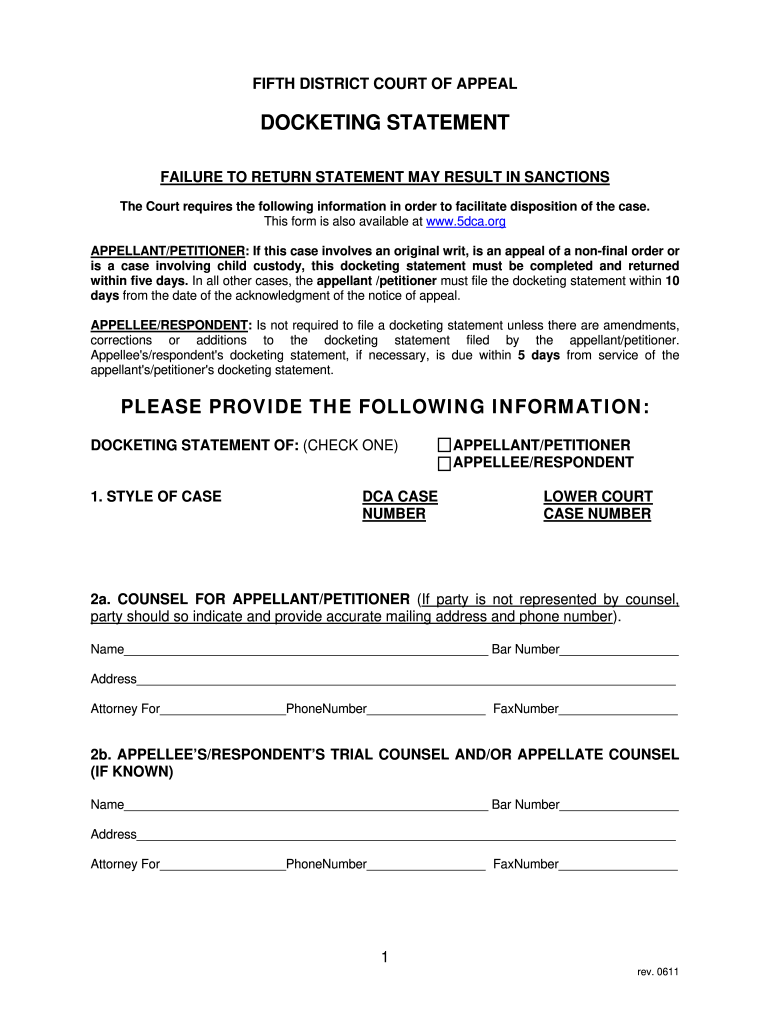
docketing statement example Preview on Page 1

Here's how it works

01. Edit your docketing statement example online
Type text, add images, blackout confidential details, add comments, highlights and more.
02. Sign it in a few clicks
Draw your signature, type it, upload its image, or use your mobile device as a signature pad.
03. Share your form with others
Send it via email, link, or fax. You can also download it, export it or print it out.

How to use or fill out Florida Docketing Statement with DocHub

Form edit decoration
9.5
Ease of Setup
DocHub User Ratings on G2
9.0
Ease of Use
DocHub User Ratings on G2
  1. Click ‘Get Form’ to open the Florida Docketing Statement in our editor.
  2. Begin by filling in the 'Style of Case' section, selecting whether you are the Appellant/Petitioner or Appellee/Respondent. Enter the DCA case number and lower court case number as required.
  3. In section 2a, provide the name and bar number of the counsel for the Appellant/Petitioner. If unrepresented, include your mailing address and phone number.
  4. For section 2b, if applicable, enter details for the Appellee’s/Respondent’s trial counsel and/or appellate counsel.
  5. List all parties involved in section 3, specifying their roles (appellant, petitioner, etc.) along with their lawyers' names.
  6. In section 4, document all judges involved in the action and specify who entered the order being appealed.
  7. Complete section 5 by stating the basis for jurisdiction, including relevant dates and rules.
  8. Address any pending matters in section 6 and list similar issues from other cases in section 7.
  9. Finally, complete the Certificate of Service at the end of the form before submitting it.

Start using our platform today to fill out your Florida Docketing Statement online for free!

See more florida docketing statement versions

We've got more versions of the florida docketing statement form. Select the right florida docketing statement version from the list and start editing it straight away!
Versions Form popularity Fillable & printable
2011 4.8 Satisfied (266 Votes)
2003 4.4 Satisfied (530 Votes)
be ready to get more

Complete this form in 5 minutes or less

Get form

Got questions?

We have answers to the most popular questions from our customers. If you can't find an answer to your question, please contact us.
Contact us
A docket fee is a fee that a court charges to officially record a case on its docket or calendar. This fee is part of the costs associated with legal actions and is typically required to initiate proceedings in various types of cases, including civil, criminal, and admiralty cases.
The UCC-1 or Financing Statement is the most common UCC form. The UCC-1 is routine in the case of a secured loan, where the lender uses the UCC-1 to place a lien on a particular piece of collateral or all assets belonging to a business or person.
The Appellate Case Information System (ACIS) allows users to search court dockets and available case documents in all of Floridas appellate courts. Dockets for the Florida Supreme Court and all six of Floridas District Courts of Appeal are now available on ACIS.

Security and compliance

At DocHub, your data security is our priority. We follow HIPAA, SOC2, GDPR, and other standards, so you can work on your documents with confidence.

Learn more
ccpa2
pci-dss
gdpr-compliance
hipaa
soc-compliance