01. Edit your 5 ws and h newspaper article brainly online
Type text, add images, blackout confidential details, add comments, highlights and more.
02. Sign it in a few clicks
Draw your signature, type it, upload its image, or use your mobile device as a signature pad.
03. Share your form with others
Send it via email, link, or fax. You can also download it, export it or print it out.
How to use or fill out WH-5 with our platform
Ease of Setup
DocHub User Ratings on G2
Ease of Use
DocHub User Ratings on G2
Click ‘Get Form’ to open the WH-5 in the editor.
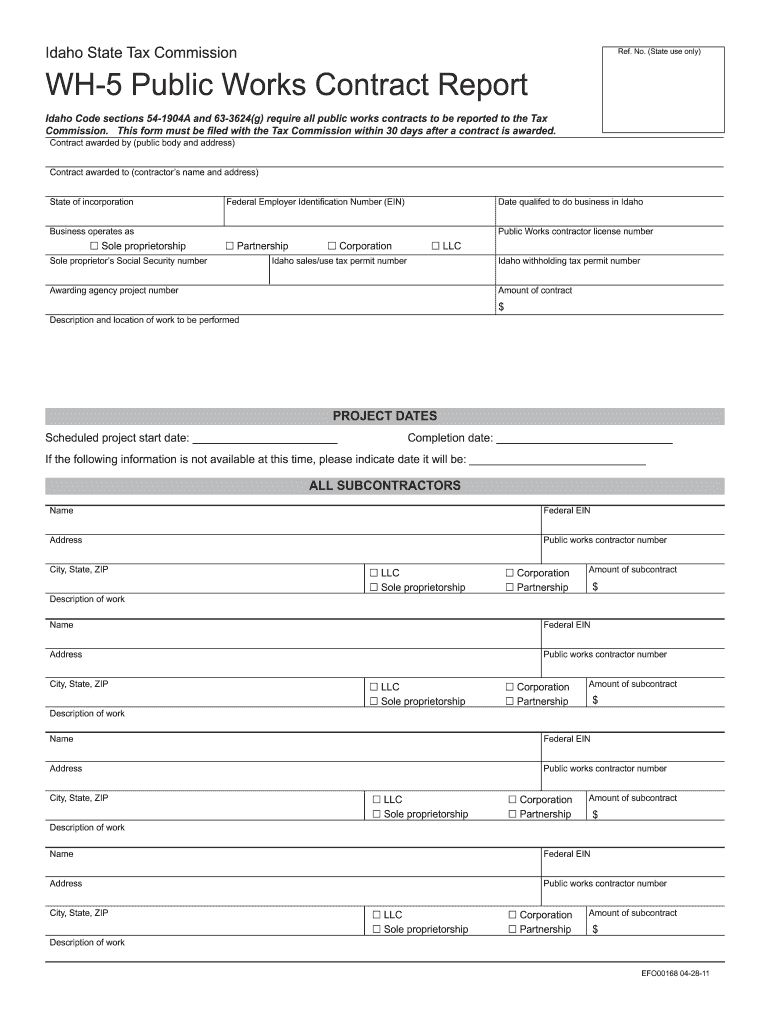
Begin by filling in the 'Contract awarded by' section with the public body and address. Next, enter the contractor’s name and address in the 'Contract awarded to' field.
Provide the State of incorporation and Federal Employer Identification Number (EIN). Indicate how your business operates by selecting from options like Sole proprietorship, Partnership, Corporation, or LLC.
Complete the project details including scheduled start date, completion date, and a description of work to be performed. Ensure all subcontractors are listed with their respective details.
In the Suppliers section, report major suppliers and indicate how sales or use tax was paid. Fill in all required fields accurately.
Finally, sign and print your name at the bottom of the form before submitting it to ensure compliance with Idaho regulations.
Start using our platform today for free to streamline your WH-5 form completion!
May 27, 2020 Form WH-5 (continued). *If youre reporting any untaxed materials, equipment, or supplies as items subject to use tax on your Idaho returnRead more
Who is driving the story? Who is it about? What has happened? What are the consequences? Where is this taking place (building, neighborhood, city, country)?Read more
Cookie consent notice
This site uses cookies to enhance site navigation and personalize your experience.
By using this site you agree to our use of cookies as described in our Privacy Notice.
You can modify your selections by visiting our Cookie and Advertising Notice.