judgment court case Preview on Page 1

California judgment state 2026

Here's how it works

  • 01. Edit your judgment court case online

    Type text, add images, blackout confidential details, add comments, highlights and more.

  • 02. Sign it in a few clicks

    Draw your signature, type it, upload its image, or use your mobile device as a signature pad.

  • 03. Share your form with others

    Send attorney case via email, link, or fax. You can also download it, export it or print it out.

How to use or fill out California Judgment State with DocHub

Form edit decoration
9.5
Ease of Setup
DocHub User Ratings on G2
9.0
Ease of Use
DocHub User Ratings on G2
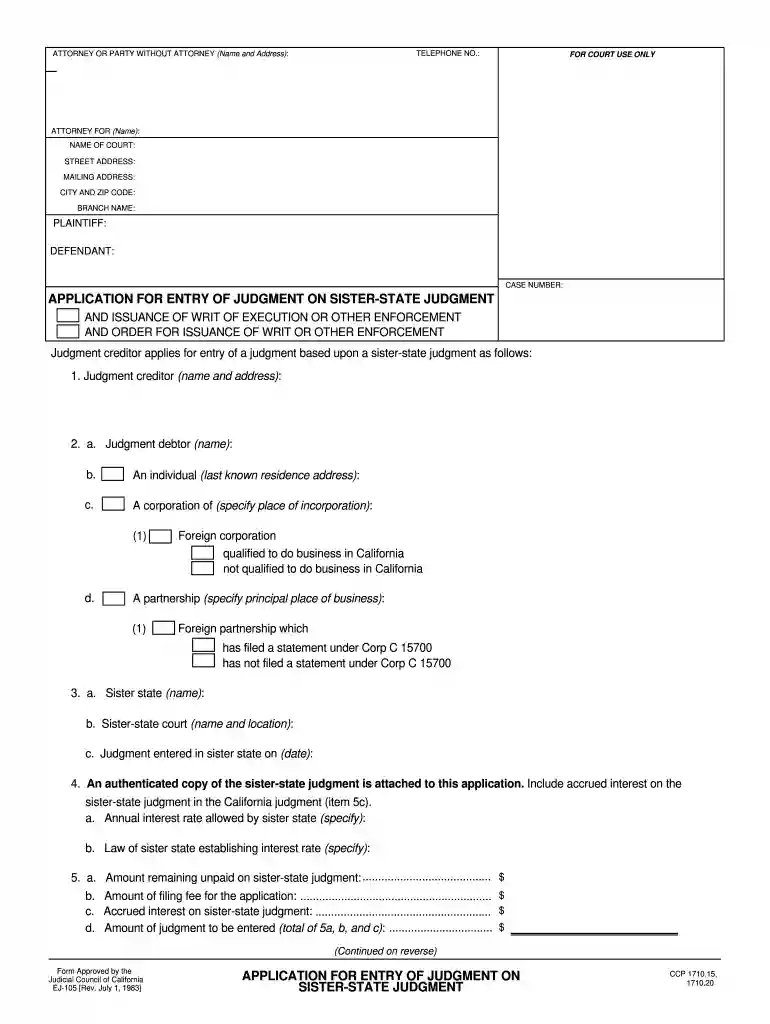
  1. Click ‘Get Form’ to open the California Judgment State document in the editor.
  2. Begin by filling in the 'Telephone No.' and 'Attorney or Party Without Attorney' sections. Ensure you provide accurate contact information for effective communication.
  3. In the 'For Court Use Only' section, leave it blank as this is reserved for court officials.
  4. Complete the 'Attorney For' and 'Name of Court' fields, along with the street address, mailing address, city, and zip code. This information identifies where your application will be processed.
  5. Fill in details about the plaintiff and defendant, including their names and case number. This is crucial for linking your application to the correct legal matter.
  6. In Section 1, provide the name and address of the judgment creditor. In Section 2, specify details about the judgment debtor including their last known residence or business incorporation details.
  7. Continue by detailing information about the sister state and court where the original judgment was entered. Attach an authenticated copy of this judgment as required.
  8. Finally, calculate and enter amounts related to unpaid judgments and accrued interest in Section 5. Ensure all figures are accurate before submission.

Start using our platform today to streamline your document editing process for free!

See more judgment court case versions

We've got more versions of the judgment court case form. Select the right judgment court case version from the list and start editing it straight away!

VersionsForm popularityFillable & printable
19834.9 Satisfied (45 Votes)

be ready to get more

Complete this form in 5 minutes or less

Security and compliance

At DocHub, your data security is our priority. We follow HIPAA, SOC2, GDPR, and other standards, so you can work on your documents with confidence.

judgment sister state

Opinion by Judge Gould

Apr 25, 2014 The panel held that the evidence presented was sufficient to prove alienage beyond a reasonable doubt. The panel held.Read more

Learn more
State of California et al. v. Department of Health and Human

Apr 7, 2026 Why This Matters: The plaintiffs argue that Trump administration regulations broadening exemptions for employers from the Affordable Care ActsRead more

Learn more
Collect or pay a civil judgment

A judgment is a final court order at the end of a lawsuit. If it says one side owes money, it means they have a money judgment against them. PRINTRead more

Learn more
If you believe that this page should be taken down, please follow our DMCA take down process here