Type text, add images, blackout confidential details, add comments, highlights and more.

02. Sign it in a few clicks
Draw your signature, type it, upload its image, or use your mobile device as a signature pad.

03. Share your form with others
Send da 160 form via email, link, or fax. You can also download it, export it or print it out.

How to use or fill out DA Form 160 online with our platform
Ease of Setup
DocHub User Ratings on G2
Ease of Use
DocHub User Ratings on G2
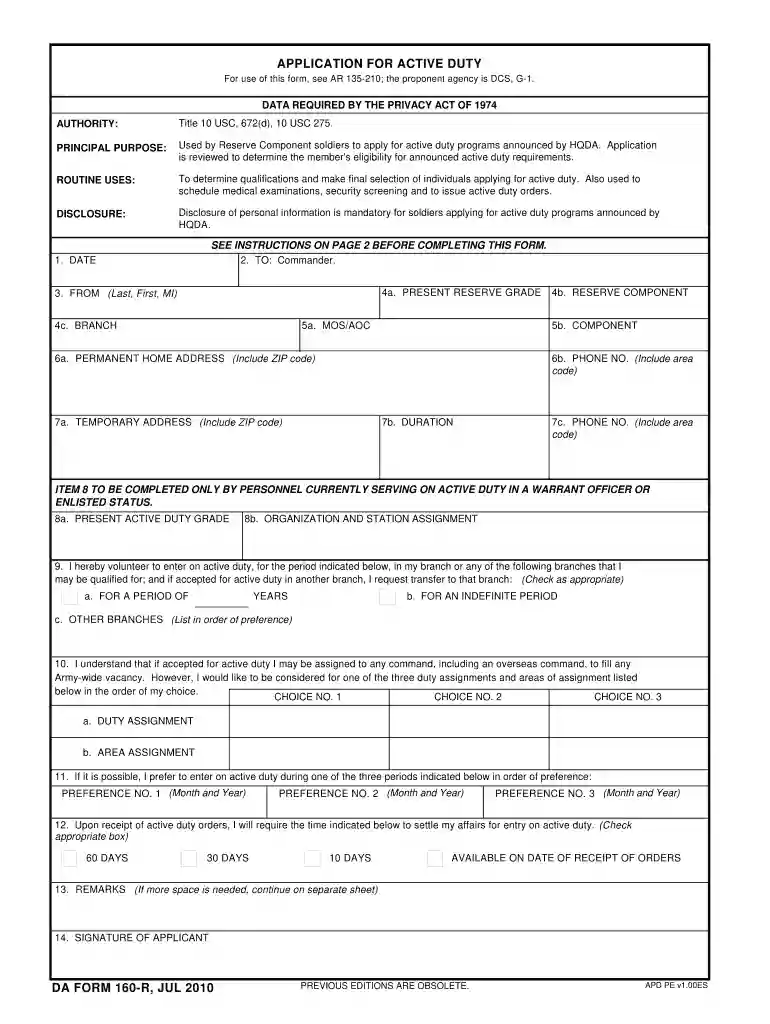
Click ‘Get Form’ to open DA Form 160 in the editor.
Begin by filling in your personal information. Enter your name in the 'FROM' section, followed by your current Reserve grade and component in items 4a and 4b.
Provide your permanent home address and phone number in items 6a and 6b. If you have a temporary address, complete items 7a to 7c accordingly.
In item 9, indicate your willingness to enter active duty by checking the appropriate box for the duration of service you prefer.
List your preferred duty assignments and areas of assignment in item 10, ensuring you rank them according to your choice.
Complete item 12 regarding the time needed to settle affairs before entering active duty.
Finally, review all entries for accuracy before signing at item 14. Use our platform's features to save or print the completed form.
Start filling out DA Form 160 online for free today!
Form DS-160 is submitted electronically to the Department of State website via the Internet.
Do I need to print the DS-160 form?
DS-160 Form Fees and Application Process. The DS-160 fee is $185, which covers the cost of submitting your DS-160 F-1 visa application to the US government. This fee is separate from the $350 SEVIS I-901 fee that you pay to the Student and Exchange Visitor Program.
How do I update my DS-160 form?
In the first part of Form DS-160, you will provide personal information such as your name, date of birth, and marital status. In this section, you will explain your travel plans, including the purpose of your trip to the United States, your dates of arrival and departure, and the U.S. address at which you will stay.
Can I view my DS-160 form after submitting?
Option A: Retrieve Your Application and Re-Create Log into the Consular Electronic Application Center (CEAC) system and select Retrieve an Application using your application number. Select Create a New Application. Most of the form should auto-populate with your previous information and the responses you completed.
Do I need to submit DS-160 before booking an appointment?
DS-160 Confirmation Page You are not required to bring your entire application. For your interview, you are required to bring your confirmation page with your application ID number on it so we can retrieve your DS-160. You must bring the confirmation page with you during all phases of the application process.
Related Searches
U.S. Military application form onlineU.S. Army application onlineU.S. Army application form PDFDA form 3574DS-160 form onlineDD Form 368U.S. Army form for non citizenU.S. Army application for foreigners
Security and compliance
At DocHub, your data security is our priority. We follow HIPAA, SOC2, GDPR, and other standards, so you can work on your documents with confidence.
This class will challenge dancers to learn increasingly lengthier combinations, fully express themselves, and grow over the course of the semester. RequiredRead more
Welcome! The first step in applying for a U.S. nonimmigrant visa is to complete your application. It takes approximately 90 minutes to do this.Read more
Cookie consent notice
This site uses cookies to enhance site navigation and personalize your experience.
By using this site you agree to our use of cookies as described in our Privacy Notice.
You can modify your selections by visiting our Cookie and Advertising Notice.