




01. Edit your cbp form 3461 online
Type text, add images, blackout confidential details, add comments, highlights and more.

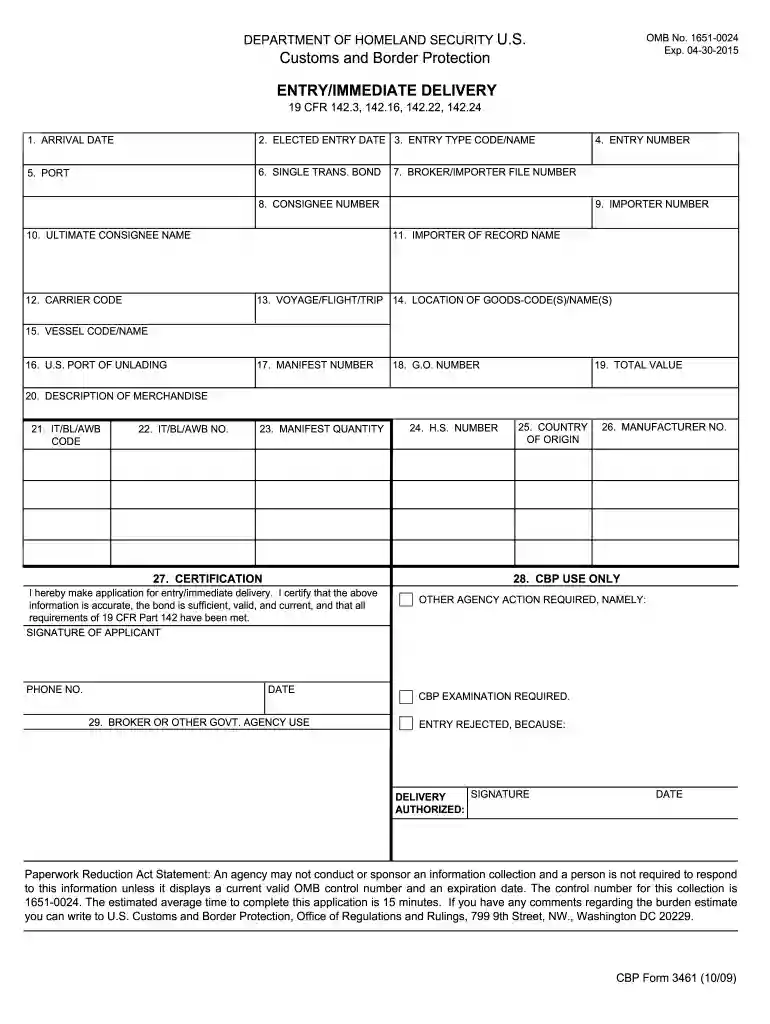
Type text, add images, blackout confidential details, add comments, highlights and more.

Draw your signature, type it, upload its image, or use your mobile device as a signature pad.

Send it via email, link, or fax. You can also download it, export it or print it out.

Start using our editor today to fill out your US Customs Entry/Immediate Delivery form quickly and efficiently!
We've got more versions of the cbp form 3461 form. Select the right cbp form 3461 version from the list and start editing it straight away!
At DocHub, your data security is our priority. We follow HIPAA, SOC2, GDPR, and other standards, so you can work on your documents with confidence.
CBP Form 3461 - Entry/Immediate Automated Commercial Environment (ACE) Environment (ACE); Forms Forms; Trade. Last Modified: Jan 17, 2025. Return toRead more
Feb 28, 2026 Indicate by check mark if the registrant is a well-known seasoned issuer, as defined in Rule 405 of the Securities Act. ☒ Yes ☐ No.Read more
The electronic form of the immediate delivery, entry or entry summary through ABI shall be deemed to satisfy all filing requirements under this part.Read more


