




01. Edit your liite ulkomaalaisen opintotukihakemukseen ot 10 online
Type text, add images, blackout confidential details, add comments, highlights and more.

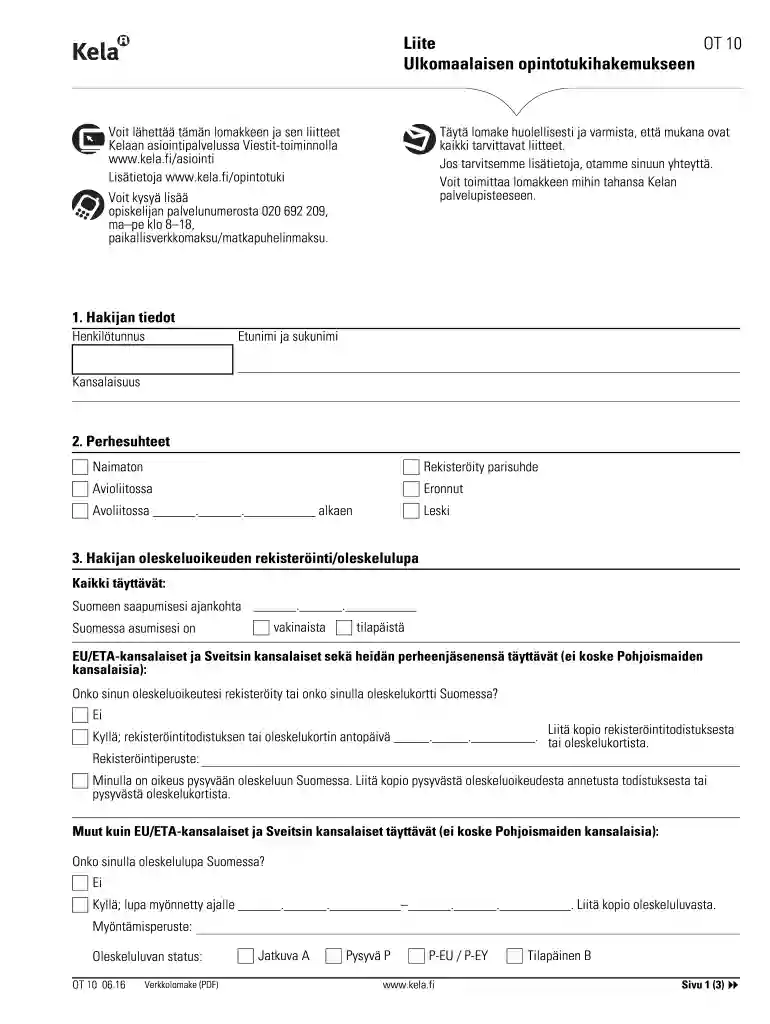
Type text, add images, blackout confidential details, add comments, highlights and more.

Draw your signature, type it, upload its image, or use your mobile device as a signature pad.

Send ot 10 via email, link, or fax. You can also download it, export it or print it out.

Start using our platform today to complete your OT 10 form easily and for free!
We've got more versions of the liite ulkomaalaisen opintotukihakemukseen ot 10 form. Select the right liite ulkomaalaisen opintotukihakemukseen ot 10 version from the list and start editing it straight away!
| Versions | Form popularity | Fillable & printable |
|---|---|---|
| 2016 | 4.9 Satisfied (61 Votes) |
Sure, it is possible with DocHub. This trustworthy and compliant online service features a phone-based signing option. When you log in to your DocHub account and import your ot 10 to our editor, fill out all blank areas and utilize the Sign tool on the upper barf. Click on Create your signature and choose Phone from the available options. Here, you scan a QR code using your smartphone and draw your signature on your phone screen, as you normally do when signing hard copies. If you access DocHub right from your mobile device, you can eSign your template by drawing your eSignature, adding its image, or simply with a typed name.
If you want to edit your ot 10 online easily, it does not matter what browser you use. DocHub’s simple editing instruments are available using any internet browser. Simply open the appropriate tab within our editor, add your document, and fill it out without stress.
At DocHub, your data security is our priority. We follow HIPAA, SOC2, GDPR, and other standards, so you can work on your documents with confidence.
Radiation training sites OT-10 consist of Sites TS5, TS6, TS7 and TS8. As per our letter dated 25 June 2003 addressed to Mr. Cain of NRC Region IV (Atch 3)
Design. Experimental Design. 1 Preface to Project Design. Ochratoxin A (OTA) is a fungal toxin that widely contaminates agricultural products.Read more
First Year Seminar focuses on the student as a whole person. This is a reflective course where students apply skills and strategies to help them succeed,


