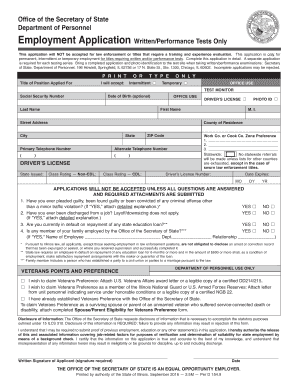
Mcu direct deposit form 2026

Get Form
mcu direct deposit form Preview on Page 1

Here's how it works

01. Edit your mcu direct deposit form online
Type text, add images, blackout confidential details, add comments, highlights and more.
02. Sign it in a few clicks
Draw your signature, type it, upload its image, or use your mobile device as a signature pad.
03. Share your form with others
Send mcu direct deposit form pdf via email, link, or fax. You can also download it, export it or print it out.

How to use or fill out mcu direct deposit form with our platform

Form edit decoration
9.5
Ease of Setup
DocHub User Ratings on G2
9.0
Ease of Use
DocHub User Ratings on G2
  1. Click ‘Get Form’ to open the mcu direct deposit form in the editor.
  2. Begin by filling out the 'Member Information' section. Enter your account number, name, employer, and contact details accurately.
  3. In the 'Account Allocation(s)' section, specify how you want your paycheck divided among different accounts. Fill in the amounts for savings, checking, and any other allocations as needed.
  4. Review the 'Authorization' section carefully. By signing here, you authorize your employer to deduct the specified amounts from your paychecks.
  5. Complete the 'Total Amount' field by summing up all allocations. Ensure this matches your full paycheck if that is your choice.
  6. Finally, add your signature and indicate your payroll start date before submitting the form back to METRO Federal Credit Union.

Start using our platform today to fill out your mcu direct deposit form online for free!

See more mcu direct deposit form versions

We've got more versions of the mcu direct deposit form form. Select the right mcu direct deposit form version from the list and start editing it straight away!
Versions Form popularity Fillable & printable
2015 4.1 Satisfied (33 Votes)
be ready to get more

Complete this form in 5 minutes or less

Get form

Got questions?

We have answers to the most popular questions from our customers. If you can't find an answer to your question, please contact us.
Contact us
Download, print or email the form to your employer.
Sign In to Online Banking. Click on any of your accounts. Select View and Print Payroll Direct Deposit from the right navigation. Select the account you want to deposit your payroll to from the dropdown, then click on View and Print and your customized form will be presented to you.
Funds from cash, wire transfers, and electronic direct deposits to your account will be available on the same day which we receive the deposit.
Add additional funds to your MCU Money Market Account via Direct Deposit or Payroll Deduction.
With Early Pay from MCU, you can access your paycheck up to two days sooner, giving you extra time to cover supplies, clothes, and all the essentials.

Security and compliance

At DocHub, your data security is our priority. We follow HIPAA, SOC2, GDPR, and other standards, so you can work on your documents with confidence.

Learn more
ccpa2
pci-dss
gdpr-compliance
hipaa
soc-compliance
be ready to get more

Complete this form in 5 minutes or less

Get form

People also ask

Direct deposit is often used by employers when paying salaries and wages, by the government to pay benefits like Social Security or disability, and by credit unions and banks for secure transactions.
Usually, youll receive your direct deposit by 9 a.m. on your payday and sometimes even earlier. But banks may wait up to a business day to release your funds. Editorial Note: Intuit Credit Karma receives compensation from third-party advertisers, but that doesnt affect our editors opinions.

municipal credit union direct deposit form