Medical Records Release Forms - Colorado Brain & Spine Institute - cbsi 2025

Get Form
colorado brain and spine institute Preview on Page 1

Here's how it works

01. Edit your colorado brain and spine institute online
Type text, add images, blackout confidential details, add comments, highlights and more.
02. Sign it in a few clicks
Draw your signature, type it, upload its image, or use your mobile device as a signature pad.
03. Share your form with others
Send it via email, link, or fax. You can also download it, export it or print it out.

How to use or fill out Medical Records Release Forms - Colorado Brain & Spine Institute - cbsi with our platform

Form edit decoration
9.5
Ease of Setup
DocHub User Ratings on G2
9.0
Ease of Use
DocHub User Ratings on G2
  1. Click ‘Get Form’ to open it in the editor.
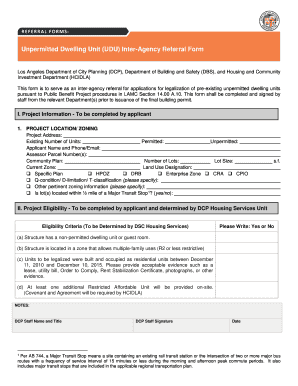
  2. Begin by filling out the 'Patient Information' section. Clearly print your name, date of birth, and social security number in the designated fields.
  3. Next, provide details for the physician or facility that will release your records. Enter their name, address, city/state/zip code accurately.
  4. In the following section, specify the physical facility you want to receive your records. Again, include their name, address, city/state/zip code, and fax number if applicable.
  5. For authorization, check the appropriate boxes indicating which records you wish to be released. Options include all records, office notes, imaging reports, or other specific information.
  6. Finally, sign and date the form at the bottom to authorize the release of your medical information.

Start using our platform today for free to streamline your document editing and signing process!

See more Medical Records Release Forms - Colorado Brain & Spine Institute - cbsi versions

We've got more versions of the Medical Records Release Forms - Colorado Brain & Spine Institute - cbsi form. Select the right Medical Records Release Forms - Colorado Brain & Spine Institute - cbsi version from the list and start editing it straight away!
Versions Form popularity Fillable & printable
2015 4.8 Satisfied (100 Votes)
be ready to get more

Complete this form in 5 minutes or less

Get form

Got questions?

We have answers to the most popular questions from our customers. If you can't find an answer to your question, please contact us.
Contact us

A lot of software applications are available on the market for document editing and signing. DocHub is one of the most in-demand online solutions that comply with all security and compliance standards and guarantees your electronically signed documentation is legally enforceable. All you need to try it out is to create an account, add your Medical Records Release Forms - Colorado Brain & Spine Institute - cbsi, provide the required information, and click Sign. Create your electronic signature by typing, drawing it, uploading its picture to your document, or scanning a unique QR code.

If you use Chrome, there are two easy methods to edit your Medical Records Release Forms - Colorado Brain & Spine Institute - cbsi online. First, visit the DocHub site, add your document, and edit it using our toolbar. You can also install our Chrome extension and edit any document by dragging and dropping it in your browser window.

Phone or visit: You can also call or visit your provider and ask them how to get your health record. Ask for the health information services department or the administrative staff in charge of releasing health records.
Providers: The Medical Board of Colorado recommends retaining all patient records for a minimum of seven years after the last date of treatment.
Colorado: $18.53 for the first 10 pages, 85 per page for the next 30 pages, and 57 per page for each additional page. These costs do not apply to medical records that are stored on microfilm, which cost $1.50 per page, or radiographic studies, which cost the actual cost of reproduction for each radiograph copy.
be ready to get more

Complete this form in 5 minutes or less

Get form

People also ask

How to request a copy of your medical record. Questions related to release of records may be directed to Centralized Release of Information at 303-467-4046 or toll free at 855-821-0591 or you can visit your local Intermountain Health hospital or clinic.
Contact your GP surgery They can give you a printed copy of your record or send you a digital version.

Related links