Robert w johnson and associates 2026

Get Form
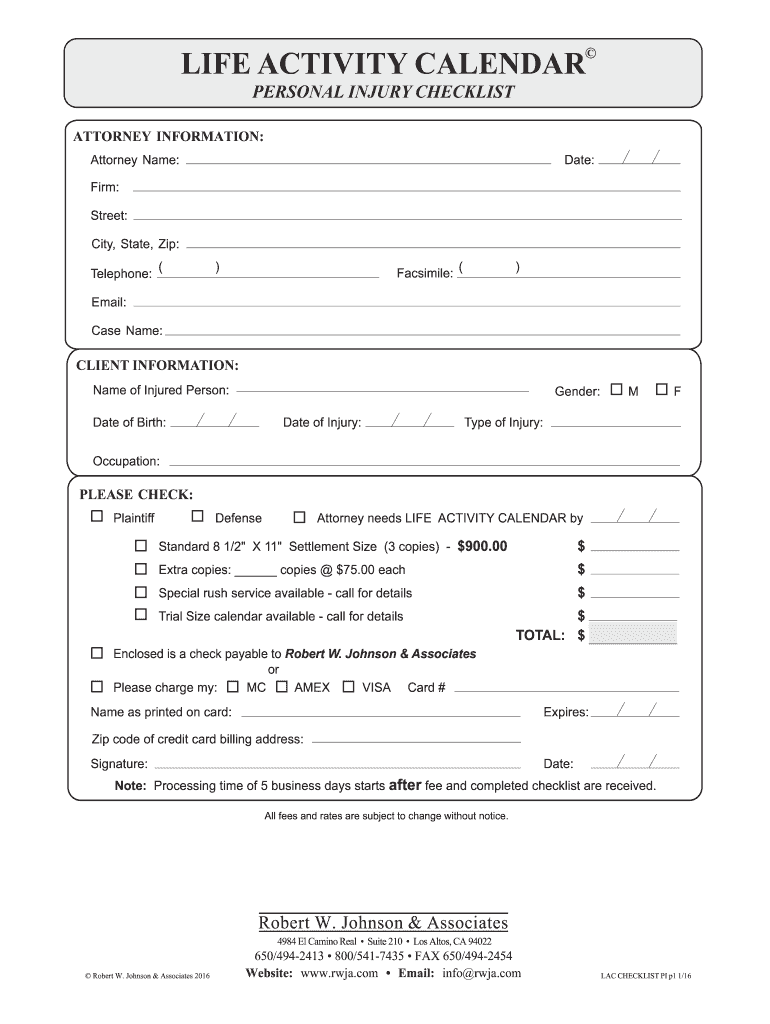
robert johnson and associates Preview on Page 1

Here's how it works

01. Edit your robert johnson and associates online
Type text, add images, blackout confidential details, add comments, highlights and more.
02. Sign it in a few clicks
Draw your signature, type it, upload its image, or use your mobile device as a signature pad.
03. Share your form with others
Send it via email, link, or fax. You can also download it, export it or print it out.

How to use or fill out robert w johnson and associates with our platform

Form edit decoration
9.5
Ease of Setup
DocHub User Ratings on G2
9.0
Ease of Use
DocHub User Ratings on G2
  1. Click ‘Get Form’ to open the robert w johnson and associates checklist in the editor.
  2. Begin by filling out the 'Attorney Information' section. Enter your name, date, firm details, and contact information accurately.
  3. Proceed to the 'Client Information' section. Provide details about the injured person, including their name, gender, date of birth, and type of injury.
  4. In the 'Checklist' section, list activities that were affected by the injury. Use the three columns to indicate participation before and after the injury.
  5. Mark the months during which these activities occurred using checkboxes provided in each row.
  6. Complete payment information at the end of the form if applicable. Choose between check or credit card options for processing fees.

Start using our platform today to streamline your document editing and form completion process for free!

be ready to get more

Complete this form in 5 minutes or less

Get form

Got questions?

We have answers to the most popular questions from our customers. If you can't find an answer to your question, please contact us.
Contact us

Upload your robert w johnson and associates to DocHub (after you’ve set up an account for this). If you need to complete fields in it, use appropriate tools from the upper pane. For instance, drop Signature Fields, assign each to a particular party, and click on Sign → Request signatures from others. Customize your message for your recipients and click Send Request. You can also send your paperwork by fax or as a Signing link instead of using email (you’ll locate these options by navigating to the Menu → Send)

You may quickly complete, edit, and even eSign your robert w johnson and associates utilizing DocHub. Create a new profile and begin your free trial. After that, you can add the document with the form and simply make all the required edits. No need to print on paper or use a third-party application to sign it, as you can place your electronic signature on your document quicker via DocHub.

Security and compliance

At DocHub, your data security is our priority. We follow HIPAA, SOC2, GDPR, and other standards, so you can work on your documents with confidence.

Learn more
ccpa2
pci-dss
gdpr-compliance
hipaa
soc-compliance
be ready to get more

Complete this form in 5 minutes or less

Get form