Type text, add images, blackout confidential details, add comments, highlights and more.
02. Sign it in a few clicks
Draw your signature, type it, upload its image, or use your mobile device as a signature pad.
03. Share your form with others
Send basis 24 scoring sheet via email, link, or fax. You can also download it, export it or print it out.
How to use or fill out basis 24 scoring with our platform
Ease of Setup
DocHub User Ratings on G2
Ease of Use
DocHub User Ratings on G2
Click ‘Get Form’ to open the basis 24 scoring document in the editor.
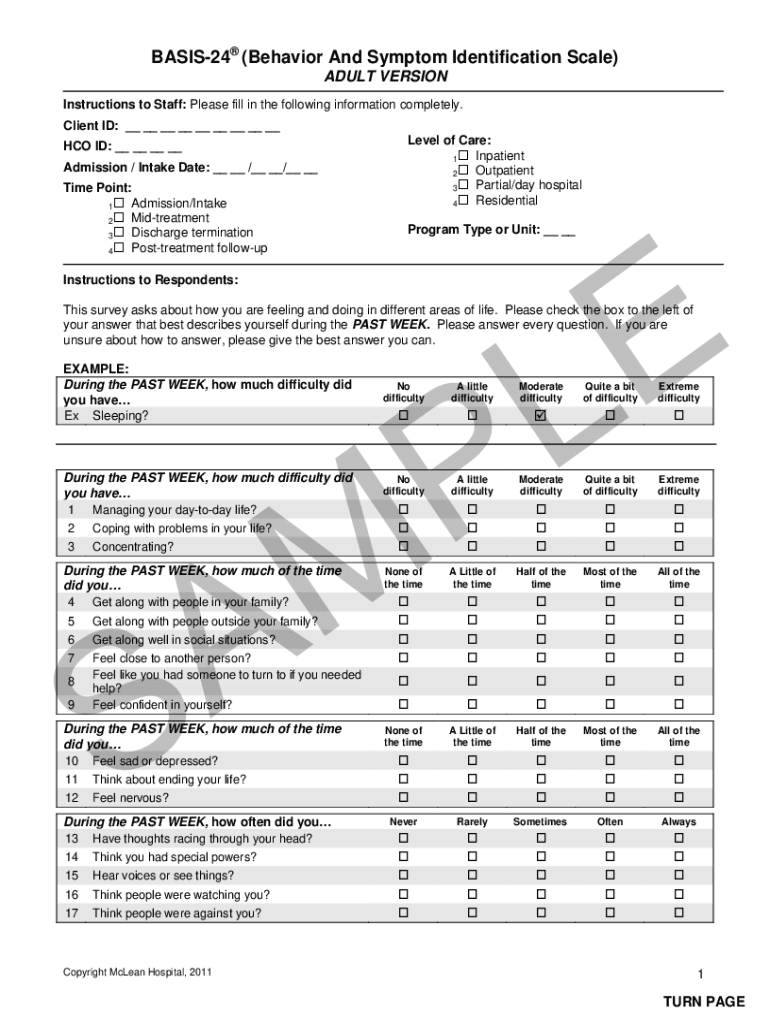
Begin by entering the Client ID and HCO ID in the designated fields at the top of the form. Ensure that all information is accurate for proper identification.
Select the Admission/Intake Date by clicking on the date field and choosing from the calendar. Then, indicate the Time Point by checking one of the four options provided.
For Level of Care, select one option that best describes the client's current situation. This helps in understanding their treatment needs.
In the survey section, respond to each question regarding feelings and difficulties experienced in the past week. Check the box that corresponds to your answer for each item.
Complete demographic information about age, sex, and education level at the end of the form. This data is crucial for analysis.
Start using our platform today to fill out your basis 24 scoring form easily and for free!
Total score. Average of all items. 2.08. 1.45. 0.54. 1 Average BASIS-24 scores from 331 psychiatric inpatients (28% with psychotic disorders), 165 outpatientsRead more
Mar 2, 2026 TETR.IO is a free-to-play online multiplayer and singleplayer game developed by osk. Players can play against friends and foes all over theRead more
Cookie consent notice
This site uses cookies to enhance site navigation and personalize your experience.
By using this site you agree to our use of cookies as described in our Privacy Notice.
You can modify your selections by visiting our Cookie and Advertising Notice.