Type text, add images, blackout confidential details, add comments, highlights and more.
02. Sign it in a few clicks
Draw your signature, type it, upload its image, or use your mobile device as a signature pad.
03. Share your form with others
Send notification pemberhentian blank via email, link, or fax. You can also download it, export it or print it out.
How to use or fill out borang pk with our platform
Ease of Setup
DocHub User Ratings on G2
Ease of Use
DocHub User Ratings on G2
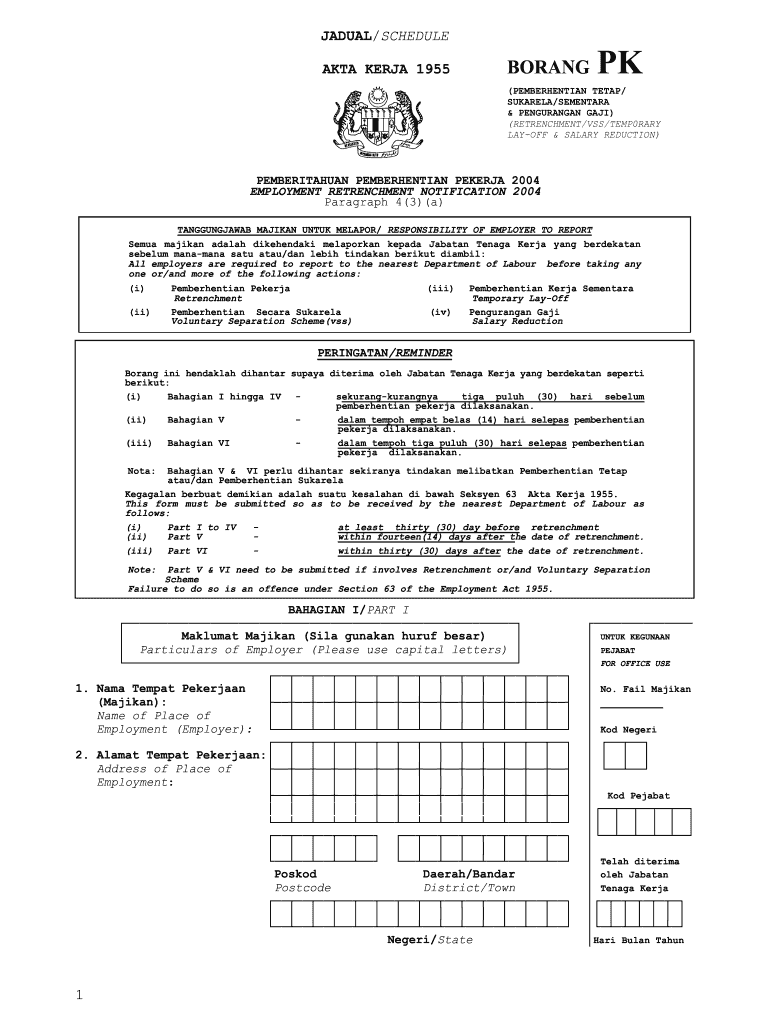
Click ‘Get Form’ to open borang pk in the editor.
Begin with Part I, where you will enter the particulars of the employer. Fill in the name and address of the place of employment using capital letters.
Proceed to Part II, which requires you to detail the number of local workers involved by action. Specify categories such as Administration, Professionals, and Technicians, along with their respective counts.
In Part III, indicate reasons for the action taken by ticking the relevant boxes. Provide additional details if necessary.
Complete Parts V and VI by providing information on benefits paid and steps taken for re-employment assistance. Ensure all sections are filled accurately before submission.
Start filling out your borang pk today for free using our platform!
Blood transfusion services amidst the COVID-19 pandemic
by SS Noordin 2021 Cited by 17 This review aims to discuss the impact and suggest the best practice for transfusion services in this era of new norms.Read more
Cookie consent notice
This site uses cookies to enhance site navigation and personalize your experience.
By using this site you agree to our use of cookies as described in our Privacy Notice.
You can modify your selections by visiting our Cookie and Advertising Notice.