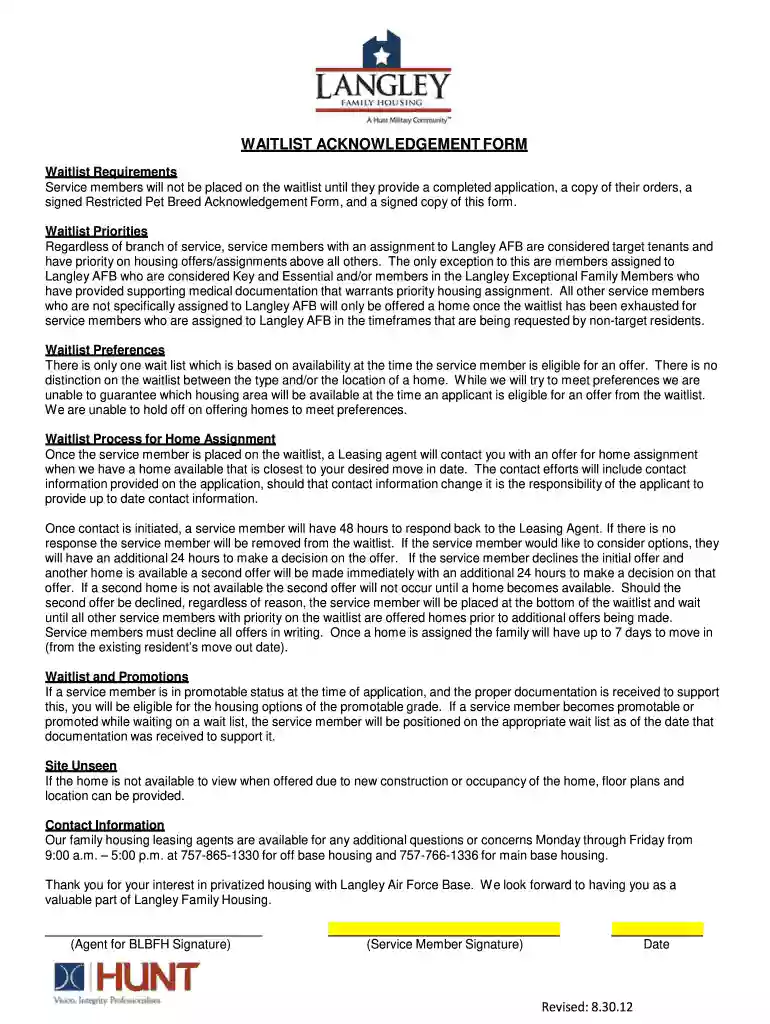
12 WAITLIST ACKNOWLEDGEMENT FORM 83012 Preview on Page 1

12 WAITLIST ACKNOWLEDGEMENT FORM 83012 2026

Here's how it works

  • 01. Edit your form online

    Type text, add images, blackout confidential details, add comments, highlights and more.

  • 02. Sign it in a few clicks

    Draw your signature, type it, upload its image, or use your mobile device as a signature pad.

  • 03. Share your form with others

    Send it via email, link, or fax. You can also download it, export it or print it out.

How to use or fill out 12 WAITLIST ACKNOWLEDGEMENT FORM 83012 with our platform

Form edit decoration
9.5
Ease of Setup
DocHub User Ratings on G2
9.0
Ease of Use
DocHub User Ratings on G2
  1. Click ‘Get Form’ to open the 12 WAITLIST ACKNOWLEDGEMENT FORM 83012 in the editor.
  2. Begin by filling out your personal information, including your name and contact details. Ensure that all information is accurate for effective communication.
  3. Review the waitlist requirements section carefully. Confirm that you have attached a completed application, a copy of your orders, and a signed Restricted Pet Breed Acknowledgement Form.
  4. In the waitlist priorities section, acknowledge your understanding of how priority is determined based on your assignment to Langley AFB.
  5. Sign and date the form at the bottom. This confirms your agreement with the terms outlined in the document.
  6. Once completed, save your changes and utilize our platform’s sharing features to distribute the form as needed.

Start using our platform today for free to streamline your form completion process!

See more 12 WAITLIST ACKNOWLEDGEMENT FORM 83012 versions

We've got more versions of the 12 WAITLIST ACKNOWLEDGEMENT FORM 83012 form. Select the right 12 WAITLIST ACKNOWLEDGEMENT FORM 83012 version from the list and start editing it straight away!

VersionsForm popularityFillable & printable
20194.8 Satisfied (144 Votes)
20124 Satisfied (33 Votes)

be ready to get more

Complete this form in 5 minutes or less

Got questions?

We have answers to the most popular questions from our customers. If you can't find an answer to your question, please contact us.

Yes, a typed name is recognized as a valid electronic signature when you create it on your paperwork using a compliant solution like DocHub. Simply add your 12 WAITLIST ACKNOWLEDGEMENT FORM 83012 to our editor, click Sign in the top tool pane → Create your signature → Type your name in the appropriate tab, and choose how it will look on your document.

As a comprehensive document editing service, DocHub is accessible on mobile devices. Open DocHub in your choice of mobile internet browser and employ our smart mobile-friendly toolset to fill out your 12 WAITLIST ACKNOWLEDGEMENT FORM 83012.

Security and compliance

At DocHub, your data security is our priority. We follow HIPAA, SOC2, GDPR, and other standards, so you can work on your documents with confidence.

Related links

Governors Budget Summary 2026-27

Jan 9, 2026 Because of what we have built and protected in past state budgets, millions of Californians are better off today. Children can get throughRead more

Learn more
If you believe that this page should be taken down, please follow our DMCA take down process here