Tn dcs health confirmation form 2026

Get Form
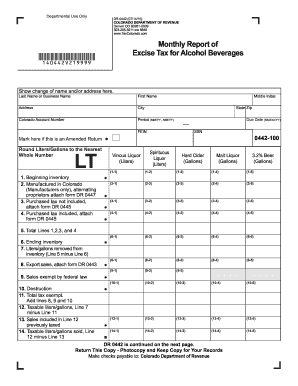
dcs case lookup tn Preview on Page 1

Here's how it works

01. Edit your dcs case lookup tn online
Type text, add images, blackout confidential details, add comments, highlights and more.
02. Sign it in a few clicks
Draw your signature, type it, upload its image, or use your mobile device as a signature pad.
03. Share your form with others
Send tn dcs case lookup via email, link, or fax. You can also download it, export it or print it out.

How to use or fill out tn dcs health confirmation form with our platform

Form edit decoration
9.5
Ease of Setup
DocHub User Ratings on G2
9.0
Ease of Use
DocHub User Ratings on G2
  1. Click ‘Get Form’ to open the tn dcs health confirmation form in the editor.
  2. Begin by filling in the 'Office Name', 'Street Address', 'City, State, Zip', and 'Phone and Fax Number' at the top of the form. Ensure all information is printed legibly.
  3. In the section for DCS Staff, Resource Parent, or Contract Agency Staff, enter the child's name, Social Security Number, and Date of Birth accurately.
  4. Next, indicate who provided care by entering their name and date of service (DOS) along with the reason for the visit.
  5. Fill in the healthcare provider's contact information including their address and telephone number.
  6. Document the results of the visit and any special instructions for caregivers in the designated area.
  7. Indicate if a follow-up appointment is needed and specify its purpose. If ongoing services are required, detail their frequency.
  8. Finally, ensure that a healthcare provider signs and dates the form before faxing it to the appropriate DCS Regional Well Being Office.

Start using our platform today to easily complete your tn dcs health confirmation form online for free!

See more tn dcs health confirmation form versions

We've got more versions of the tn dcs health confirmation form form. Select the right tn dcs health confirmation form version from the list and start editing it straight away!
Versions Form popularity Fillable & printable
2012 4.8 Satisfied (60 Votes)
be ready to get more

Complete this form in 5 minutes or less

Get form

Got questions?

We have answers to the most popular questions from our customers. If you can't find an answer to your question, please contact us.
Contact us
Your child may be interviewed at school. Parental consent is not required for DCS to interview a child. After the initial interview, DCS may determine that the child might need a more in-depth interview, known as a forensic interview. These interviews are normally completed at Child Advocacy Centers.
If you believe a child has been abused or neglected, please call the Tennessee Child Abuse Hotline at 1-877-237-0004 and report the abuse. Or click here to do so online.
MARGIE QUIN was sworn in as the Commissioner of the Department of Childrens Services on September 1, 2022.
(i) No later than sixty (60) days after receiving the initial report, the department or team in cases of child sexual abuse or the department in all other cases shall determine whether the reported abuse was indicated or unfounded and report its findings to the departments abuse registry.
If you know or suspect someone fraudulently received Families First, Food Stamps, Child Care, Vocational Rehabilitation or any other DHS program contact the Human Services Fraud Hotline: 1-800-241-2629 or 615-741-7445 (within the Nashville area).

Security and compliance

At DocHub, your data security is our priority. We follow HIPAA, SOC2, GDPR, and other standards, so you can work on your documents with confidence.

Learn more
ccpa2
pci-dss
gdpr-compliance
hipaa
soc-compliance

People also ask

Call 877-237-0004 or visit the Tennessee Department of Childrens Services websiteto report abuse or neglect.

dcs health confirmation form