



01. Edit your form online
Type text, add images, blackout confidential details, add comments, highlights and more.

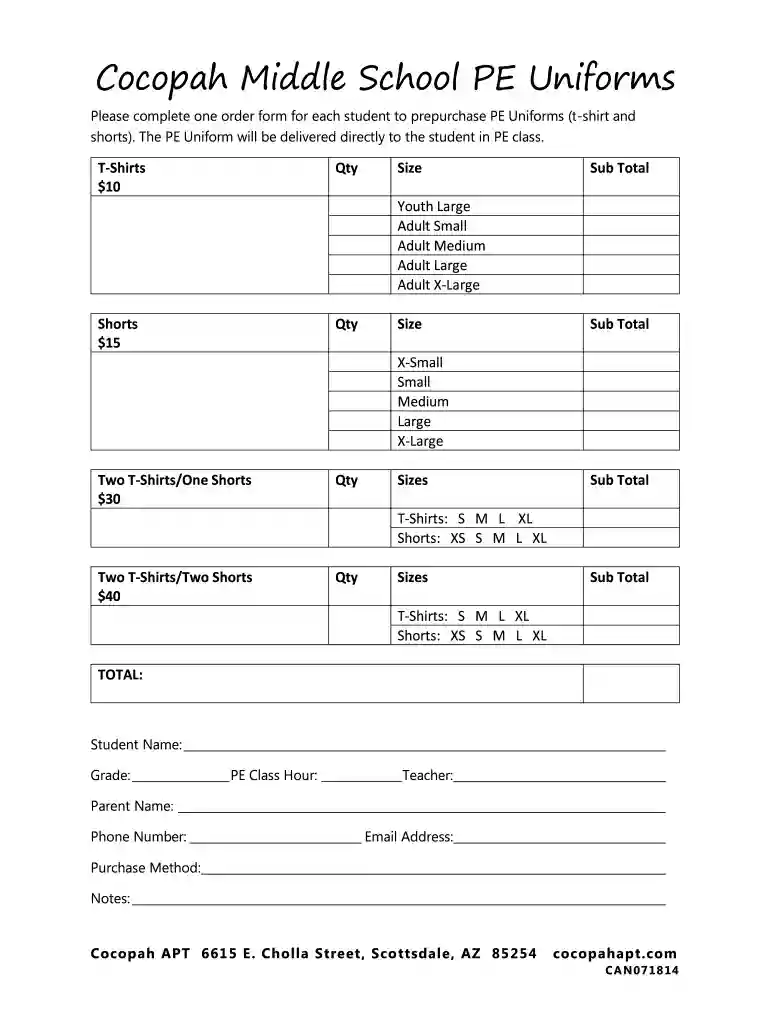
Type text, add images, blackout confidential details, add comments, highlights and more.

Draw your signature, type it, upload its image, or use your mobile device as a signature pad.

Send it via email, link, or fax. You can also download it, export it or print it out.

Start filling out your Cocopah Middle School PE Uniforms order form online for free today!
We've got more versions of the Cocopah Middle School PE Uniforms form. Select the right Cocopah Middle School PE Uniforms version from the list and start editing it straight away!
Log in to your DocHub account and import your Cocopah Middle School PE Uniforms to our editor using one of its upload options - from your device, cloud storage, protected URL, or your DocHub folders if you have already managed your form before. Open our editor, click the Sign button in the top toolbar, and choose your signing method. You can use an image of your handwritten signature, draw it, enter your name, or use a QR code instead.
If you go for analog ways of completing your Cocopah Middle School PE Uniforms, it is simple to download your file for printing. Search DocHub’s Forms & Templates catalog to get the exact document template you require and open it for editing or download it on your gadget in the format of your liking. It is easy to complete your form electronically and place your handwritten signature on it right after printing or eSign your document with DocHub.
At DocHub, your data security is our priority. We follow HIPAA, SOC2, GDPR, and other standards, so you can work on your documents with confidence.
Nov 18, 2021 Both Cherokee and Cocopah had been K-8 schools. They reconfigured them to make Cherokee the K-6 school and Cocopah the middle school. We hadRead more
The purpose of this guide is to allow organizations, businesses and other entities in the. FTF Cocopah Tribe region to come together to create a family-centeredRead more


