




Here's how it works

01. Edit your form online
Type text, add images, blackout confidential details, add comments, highlights and more.

02. Sign it in a few clicks
Draw your signature, type it, upload its image, or use your mobile device as a signature pad.

03. Share your form with others
Send it via email, link, or fax. You can also download it, export it or print it out.
How to use or fill out Brisbane Catholic Education Reference with our platform

- Click ‘Get Form’ to open the Brisbane Catholic Education Reference in the editor.
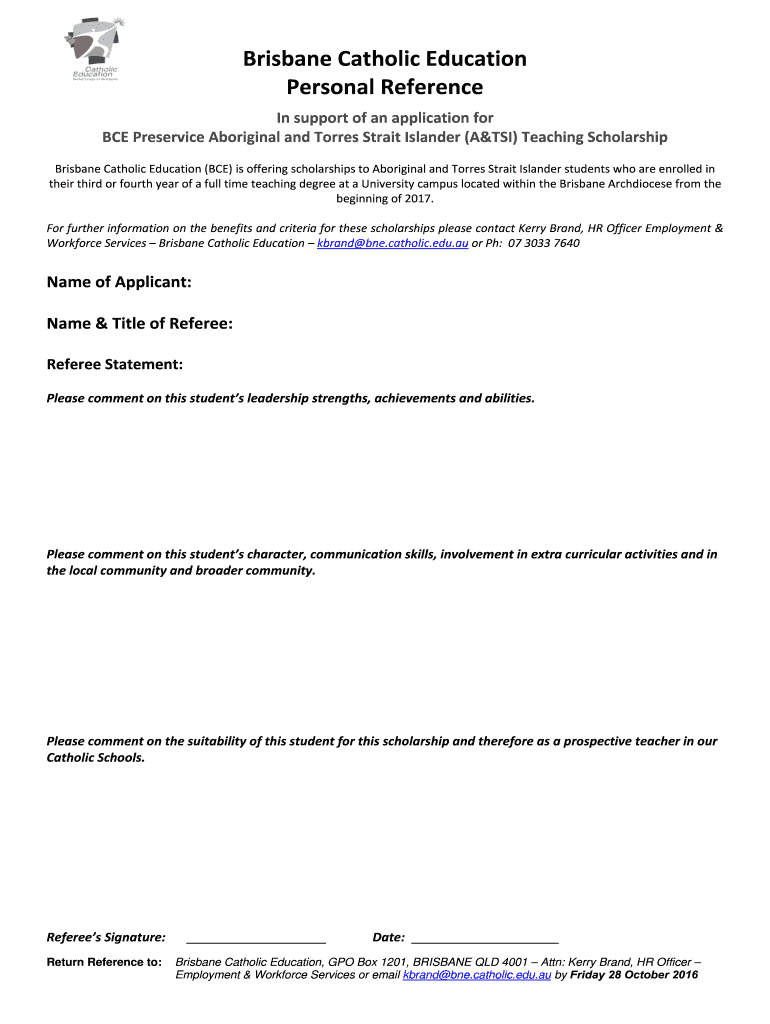
- Begin by entering the 'Name of Applicant' in the designated field. Ensure that you spell the name correctly as it will be used for official purposes.
- Next, fill in the 'Name & Title of Referee'. This should be someone who can provide a credible reference for the applicant.
- In the 'Referee Statement' section, provide detailed comments on the student’s leadership strengths, achievements, and abilities. Use specific examples to illustrate your points.
- Continue by commenting on the student’s character and communication skills, as well as their involvement in extracurricular activities and community service.
- Finally, assess the suitability of this student for the scholarship and their potential as a prospective teacher in Catholic Schools.
- Sign in the 'Referee’s Signature' field to validate your reference. Make sure to include today's date.
- Return the completed reference either by mailing it to Brisbane Catholic Education or emailing it directly to Kerry Brand at kbrand@bne.catholic.edu.au before the deadline.
Start using our platform today for free to streamline your document editing and submission process!
Fill out brisbane catholic education reference online
It's free
It's free
See more brisbane catholic education reference versions
We've got more versions of the brisbane catholic education reference form. Select the right brisbane catholic education reference version from the list and start editing it straight away!
| Versions | Form popularity | Fillable & printable |
|---|---|---|
| 2016 | 4.8 Satisfied (145 Votes) |
Security and compliance
At DocHub, your data security is our priority. We follow HIPAA, SOC2, GDPR, and other standards, so you can work on your documents with confidence.
Learn more


