




Here's how it works

01. Edit your form online
Type text, add images, blackout confidential details, add comments, highlights and more.

02. Sign it in a few clicks
Draw your signature, type it, upload its image, or use your mobile device as a signature pad.

03. Share your form with others
Send it via email, link, or fax. You can also download it, export it or print it out.
How to use or fill out fam 012 with our platform

- Click ‘Get Form’ to open fam 012 in the editor.
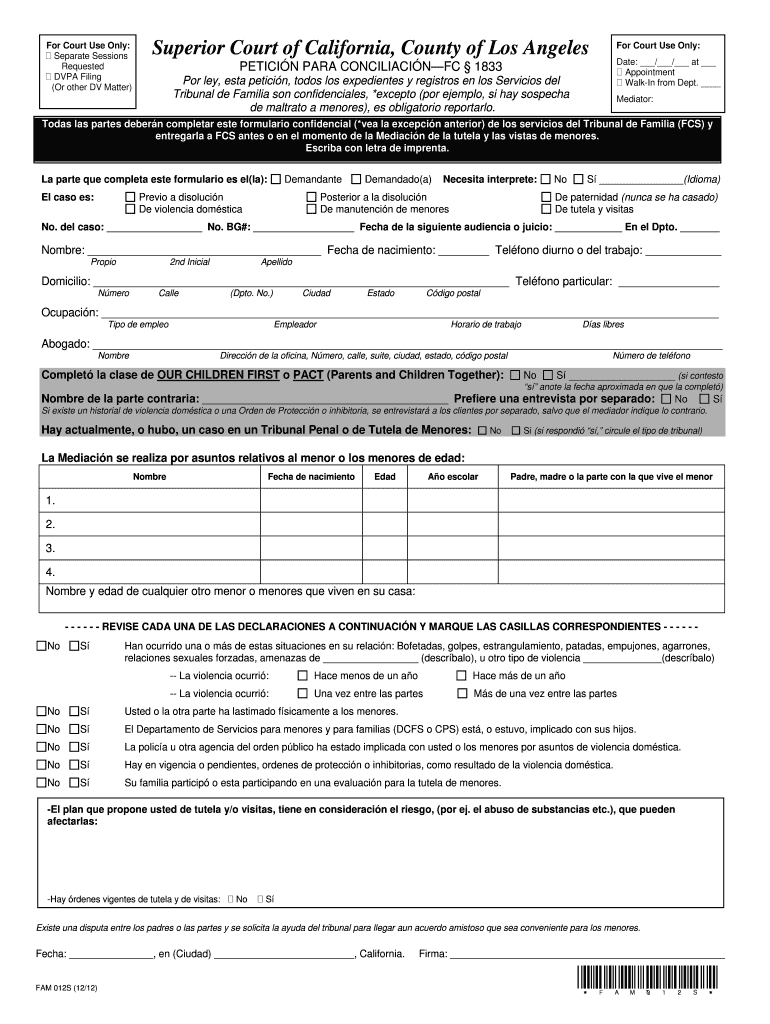
- Begin by filling in the 'For Court Use Only' section, including the date and whether you are requesting an appointment or walk-in service.
- Complete the 'Mediator' section, ensuring all parties involved fill out their information clearly. This includes names, case numbers, and contact details.
- In the 'Ocupación' field, provide your occupation and employer details. Make sure to include your work schedule and days off.
- If applicable, indicate whether you need an interpreter by selecting 'Sí' or 'No' and specify the language if needed.
- Review each statement regarding domestic violence carefully. Mark the appropriate boxes based on your situation.
- Finally, sign and date the form at the bottom before saving your changes.
Start using our platform today to fill out fam 012 easily and for free!
Fill out fam 012 online
It's free
It's free
Security and compliance
At DocHub, your data security is our priority. We follow HIPAA, SOC2, GDPR, and other standards, so you can work on your documents with confidence.
Learn more




