




Here's how it works

01. Edit your potawatomi area council photos online
Type text, add images, blackout confidential details, add comments, highlights and more.

02. Sign it in a few clicks
Draw your signature, type it, upload its image, or use your mobile device as a signature pad.

03. Share your form with others
Send it via email, link, or fax. You can also download it, export it or print it out.
How to use or fill out Potawatomi area council boy scouts of america - Doubleknot

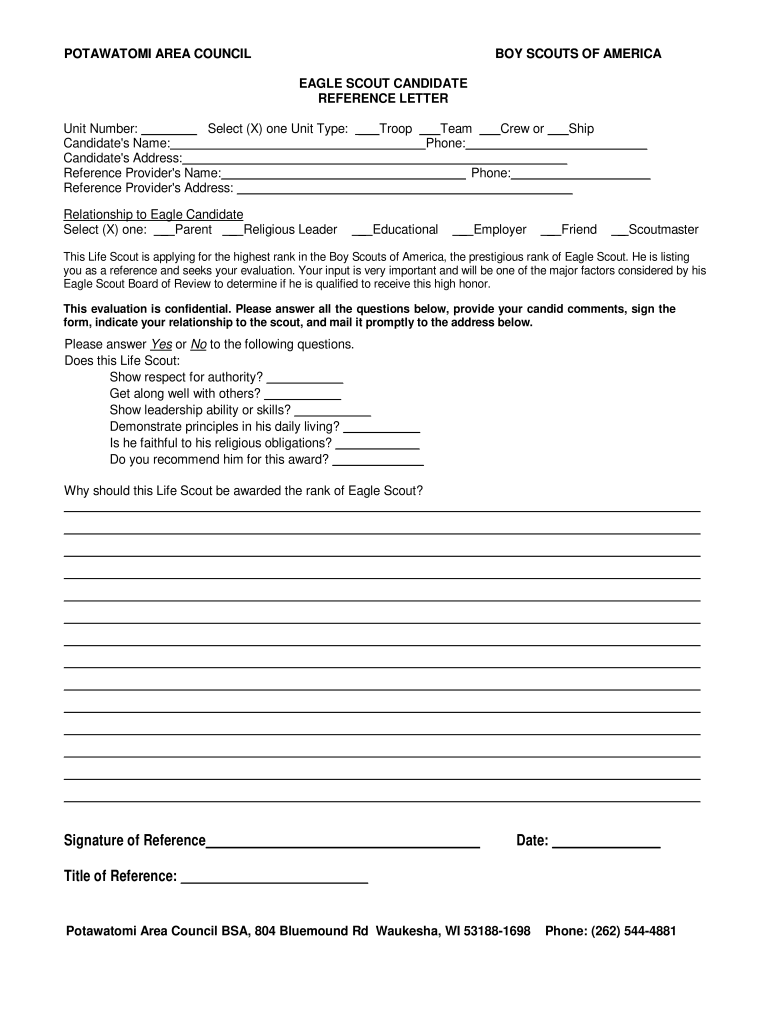
- Click ‘Get Form’ to open it in the editor.
- Begin by entering the Unit Number and selecting the appropriate Unit Type (Troop, Team, Crew, or Ship) by checking the box next to your choice.
- Fill in the Candidate's Name and Phone number in the designated fields.
- Provide the Candidate's Address in the space provided.
- Enter your name as the Reference Provider along with your Phone number and Address.
- Indicate your relationship to the Eagle Candidate by selecting one option from Parent, Religious Leader, Educational, Employer, Friend, or Scoutmaster.
- Answer each Yes/No question regarding the Life Scout’s qualities by marking your response clearly.
- In the comments section, provide a detailed explanation of why you believe this Life Scout deserves to be awarded the rank of Eagle Scout.
- Sign and date the form at the bottom before submitting it to ensure it is complete.
Start using our platform today for free to streamline your document editing and signing process!
Fill out Potawatomi area council boy scouts of america - Doubleknot online
It's free
It's free
See more Potawatomi area council boy scouts of america - Doubleknot versions
We've got more versions of the Potawatomi area council boy scouts of america - Doubleknot form. Select the right Potawatomi area council boy scouts of america - Doubleknot version from the list and start editing it straight away!
Security and compliance
At DocHub, your data security is our priority. We follow HIPAA, SOC2, GDPR, and other standards, so you can work on your documents with confidence.
Learn more




