Teacher Initial Assessment - UofL Physicians 2026

Get Form
uofl print Preview on Page 1

Here's how it works

01. Edit your uofl print online
Type text, add images, blackout confidential details, add comments, highlights and more.
02. Sign it in a few clicks
Draw your signature, type it, upload its image, or use your mobile device as a signature pad.
03. Share your form with others
Send it via email, link, or fax. You can also download it, export it or print it out.

How to use or fill out Teacher Initial Assessment - UofL Physicians with our platform

Form edit decoration
9.5
Ease of Setup
DocHub User Ratings on G2
9.0
Ease of Use
DocHub User Ratings on G2
  1. Click ‘Get Form’ to open the Teacher Initial Assessment in the editor.
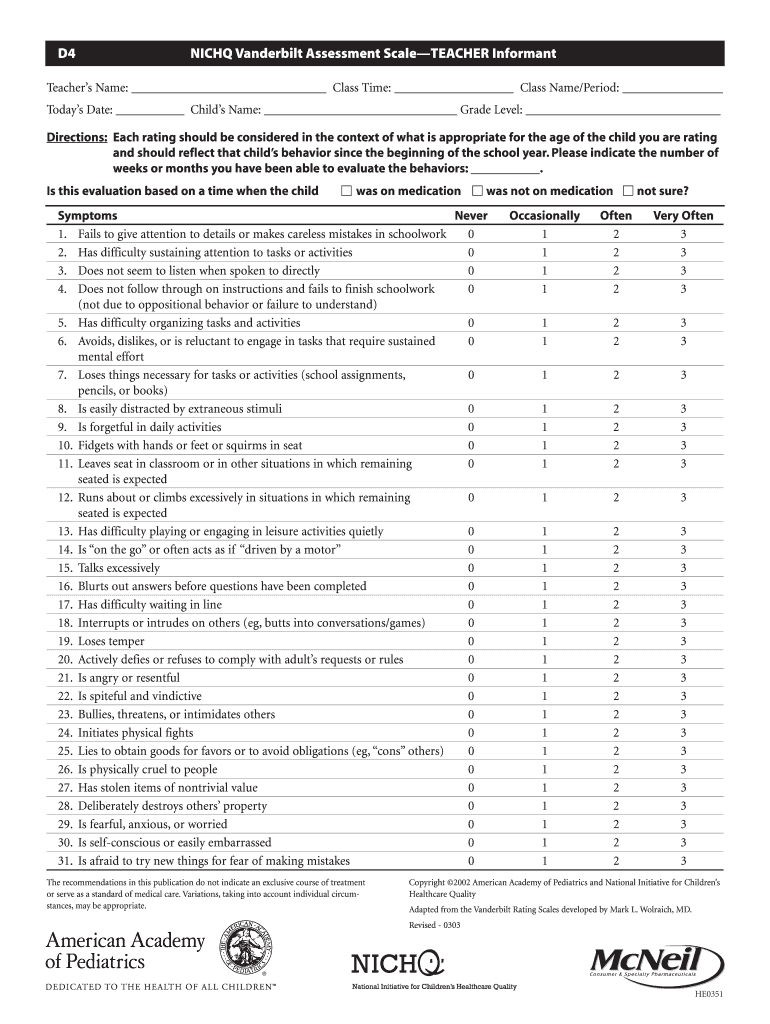
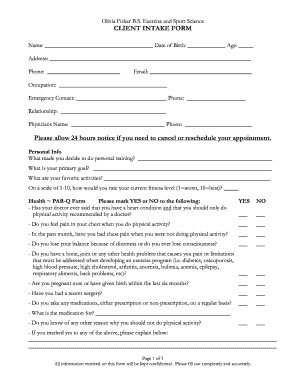
  2. Begin by filling in your name, class time, and class name/period at the top of the form. This information is essential for identifying the assessment context.
  3. Enter today’s date and the child’s name along with their grade level. This helps in tracking the assessment over time.
  4. In the directions section, indicate how long you have been evaluating the child's behaviors. Select whether this evaluation is based on a time when the child was on medication, not on medication, or if you're unsure.
  5. Proceed to rate each symptom listed under 'Symptoms' by selecting Never, Occasionally, Often, or Very Often. Be sure to consider what is appropriate for the child's age.
  6. Continue filling out performance ratings for academic subjects and classroom behavior using a similar rating scale.
  7. Add any additional comments in the designated section to provide further insights into your observations.
  8. Finally, ensure all fields are completed before submitting the form via email or fax as indicated at the bottom.

Start using our platform today to streamline your document editing and form completion process for free!

See more Teacher Initial Assessment - UofL Physicians versions

We've got more versions of the Teacher Initial Assessment - UofL Physicians form. Select the right Teacher Initial Assessment - UofL Physicians version from the list and start editing it straight away!
Versions Form popularity Fillable & printable
2003 4.8 Satisfied (117 Votes)
be ready to get more

Complete this form in 5 minutes or less

Get form

Got questions?

We have answers to the most popular questions from our customers. If you can't find an answer to your question, please contact us.
Contact us

Yes, and it’s really straightforward! DocHub is an online PDF editor with advanced document management capabilities that allow you quickly adjust your paperwork, complete blank fields and insert new ones for others to fill out, and create eSignatures in several ways. Import your Teacher Initial Assessment - UofL Physicians, provide information as required, and decide how you want to eSign your template - by typing your name, drawing your signature, uploading its picture, or utilizing a QR code.

You can find the latest and most relevant version of the Teacher Initial Assessment - UofL Physicians in our DocHub forms collection. Browse it by categories or utilize the search field to find the exact template that fits your situation. You may open this form for editing once you find it.

Security and compliance

At DocHub, your data security is our priority. We follow HIPAA, SOC2, GDPR, and other standards, so you can work on your documents with confidence.

Learn more
ccpa2
pci-dss
gdpr-compliance
hipaa
soc-compliance
be ready to get more

Complete this form in 5 minutes or less

Get form