




Here's how it works
How to use or fill out AIMS Common Referral Form - The Boys' Latin School of Maryland - harfordday

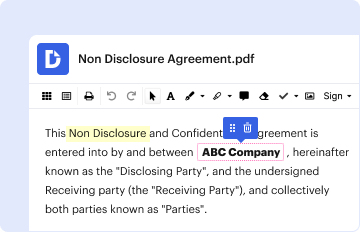
- Click ‘Get Form’ to open it in the editor.
- Begin by entering the student's name and your position at the school. If you are a teacher, please specify your subject area.
- Indicate the current school and placement type (honors or standard) for the student.
- Fill in how long you have known the student, along with their attendance record by checking either 'regular' or 'not regular'.
- Provide insights on the student's academic ability by selecting options for verbal, mathematical, and creative abilities, as well as their intellectual curiosity.
- Comment on classroom performance aspects such as achievement, participation, and work habits.
- Evaluate school behavior by selecting appropriate descriptors and providing comments on noteworthy behaviors.
- Assess personal abilities and social-emotional development while circling descriptive words that fit the student.
- Complete any additional comments regarding special attributes or parent relationships before signing off with your name, position, and contact information.
Start using our platform today to easily complete the AIMS Common Referral Form online for free!
It's free
See more AIMS Common Referral Form - The Boys' Latin School of Maryland - harfordday versions
Got questions?
How can I generate an eSignature on my AIMS Common Referral Form - The Boys' Latin School of Maryland - harfordday from Google Chrome?
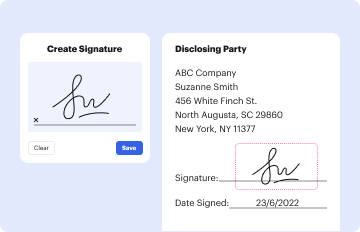
Managing your paperwork with DocHub this way is extremely easy after you have downloaded its extension for Google Chrome. Go to the Chrome Web Store and install DocHub - Sign PDF from Gmail to get it. Give our tool access to your Google account, and then open an email with the AIMS Common Referral Form - The Boys' Latin School of Maryland - harfordday attached and point to the file with your cursor - the DocHub extension button will automatically appear there. Click on it to open your form in our editor. Make any essential modifications, fill out the blanks, and click Sign to create your legally-binding eSignature.
How do you edit AIMS Common Referral Form - The Boys' Latin School of Maryland - harfordday in Chrome?
If you are using Chrome, there are two simple methods to edit your AIMS Common Referral Form - The Boys' Latin School of Maryland - harfordday online. First, go to the DocHub website, add your file, and edit it using our toolbar. You may also install our Chrome extension and edit any document by dragging and dropping it in your web browser tab.
Security and compliance
At DocHub, your data security is our priority. We follow HIPAA, SOC2, GDPR, and other standards, so you can work on your documents with confidence.
Learn more




