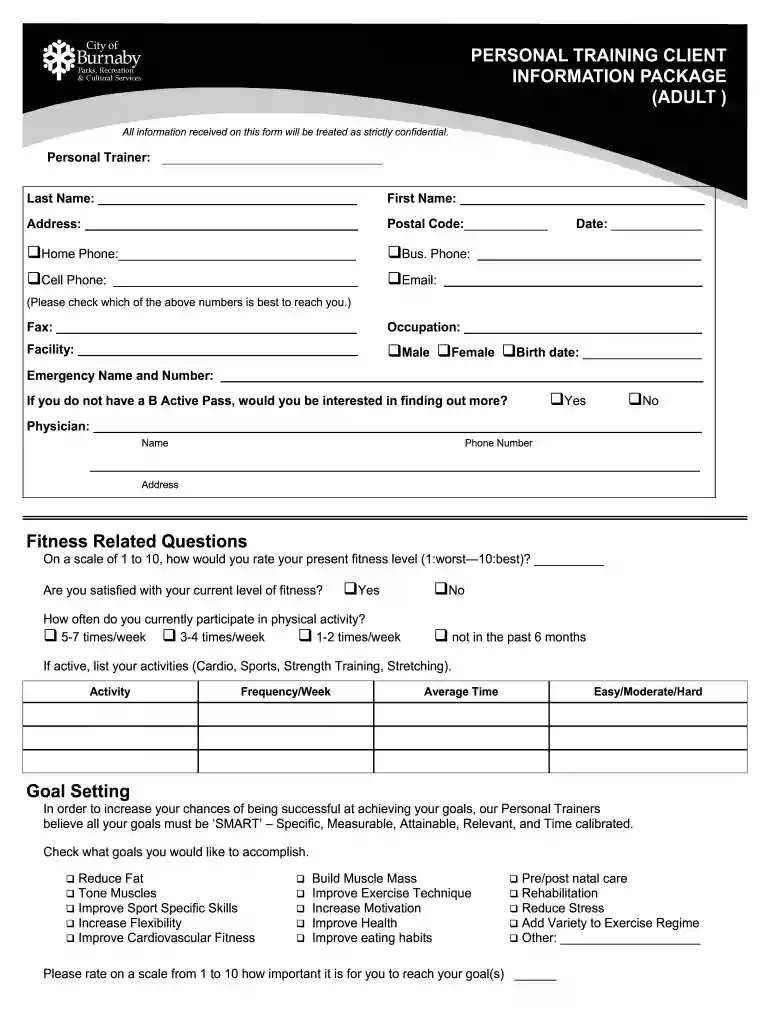
personal trainer burnaby Preview on Page 1

Personal training client information package - City of Burnaby - burnaby 2026

Here's how it works

  • 01. Edit your personal trainer burnaby online

    Type text, add images, blackout confidential details, add comments, highlights and more.

  • 02. Sign it in a few clicks

    Draw your signature, type it, upload its image, or use your mobile device as a signature pad.

  • 03. Share your form with others

    Send speech ease burnaby via email, link, or fax. You can also download it, export it or print it out.

How to use or fill out Personal training client information package - City of Burnaby - burnaby

Form edit decoration
9.5
Ease of Setup
DocHub User Ratings on G2
9.0
Ease of Use
DocHub User Ratings on G2
  1. Click ‘Get Form’ to open it in the editor.
  2. Begin by entering your personal trainer's name and your last and first names in the designated fields.
  3. Fill in your address, postal code, and select the best contact number from home, business, or cell phone options.
  4. Provide your email address and date. Ensure all contact information is accurate for effective communication.
  5. Indicate your gender and birth date, then provide an emergency contact name and number.
  6. Answer fitness-related questions regarding your current activity levels, goals, and any potential obstacles you foresee.
  7. Complete the PAR-Q section by checking 'Yes' or 'No' for each health-related question to ensure safety during training.
  8. Review all entries for accuracy before submitting the form to ensure a tailored personal training experience.

Start using our platform today to easily complete your Personal Training Client Information Package!

See more personal trainer burnaby versions

We've got more versions of the personal trainer burnaby form. Select the right personal trainer burnaby version from the list and start editing it straight away!

VersionsForm popularityFillable & printable
20114 Satisfied (38 Votes)

be ready to get more

Complete this form in 5 minutes or less

Security and compliance

At DocHub, your data security is our priority. We follow HIPAA, SOC2, GDPR, and other standards, so you can work on your documents with confidence.

Related links

F25-website-orientation package

Aug 4, 2025 Contact Information: fduvcounseling@fdu.edu, 604-648-4497. FDU Vancouver offers on-campus counseling to any students needing to talk with aRead more

Learn more
Warranty Guide - Plus Dealer Listing

The Honda No Nonsense Warranty is an industry benchmark in customer protection and owner satisfaction. The warranty information on the following pages cov- ersRead more

Learn more
If you believe that this page should be taken down, please follow our DMCA take down process here