




Here's how it works



How to use or fill out Photography / Video Release Form - Jesuit High School of New Orleans with our platform

- Click ‘Get Form’ to open the Photography / Video Release Form in the editor.
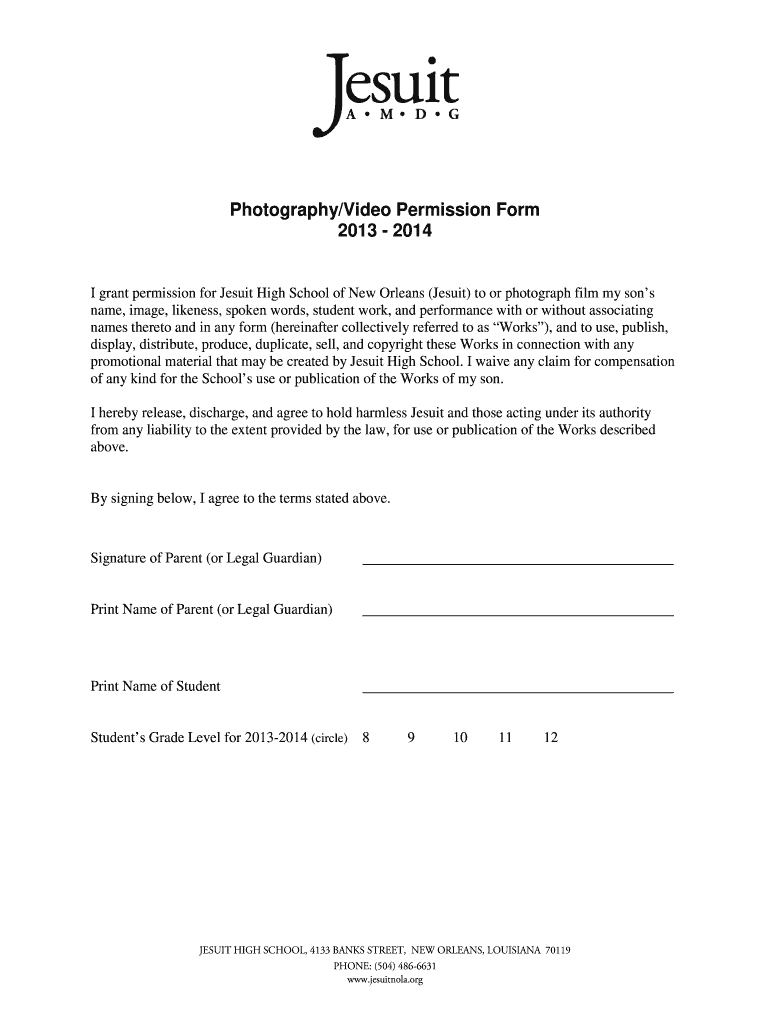
- Begin by filling in your child's name in the designated field, ensuring accuracy for proper identification.
- Next, review the permission statement carefully. This section grants Jesuit High School the rights to use your child's image and works for promotional purposes.
- In the signature area, sign as a parent or legal guardian to confirm your agreement with the terms outlined in the form.
- Print your name and your child's name in the respective fields provided below the signature line.
- Finally, indicate your child’s grade level for 2013-2014 by circling the appropriate number from 8 to 12.
Start using our platform today to easily complete and submit your Photography / Video Release Form for free!
It's free
See more Photography / Video Release Form - Jesuit High School of New ... - archives jesuitnola versions
| Versions | Form popularity | Fillable & printable |
|---|---|---|
| 2013 | 4.8 Satisfied (63 Votes) |
Got questions?
Can I sign my Photography / Video Release Form - Jesuit High School of New ... - archives jesuitnola with my mobile phone?
Of course, it is possible with DocHub. This secure and compliant online editor features a phone-based signing option. When you log in to your DocHub account and add your Photography / Video Release Form - Jesuit High School of New ... - archives jesuitnola to our editor, complete all required fields and utilize the Sign tool on the top barf. Click on Create your signature and select Phone from the available options. Here, you scan a QR code with your smartphone and draw your signature on your phone screen, as you usually do when approving hard copies. If you access DocHub right from your mobile device, you can eSign your form by drawing your eSignature, uploading its image, or simply with a typed name.
How to manage my Photography / Video Release Form - Jesuit High School of New ... - archives jesuitnola from Gmail?
In case your go-to email service is Gmail, it is simple to integrate your DocHub editor in your work. Modify your Photography / Video Release Form - Jesuit High School of New ... - archives jesuitnola with DocHub instruments and attach it to your drafts in Gmail. See how straightforward it can be to exchange papers and work together with a swift PDF editing solution at hand.
How much does it cost to go to Jesuit High School New Orleans?
How big is Jesuit High School in New Orleans?
Security and compliance
At DocHub, your data security is our priority. We follow HIPAA, SOC2, GDPR, and other standards, so you can work on your documents with confidence.
Learn more




