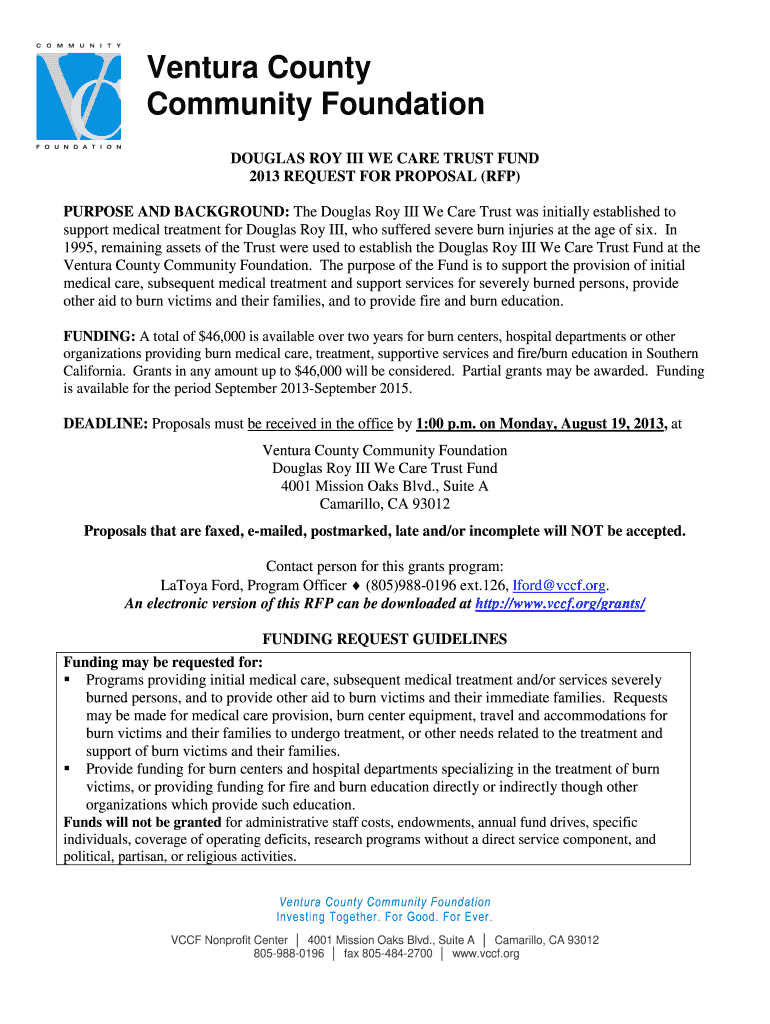
DOUGLAS ROY III WE CARE TRUST FUND 2026

Get Form
police family Preview on Page 1

Here's how it works

01. Edit your police family online
Type text, add images, blackout confidential details, add comments, highlights and more.
02. Sign it in a few clicks
Draw your signature, type it, upload its image, or use your mobile device as a signature pad.
03. Share your form with others
Send douglas family via email, link, or fax. You can also download it, export it or print it out.

How to use or fill out DOUGLAS ROY III WE CARE TRUST FUND with our platform

Form edit decoration
9.5
Ease of Setup
DocHub User Ratings on G2
9.0
Ease of Use
DocHub User Ratings on G2
  1. Click ‘Get Form’ to open the DOUGLAS ROY III WE CARE TRUST FUND in the editor.
  2. Begin with the Cover Page. Fill in your Organization Name, Address, Project Name, and Amount Requested. Ensure all contact details are accurate.
  3. Move to the Proposal Narrative section. Type a concise description of your agency's accomplishments and how they relate to burn victim support. Limit this to three pages using at least a 12pt font.
  4. Complete the Application Budget form provided within the document. Clearly outline staffing expenses, equipment costs, and any direct medical costs associated with your project.
  5. Gather necessary financial documents such as IRS letters verifying public charity status and recent audit statements. Upload these documents directly into our platform for easy submission.
  6. Review all sections for completeness and accuracy before submitting your proposal by the deadline of August 19, 2013.

Start filling out your application today for free using our platform!

See more DOUGLAS ROY III WE CARE TRUST FUND versions

We've got more versions of the DOUGLAS ROY III WE CARE TRUST FUND form. Select the right DOUGLAS ROY III WE CARE TRUST FUND version from the list and start editing it straight away!
Versions Form popularity Fillable & printable
2013 4.8 Satisfied (42 Votes)
be ready to get more

Complete this form in 5 minutes or less

Get form

Got questions?

We have answers to the most popular questions from our customers. If you can't find an answer to your question, please contact us.
Contact us

If you regularly deal with documents stored in your Google Drive, DocHub is a perfect solution for you to easily and quickly complete, modify, and sign them. This editor integrates properly with Google services, so you can export your DOUGLAS ROY III WE CARE TRUST FUND from your Google Drive to the editor without downloading and re-uploading it. Right-click on your document, choose Open With → DocHub PDF Sign and Edit. In our editor, add and assign Signature Fields for all people involved, then click on the Menu button above → Send → select how you want to share your paperwork.

If you store your paperwork in Google Drive, there is no need to download your DOUGLAS ROY III WE CARE TRUST FUND on your computer and upload it back to our editor. A significantly easier way is to set up a browser extension created by DocHub to simplify this flow. The extension allows editing PDFs right in your browser. Alternatively, you may integrate your DocHub and Gmail accounts for more efficient modifying.

Security and compliance

At DocHub, your data security is our priority. We follow HIPAA, SOC2, GDPR, and other standards, so you can work on your documents with confidence.

Learn more
ccpa2
pci-dss
gdpr-compliance
hipaa
soc-compliance