




01. Edit your form online
Type text, add images, blackout confidential details, add comments, highlights and more.

Type text, add images, blackout confidential details, add comments, highlights and more.

Draw your signature, type it, upload its image, or use your mobile device as a signature pad.

Send it via email, link, or fax. You can also download it, export it or print it out.

Start filling out your vs 115 report today for free using our platform!
We've got more versions of the vs 115 report form. Select the right vs 115 report version from the list and start editing it straight away!
| Versions | Form popularity | Fillable & printable |
|---|---|---|
| 2004 | 4.8 Satisfied (105 Votes) |
Upload your vs 115 report to DocHub (once you’ve created an account for this). If you need to fill out fields in it, use proper tools from the top pane. For example, add Signature Fields, assign each to specific person, and click on Sign → Request signatures from others. Change your message for your recipients and click Send Request. You can also send your form by fax or as a Signing link instead of using email (you’ll locate these options by navigating to the Menu → Send)
With DocHub, you have several convenient methods to edit your vs 115 report online. You can drag and drop the form and edit it directly at the DocHub site or use our browser extension to fill out your form right away. Additionally, you can edit your PDF on your phone, as DocHub works with all the accessible mobile platforms.
At DocHub, your data security is our priority. We follow HIPAA, SOC2, GDPR, and other standards, so you can work on your documents with confidence.
Toluene exposures did not affect nasal mucus flow or lung function. At 100 ppm, but not at 10 or 40 ppm, subjects reported a subjective irritation of the eyesRead more
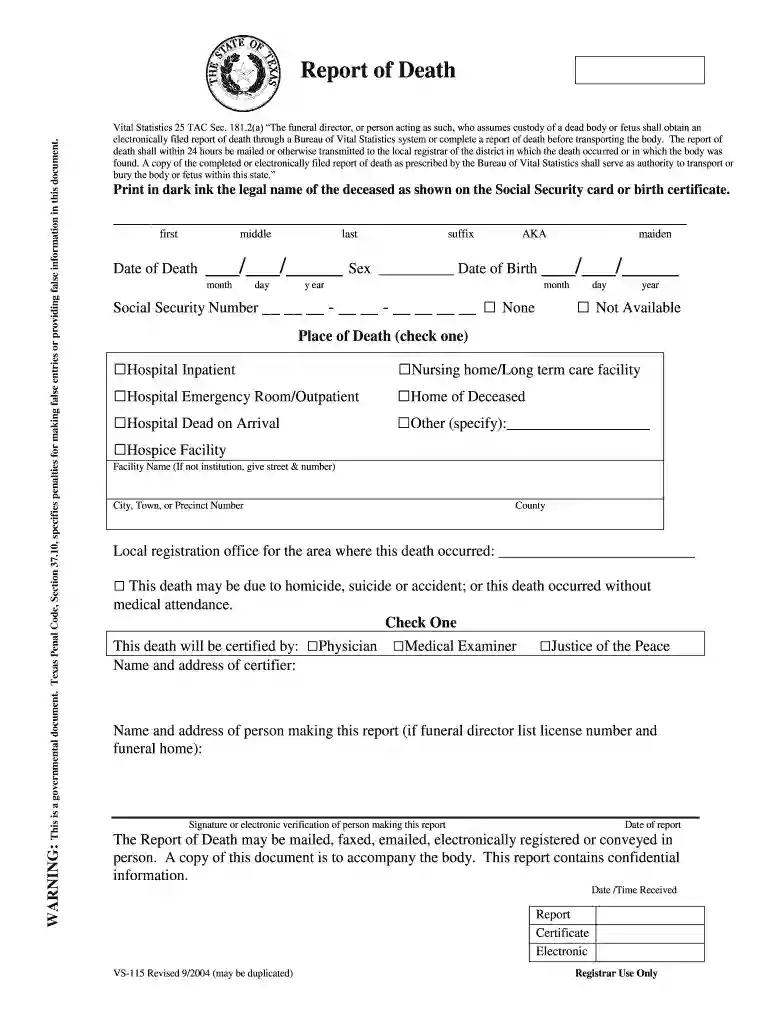
A copy of this document is to accompany the body. This report contains confidential information. Date /Time Received. VS-115 Revised 9/2004 (may be duplicated).Read more
Under SAS 115 (formerly SAS 112), there are three categories of deficiencies that may be identified during the external audit of the financial statements.Read more


