



Here's how it works



How to use or fill out proof of pregnancy form pdf with DocHub

- Click ‘Get Form’ to open the proof of pregnancy form in our editor.
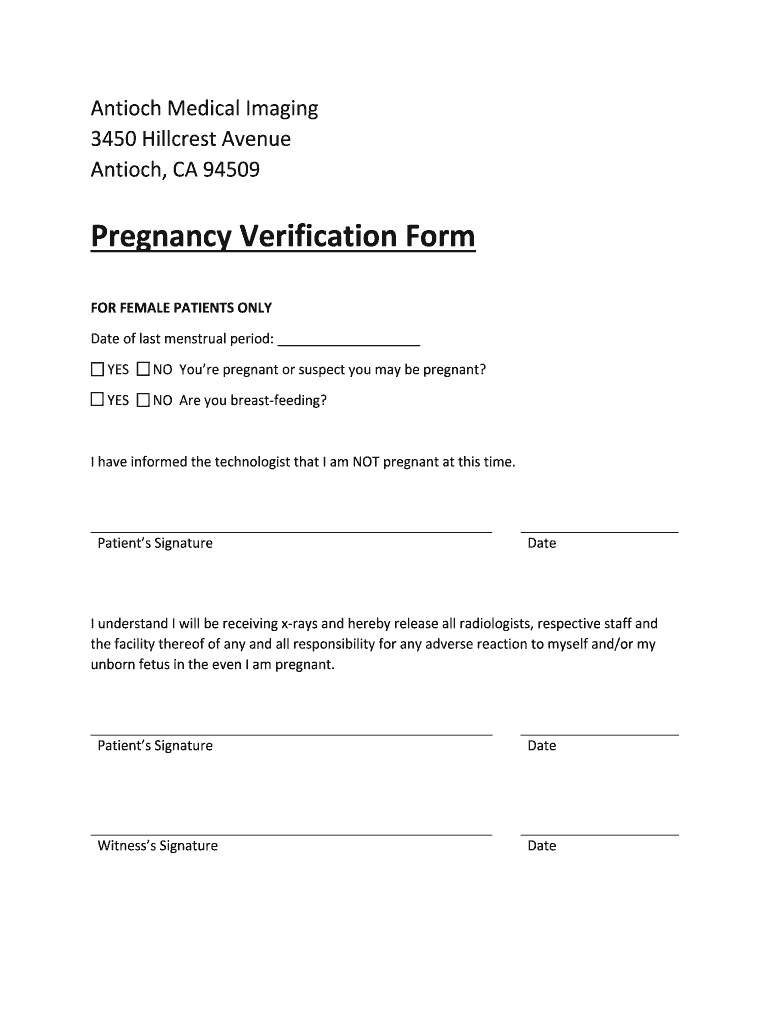
- Begin by entering the date of your last menstrual period in the designated field. This information is crucial for medical assessments.
- Indicate whether you are pregnant or suspect you may be pregnant by selecting either ‘YES’ or ‘NO’. This helps ensure your safety during any procedures.
- Next, answer if you are currently breastfeeding by checking the appropriate box. This information is important for your healthcare provider.
- Sign and date the form where indicated to confirm that you have informed the technologist about your pregnancy status.
- Lastly, provide a witness signature and date to validate the document, ensuring all parties are aware of the information provided.
Start using our platform today to fill out your proof of pregnancy form easily and for free!
It's free
Got questions?
How can I sign my proof of pregnancy online?
Log in to your DocHub account and import your proof of pregnancy to our editor using one of its upload options - from your device, cloud storage, protected URL, or your DocHub folders if you have already managed your form before. Open our editor, click the Sign key in the upper toolbar, and decide on your signing method. You can upload an image of your handwritten signature, draw it, enter your name, or utilize a QR code instead.
How do you edit proof of pregnancy letter online?
With DocHub, you have several convenient methods to edit your proof of pregnancy letter online. You can drag and drop the form and modify it straight at the DocHub site or use our browser extension to fill out your form immediately. On top of that, you can modify your PDF on your smartphone, as DocHub works with all the available mobile platforms.
Security and compliance
At DocHub, your data security is our priority. We follow HIPAA, SOC2, GDPR, and other standards, so you can work on your documents with confidence.
Learn more