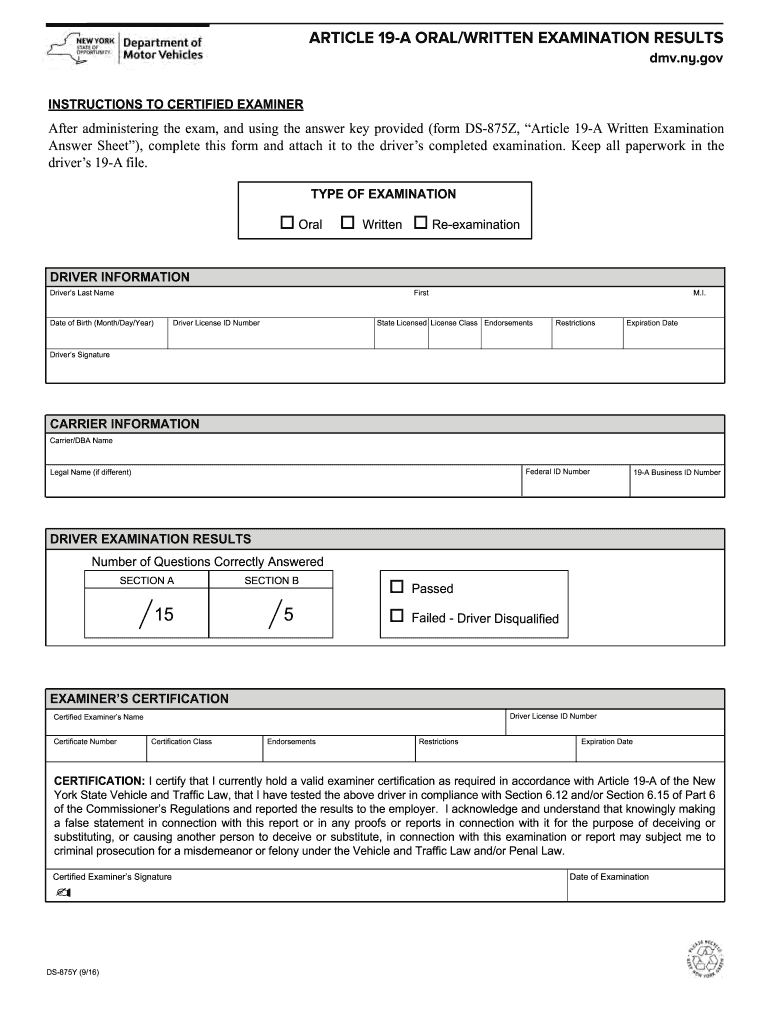
Nys 19a test answers 2011 form-2026

Get Form
19a certified examiner practice test Preview on Page 1

Here's how it works

01. Edit your 19a certified examiner practice test online
Type text, add images, blackout confidential details, add comments, highlights and more.
02. Sign it in a few clicks
Draw your signature, type it, upload its image, or use your mobile device as a signature pad.
03. Share your form with others
Send 19a questions and answers via email, link, or fax. You can also download it, export it or print it out.

How to use or fill out nys 19a test answers 2011 form with our platform

Form edit decoration
9.5
Ease of Setup
DocHub User Ratings on G2
9.0
Ease of Use
DocHub User Ratings on G2
  1. Click ‘Get Form’ to open the nys 19a test answers 2011 form in the editor.
  2. Begin by filling out the 'Driver Information' section. Enter the driver's last name, first name, middle initial, date of birth, and address details including city, state, and zip code. Ensure accuracy for proper identification.
  3. Next, complete the 'Carrier Information' section. Input the carrier's name, legal name if different, address details, federal ID number, and business ID number. This information is crucial for compliance.
  4. In the 'Driver Examination Results' section, select whether the driver passed or failed the examination. This will determine their eligibility.
  5. Finally, in the 'Examiner’s Certification' area, provide your certification details including your name, certificate number, and signature. Make sure to include the date of examination for record-keeping.

Start using our platform today to fill out your forms online for free!

See more nys 19a test answers 2011 form versions

We've got more versions of the nys 19a test answers 2011 form form. Select the right nys 19a test answers 2011 form version from the list and start editing it straight away!
Versions Form popularity Fillable & printable
2016 4.8 Satisfied (115 Votes)
2011 4.2 Satisfied (126 Votes)
2011 4 Satisfied (58 Votes)
be ready to get more

Complete this form in 5 minutes or less

Get form

Got questions?

We have answers to the most popular questions from our customers. If you can't find an answer to your question, please contact us.
Contact us

Log in to your DocHub account and import your 19a certified examiner salary to our editor using one of its upload options - from your device, cloud storage, secure URL, or your DocHub folders if you have already processed your form before. Open our editor, click the Sign button in the top toolbar, and decide on your signing method. You can use a picture of your handwritten signature, draw it, type in your name, or utilize a QR code as an alternative.

Using a swift editing platform like DocHub, you do not need anything but a web browser and internet connection to edit your 19a answer key online quickly. Add your document or find the relevant form in DocHub’s catalog, open our editor with a single click, and complete it digitally. To edit your forms at any time, register a free account with DocHub.

Security and compliance

At DocHub, your data security is our priority. We follow HIPAA, SOC2, GDPR, and other standards, so you can work on your documents with confidence.

Learn more
ccpa2
pci-dss
gdpr-compliance
hipaa
soc-compliance