




Here's how it works



How to use or fill out remistart form 2015 with our platform

- Click ‘Get Form’ to open the remistart form 2015 in the editor.
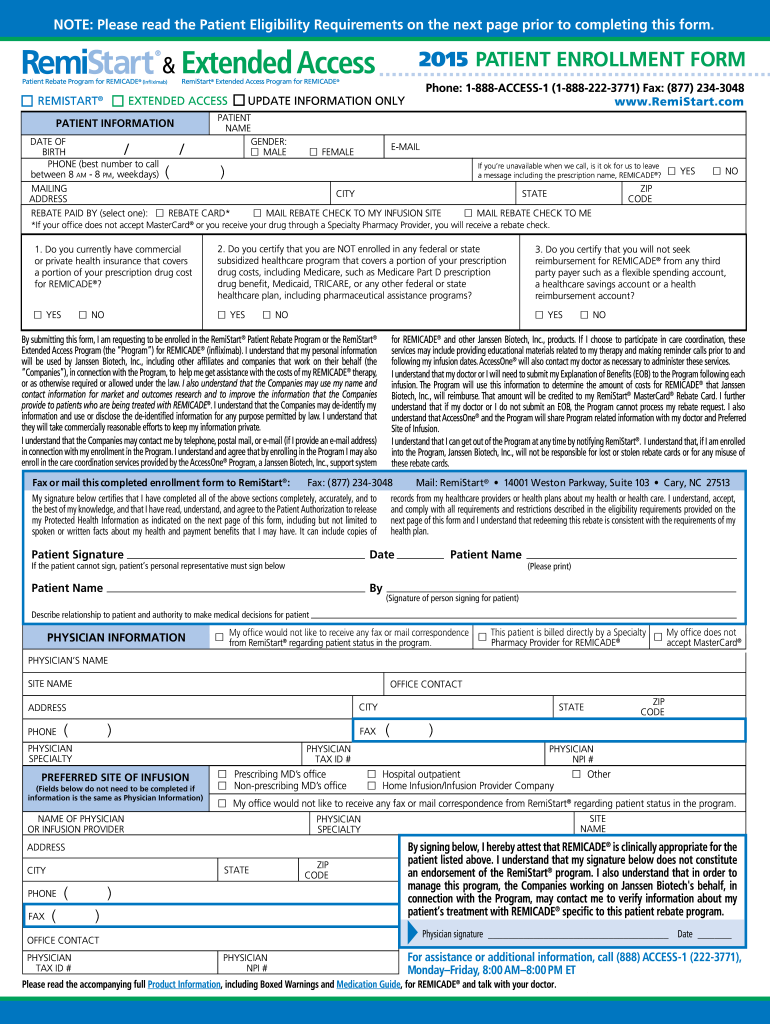
- Begin by filling out the 'Patient Information' section. Enter your name, gender, date of birth, and contact details. Ensure that you provide a reliable phone number for follow-up calls.
- In the 'Rebate Paid By' section, select your preferred method of receiving the rebate. Choose between a rebate card or a check mailed to your infusion site or home.
- Answer the eligibility questions regarding your insurance coverage and confirm that you are not enrolled in any federal or state subsidized healthcare programs.
- Review the Patient Authorization section carefully. Your signature here confirms your understanding and agreement to share necessary health information.
- Finally, ensure that both you and your physician sign where indicated before submitting the form via fax or mail as instructed.
Start using our platform today to fill out your remistart form 2015 easily and for free!
It's free
Got questions?
What is the simplest way to electronically sign my remistart?
Many software solutions are available out there for document editing and signing. DocHub is one of the most in-demand online solutions that comply with all security and compliance requirements and ensures your eSigned paperwork is legally enforceable. All you need to give it a try is to sign up for an account, add your remistart, fill out the required details, and click Sign. Generate your eSignature by typing, drawing it, uploading its picture to your form, or scanning a unique QR code.
How do you fill out remistart form 2015 online?
You may find and modify your remistart form 2015 online by using DocHub. Its straightforward yet feature-rich design enables you to start effective work right after you register your account. Create your account and add your document, and then our interface will guide you via our stress-free form completion experience.
Security and compliance
At DocHub, your data security is our priority. We follow HIPAA, SOC2, GDPR, and other standards, so you can work on your documents with confidence.
Learn more




