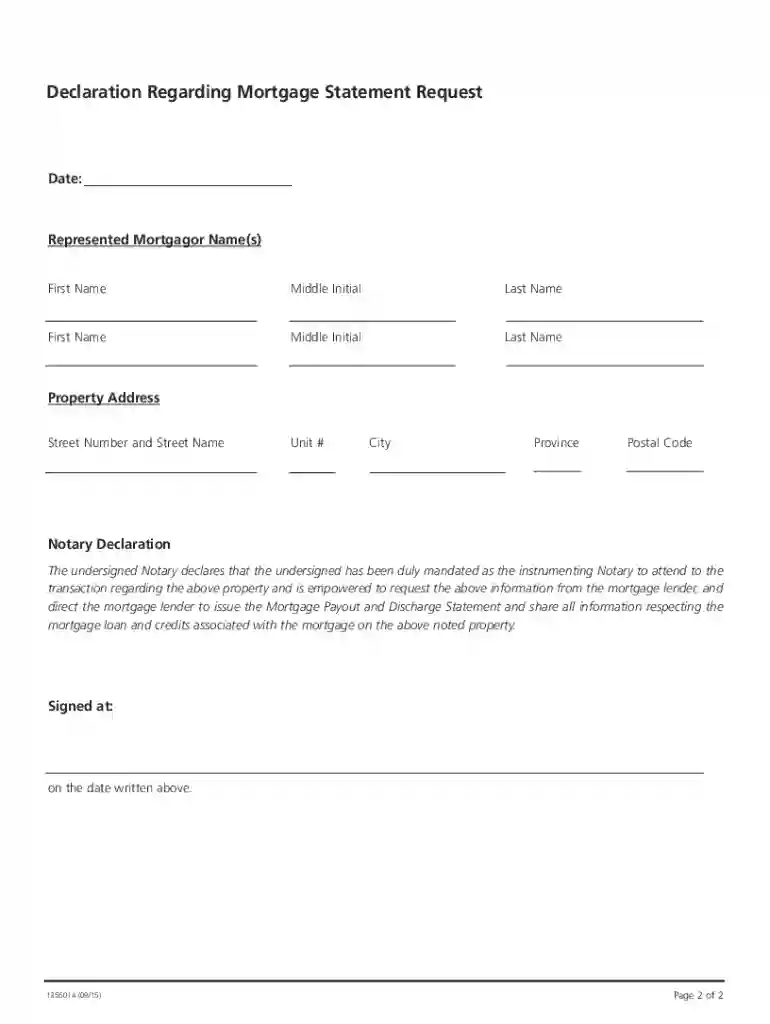
Scotiabank payout request 2025

Get Form
sda payout Preview on Page 1

Here's how it works

01. Edit your sda payout online
Type text, add images, blackout confidential details, add comments, highlights and more.

02. Sign it in a few clicks
Draw your signature, type it, upload its image, or use your mobile device as a signature pad.

03. Share your form with others
Send scotia dealer advantage payout via email, link, or fax. You can also download it, export it or print it out.

How to use or fill out scotiabank payout request with our platform

Form edit decoration
9.5
Ease of Setup
DocHub User Ratings on G2
9.0
Ease of Use
DocHub User Ratings on G2
  1. Click ‘Get Form’ to open the scotiabank payout request in the editor.
  2. Begin by entering the date at the top of the form. Ensure this date is at least 5 business days in the future and no more than 15 calendar days ahead.
  3. Fill in the represented mortgagor names, including first name, middle initial, and last name for each individual involved.
  4. Provide the property address, including street number, street name, unit number (if applicable), city, province, and postal code.
  5. In the Notary Declaration section, ensure that a notary signs and dates the document to certify their authority to request information from Scotiabank.
  6. Review all entered information for accuracy before submitting your request through our platform.

Start using our platform today to streamline your scotiabank payout request process for free!

See more scotiabank payout request versions

We've got more versions of the scotiabank payout request form. Select the right scotiabank payout request version from the list and start editing it straight away!
Versions Form popularity Fillable & printable
2019 4.8 Satisfied (70 Votes)
2015 4.3 Satisfied (72 Votes)
be ready to get more

Complete this form in 5 minutes or less

Get form

Got questions?

We have answers to the most popular questions from our customers. If you can't find an answer to your question, please contact us.
Contact us
Start your claim Your forms can be mailed, faxed or emailed to the contact information provided in the form. 1-855-753-4272. Our claims service is available Mon to Fri 8:00am to 6:00pm EST.
General inquiries 1-800-4SCOTIA (1-800-472-6842) (416) 701-7200 (Greater Toronto/outside Canada and USA, call collect through your local operator) 1-866-267-4726 (Relay services for Deaf, deafened, and hard of hearing customers)
Most of your statements can be accessed online by logging into your creditors website. Some website provide the option to download a statement, while some may require you to take a screen capture.
If you require a letter of lien release or payout request, you can contact us at 1-800-4-SCOTIA (1-800-472-6842).
To request an Interac e-Transfer: From your Accounts page, select Move money. Select Interac e-Transfer. Select Request Interac e-Transfer from the Transfer menu. From the drop-down menu select the contact youre requesting the transfer from or select Add contact.

Security and compliance

At DocHub, your data security is our priority. We follow HIPAA, SOC2, GDPR, and other standards, so you can work on your documents with confidence.

Learn more
be ready to get more

Complete this form in 5 minutes or less

Get form

People also ask

Request money with ease using Interac e-Transfer. You can request funds from an existing contact or add a new one. Once you send a request, your contact will receive an email or text notification, and youll be informed when the funds have been sent and deposited into your account.
To start the dispute process: Sign in to the Scotia app. Find the transaction in your Visa accounts transaction history. Select the Transaction details option next to the transaction youd like to dispute. Select Dispute this transaction.

scotia dealer advantage payout online