



01. Edit your pm 171 b online
Type text, add images, blackout confidential details, add comments, highlights and more.

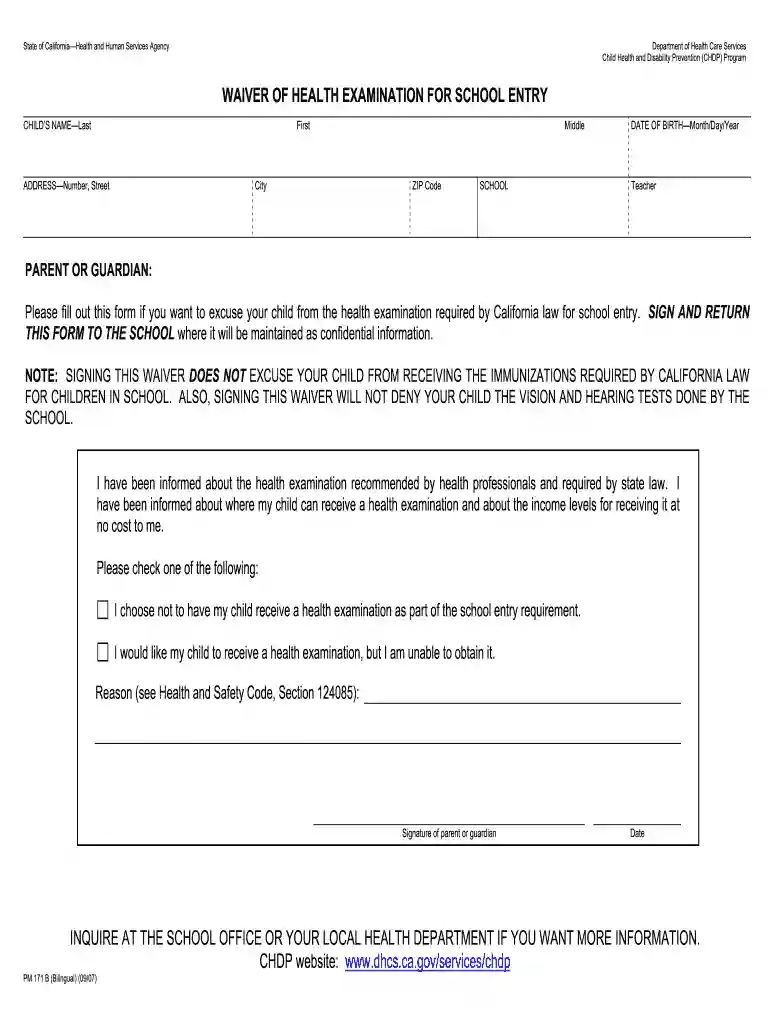
Type text, add images, blackout confidential details, add comments, highlights and more.

Draw your signature, type it, upload its image, or use your mobile device as a signature pad.

Send california waiver of health examination for school entry via email, link, or fax. You can also download it, export it or print it out.

Start using our platform today for free to easily complete and manage your forms!
We've got more versions of the pm 171 b form. Select the right pm 171 b version from the list and start editing it straight away!
| Versions | Form popularity | Fillable & printable |
|---|---|---|
| 2007 | 4 Satisfied (29 Votes) |
With DocHub, it’s quite simple. The editor offers users an add-on called DocHub for Gmail, which you can locate in the Google Workspace Marketplace free of charge. Set it up and give it access to your Google account. Open your email with your pm 171 attached and click on the add-on button in the right-side panel. Log in to your DocHub account, and import the file to our editor, where you can complete it and sign.
With DocHub, there are several convenient ways to edit your pm 171 a online. You can drag and drop the form and modify it straight at the DocHub site or use our browser extension to fill out your form right away. On top of that, you can modify your PDF on your phone, as DocHub works with all the accessible mobile platforms.
At DocHub, your data security is our priority. We follow HIPAA, SOC2, GDPR, and other standards, so you can work on your documents with confidence.
MyCOM; Skip to Content; Maps Admissions Academics Students Campus Life Faculty/Staff Administration About COM Support COM.Read more
Please fill out this form if you want to excuse your child from the health examination required by California law for school entry. SIGN AND RETURN.Read more


