




Here's how it works

01. Edit your all inclusive vacation donation request online
Type text, add images, blackout confidential details, add comments, highlights and more.

02. Sign it in a few clicks
Draw your signature, type it, upload its image, or use your mobile device as a signature pad.

03. Share your form with others
Send it via email, link, or fax. You can also download it, export it or print it out.
How to use or fill out donation request virginia with our platform

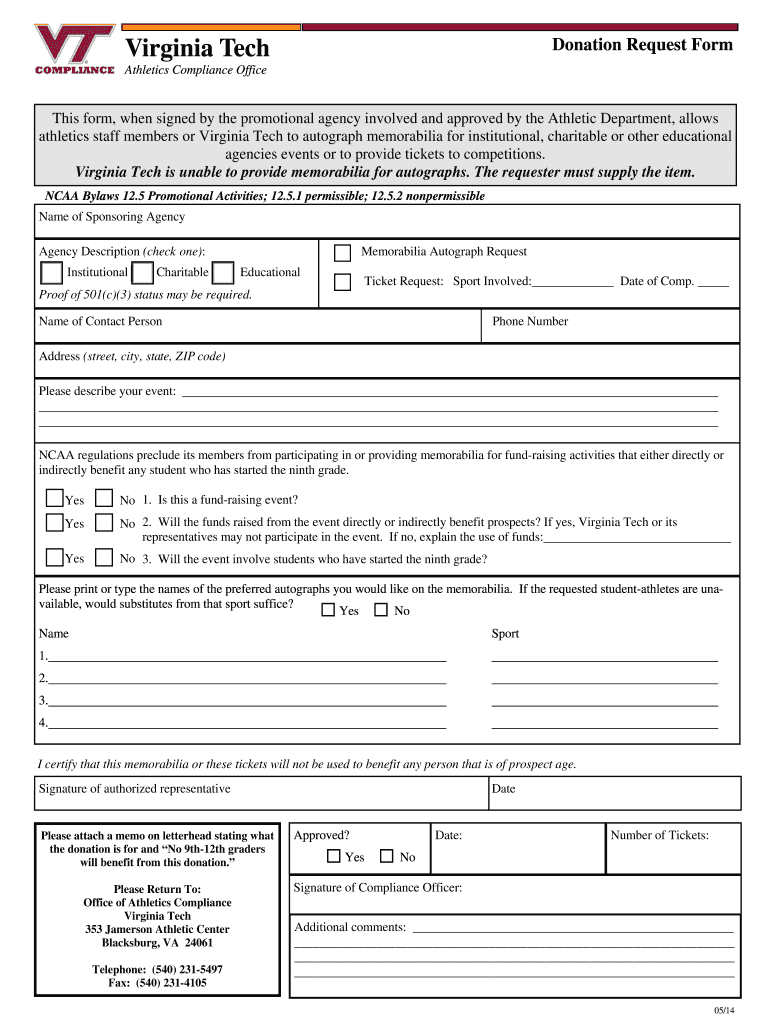
- Click ‘Get Form’ to open the donation request virginia in the editor.
- Begin by entering the name of your sponsoring agency and selecting the appropriate agency description: Institutional, Charitable, or Educational.
- For memorabilia autograph requests, specify the sport involved and the date of competition. If requesting tickets, indicate the number needed.
- Provide proof of 501(c)(3) status if required, along with your contact information including name, phone number, and address.
- Describe your event clearly in the designated section. Ensure you answer all NCAA-related questions regarding fundraising and student involvement accurately.
- List preferred autographs you would like on memorabilia. Indicate if substitutes are acceptable if requested athletes are unavailable.
- Sign as an authorized representative certifying that memorabilia or tickets will not benefit any prospect-age individuals.
- Attach a memo on letterhead stating the purpose of the donation and confirming that no 9th-12th graders will benefit from it before submitting.
Start using our platform today to streamline your donation request process for free!
Fill out donationa request virginia online
It's free
It's free
See more donationa request virginia versions
We've got more versions of the donationa request virginia form. Select the right donationa request virginia version from the list and start editing it straight away!
| Versions | Form popularity | Fillable & printable |
|---|---|---|
| 2014 | 4.8 Satisfied (64 Votes) |
Security and compliance
At DocHub, your data security is our priority. We follow HIPAA, SOC2, GDPR, and other standards, so you can work on your documents with confidence.
Learn more


