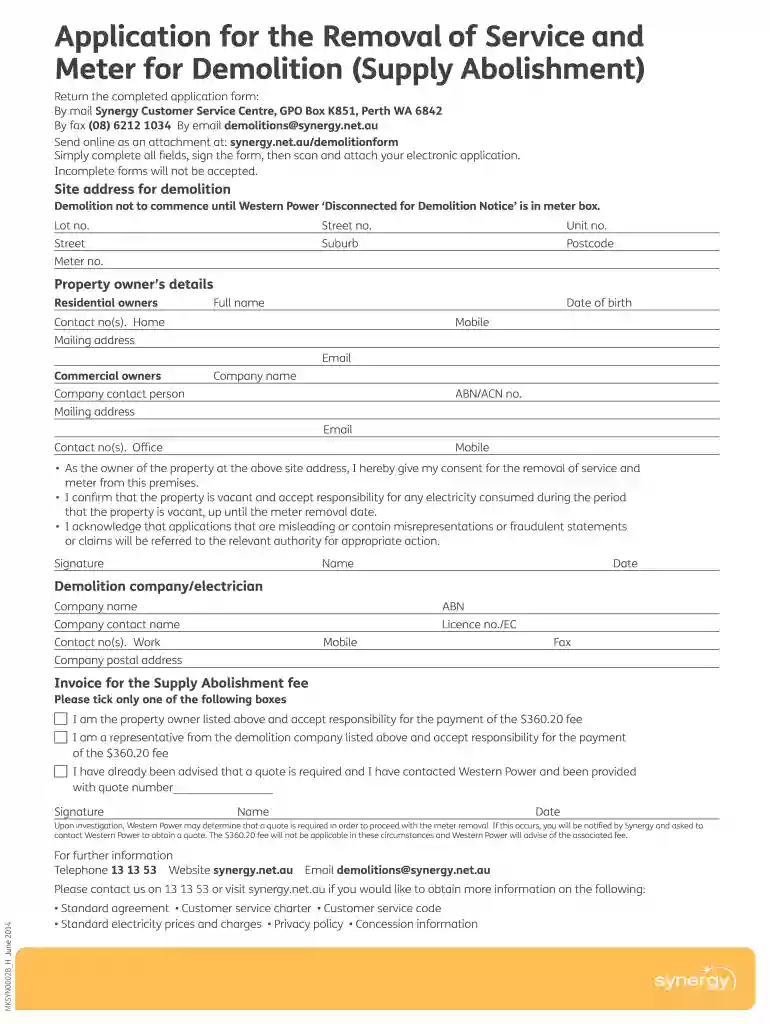
Synergy supply abolishment 2025

Get Form
doc synergy Preview on Page 1

Here's how it works

01. Edit your doc synergy online
Type text, add images, blackout confidential details, add comments, highlights and more.

02. Sign it in a few clicks
Draw your signature, type it, upload its image, or use your mobile device as a signature pad.

03. Share your form with others
Send synergy buying house via email, link, or fax. You can also download it, export it or print it out.

How to use or fill out synergy supply abolishment with our platform

Form edit decoration
9.5
Ease of Setup
DocHub User Ratings on G2
9.0
Ease of Use
DocHub User Ratings on G2
  1. Click ‘Get Form’ to open the synergy supply abolishment application in the editor.
  2. Begin by entering the site address for demolition. Fill in the lot number, street number, unit number (if applicable), street name, suburb, and postcode accurately.
  3. Next, provide the meter number associated with the property.
  4. Complete the property owner's details section. Include full name, date of birth, contact numbers (home and mobile), mailing address, and email.
  5. If applicable, fill out the commercial owners' section with company name, contact person, ABN/ACN number, mailing address, email, and contact numbers.
  6. Sign and date the consent statement confirming your responsibility for electricity consumption during vacancy and acknowledging application integrity.
  7. Provide details for the demolition company or electrician including their company name, ABN, contact name, work contact number, license number, mobile number, fax number, and postal address.
  8. Select one payment responsibility option regarding the $360.20 fee and sign with your name and date.
  9. Review all fields to ensure completeness before saving your document as a PDF or image file.

Start using our platform today to streamline your synergy supply abolishment application process!

See more synergy supply abolishment versions

We've got more versions of the synergy supply abolishment form. Select the right synergy supply abolishment version from the list and start editing it straight away!
Versions Form popularity Fillable & printable
2016 4.8 Satisfied (127 Votes)
2014 4 Satisfied (21 Votes)
be ready to get more

Complete this form in 5 minutes or less

Get form

Got questions?

We have answers to the most popular questions from our customers. If you can't find an answer to your question, please contact us.
Contact us
Consumer has to submit a affidavit on Notary Stamp Paper of Rs. 10, stating the reason of permanent disconnection to the Area Executive Engineer, Distribution Division along with copy of the latest Bill.
Any money earned for exporting energy back to the grid, will be displayed as a credit on your next bill. Once your credit docHubes $75 or more well deliver the money youve earned straight to your nominated bank account if youve registered for Automated REBS Payments.
1. In the top-right of your Synergy My Account dashboard, select Account under Account options tab: 2. Below the Synergy account number you wish to remove, select Remove account.
Press and hold the Power On/Standby button for more than four seconds. Select the Press and hold power off selection in HPE OneView.
Yes, just call us 13 13 53 or submit an enquiry with your cancellation request.
be ready to get more

Complete this form in 5 minutes or less

Get form

People also ask

If you need to disconnect your electricity meter, you will need to contact your electricity supplier (the company who you pay your electricity bills to) to complete the work. This is because they legally own the meter, therefore only they can disconnect and remove it for you.
Windows: Open the Services program (Run services. msc) and find the Synergy service. Double click it to edit the service, and choose Manual from Startup type, then click Stop to stop the background process, and Start to start it again.

Related links