




Here's how it works



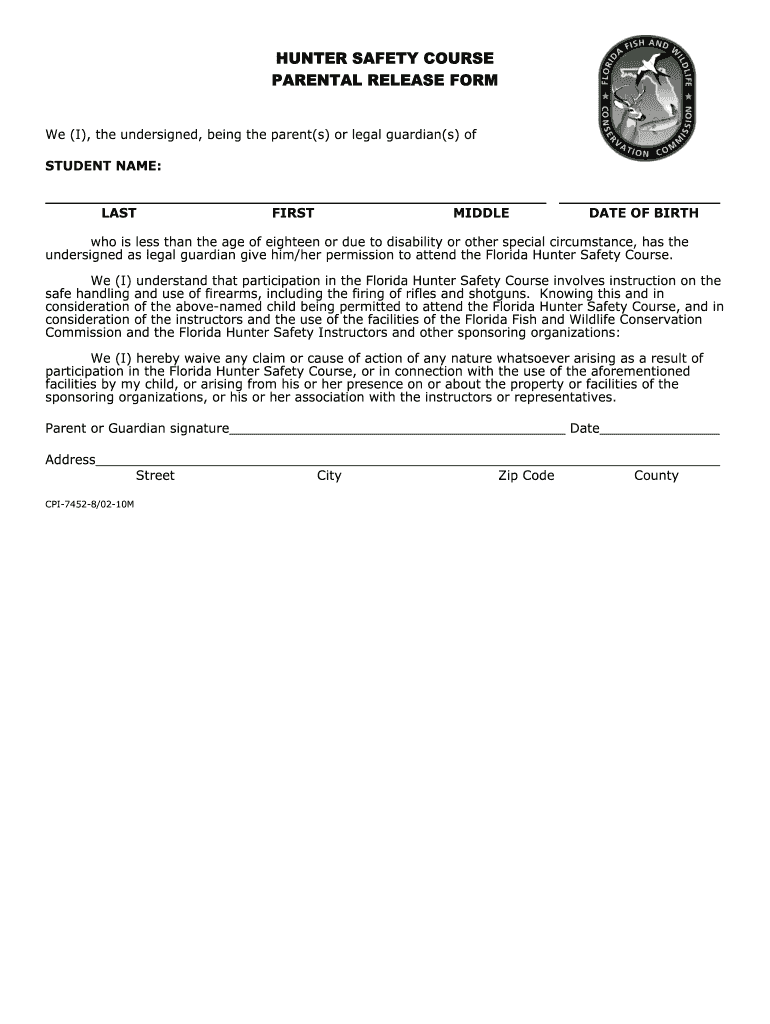
How to use or fill out Download the Parental Release Form - Florida Fish and Wildlife with our platform

- Click ‘Get Form’ to open it in the editor.
- Begin by entering the STUDENT NAME in the designated fields for last, first, and middle names.
- Fill in the DATE OF BIRTH of the student to confirm eligibility for participation.
- Review the waiver statement carefully. This section outlines your understanding of the course's nature and potential risks.
- Sign in the Parent or Guardian signature field to provide consent for your child’s participation.
- Complete the Address section by filling in your street address, city, zip code, and county.
- Once all fields are completed, save your changes and download or share the form as needed.
Start using our platform today to easily fill out and manage your documents for free!
It's free
See more Download the Parental Release Form - Florida Fish and Wildlife ... versions
| Versions | Form popularity | Fillable & printable |
|---|---|---|
| 2002 | 4.8 Satisfied (182 Votes) |
Got questions?
How can I create an electronic signature in my florida hunter on Android?
Signing documents on a mobile device is quick, simple, and doesn’t require software installation when you have an account with DocHub. Sign in from any browser, complete your empty fields with your data, and click on Sign → Create your signature. You can draw your electronic signature the same way you usually do on paper, add its picture to your florida hunter, or type in your name and stylize its look. Whatever option you select, your document will be valid.
How do you create an e-signature for the florida student on iOS?
Apart from an extensive toolset for editing PDFs on mobile phones, DocHub enables you to sign your florida student along the way. Open our editor in your browser, make modifications using DocHub’s toolset, and complete your editing by eSigning the completed form.
Security and compliance
At DocHub, your data security is our priority. We follow HIPAA, SOC2, GDPR, and other standards, so you can work on your documents with confidence.
Learn more




