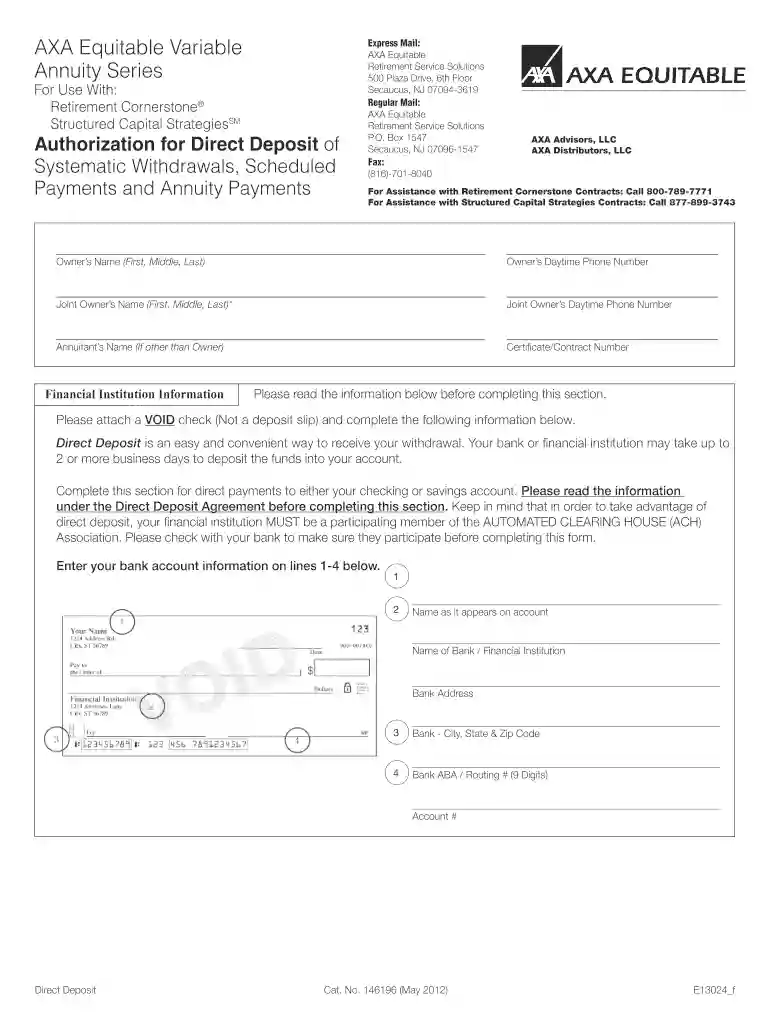
eq bank direct deposit form Preview on Page 1

Direct Deposit Authorization (PDF*) - AXA Equitable 2026

Here's how it works

  • 01. Edit your eq bank direct deposit form online

    Type text, add images, blackout confidential details, add comments, highlights and more.

  • 02. Sign it in a few clicks

    Draw your signature, type it, upload its image, or use your mobile device as a signature pad.

  • 03. Share your form with others

    Send equitable direct deposit form via email, link, or fax. You can also download it, export it or print it out.

How to use or fill out Direct Deposit Authorization (PDF*) - AXA Equitable with our platform

Form edit decoration
9.5
Ease of Setup
DocHub User Ratings on G2
9.0
Ease of Use
DocHub User Ratings on G2
  1. Click ‘Get Form’ to open the Direct Deposit Authorization form in the editor.
  2. Begin by entering the Owner’s Name, including first, middle, and last names. If applicable, fill in the Joint Owner’s Name and Annuitant’s Name.
  3. Provide your daytime phone number and that of the Joint Owner for any necessary follow-up.
  4. Enter your Certificate/Contract Number to link this authorization to your account.
  5. Attach a VOID check to ensure accurate bank details. Fill in the bank account information: name as it appears on the account, name of the bank, and its address.
  6. Complete the Bank ABA/Routing Number and Account Number fields accurately to facilitate direct deposits.
  7. Read through the Direct Deposit Agreement carefully. Sign and date where indicated, ensuring all signatures are provided if there is a Joint Owner.

Start using our platform today for free to streamline your document editing and signing process!

See more eq bank direct deposit form versions

We've got more versions of the eq bank direct deposit form form. Select the right eq bank direct deposit form version from the list and start editing it straight away!

VersionsForm popularityFillable & printable
20124.8 Satisfied (162 Votes)

be ready to get more

Complete this form in 5 minutes or less

Security and compliance

At DocHub, your data security is our priority. We follow HIPAA, SOC2, GDPR, and other standards, so you can work on your documents with confidence.

Related links

Local School Council Reference Guide

Aug 2, 2024 We are pleased to provide this updated LSC Reference Guide to support you in this important work. This guide is designed to equip you withRead more

Learn more
THE CHEMOURS COMPANY - Cloudfront.net

Mar 12, 2021 Equity awards are valued as of the grant date and rounded down to the nearest whole share. Equity awards may be deferred pursuant to DirectorsRead more

Learn more
If you believe that this page should be taken down, please follow our DMCA take down process here