Certification trust 2026

Get Form
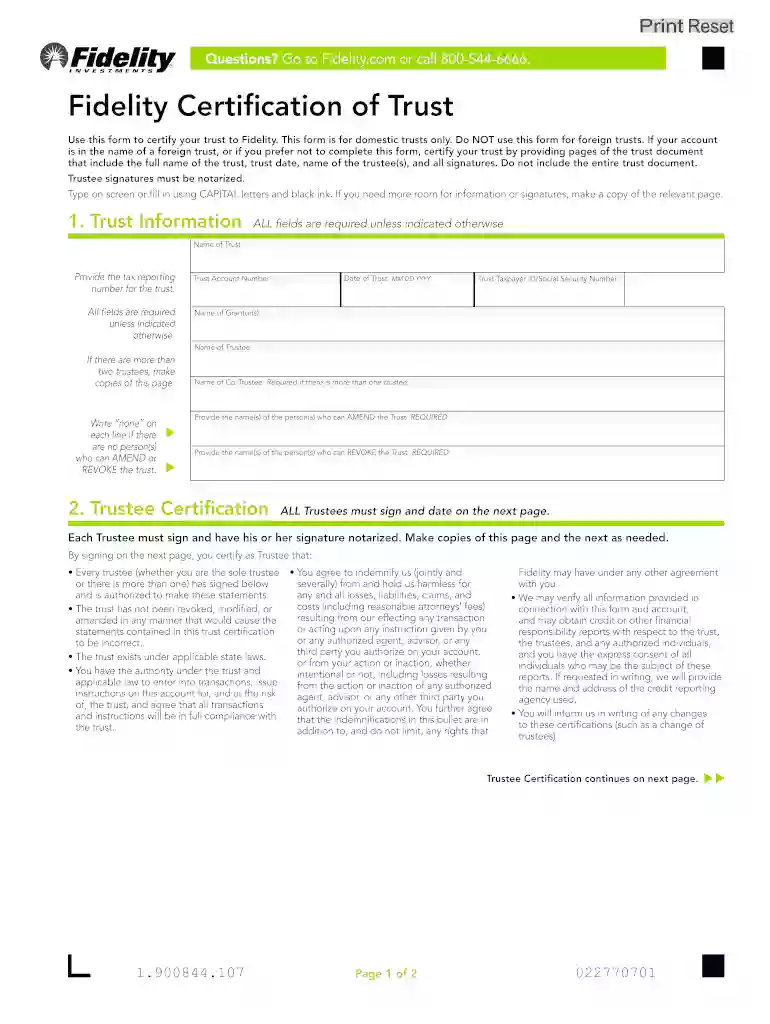
certification of trust form Preview on Page 1

Here's how it works

01. Edit your certification of trust form online
Type text, add images, blackout confidential details, add comments, highlights and more.

02. Sign it in a few clicks
Draw your signature, type it, upload its image, or use your mobile device as a signature pad.

03. Share your form with others
Send free certificate of trust form via email, link, or fax. You can also download it, export it or print it out.

How to use or fill out certification trust with our platform

Form edit decoration
9.5
Ease of Setup
DocHub User Ratings on G2
9.0
Ease of Use
DocHub User Ratings on G2
  1. Click ‘Get Form’ to open the certification trust document in the editor.
  2. Begin by filling out the 'Trust Information' section. Enter the name of the trust, tax reporting number, and trust account number. Ensure all fields are completed as they are required.
  3. Provide the date of the trust in MM/DD/YYYY format, along with the Trust Taxpayer ID or Social Security Number. Include names of both grantor(s) and trustee(s). If there are more than two trustees, make copies of this page.
  4. In the 'Trustee Certification' section, ensure that each trustee signs and dates on the next page. Remember that signatures must be notarized.
  5. If applicable, indicate any individuals who can amend or revoke the trust by providing their names. Write 'none' if there are no such individuals.
  6. Review all entries for accuracy before submitting. Make sure to attach any necessary documents as specified.

Start using our platform today to complete your certification trust form easily and for free!

See more certification trust versions

We've got more versions of the certification trust form. Select the right certification trust version from the list and start editing it straight away!
Versions Form popularity Fillable & printable
2016 4.8 Satisfied (51 Votes)
2014 4.3 Satisfied (345 Votes)
be ready to get more

Complete this form in 5 minutes or less

Get form

Got questions?

We have answers to the most popular questions from our customers. If you can't find an answer to your question, please contact us.
Contact us
Write Up the Certificate You may want to work with an estate planning attorney to do so. There are also online estate planning services and software tools you can use to set up a trust. While creating the trust, ask the provider if they can give you a certificate.
In reality, both serve different purposes: A trust agreement is the main document that creates the trust and explains how it works. A trust certificate is a handy summary that proves the trust exists without revealing all the private details.
What Is a Trust Certificate? A trust certificate is a bond or debt investment, usually issued by a public corporation, that is backed by other assets. These assets serve a purpose similar to collateral.
You wouldnt want to hand over your entire trust agreement thats like showing all your cards! This is where the certificate of trust comes in handy. It gives just enough information to prove the trust exists and who the trustees are, without revealing private details about your assets or beneficiaries.
A certificate of trust also called a trust certificate or memorandum of trust is a legal document thats often used to prove (or docHub) a trust exists and to provide information about its important terms.

Security and compliance

At DocHub, your data security is our priority. We follow HIPAA, SOC2, GDPR, and other standards, so you can work on your documents with confidence.

Learn more
ccpa2
pci-dss
gdpr-compliance
hipaa
soc-compliance