




Here's how it works



How to use or fill out UMMC email letterhead with our platform

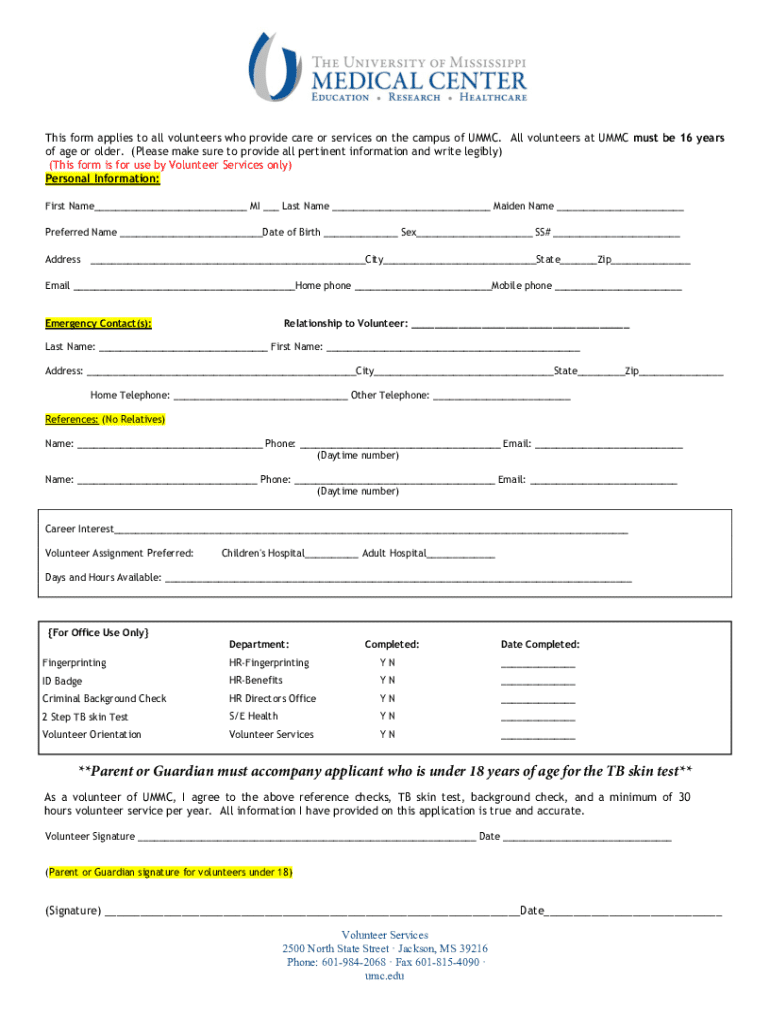
- Click ‘Get Form’ to open the UMMC email letterhead in the editor.
- Begin by entering your personal information in the designated fields. Fill in your first name, middle initial, last name, and maiden name as required.
- Next, provide your preferred name, date of birth, sex, and social security number. Ensure all entries are accurate for processing.
- Complete your address details including city, state, and zip code. This information is crucial for communication purposes.
- Fill in your contact information including email address and phone numbers. Make sure these are current to facilitate follow-up.
- For emergency contacts, provide the relationship to you along with their names and contact details.
- Lastly, review all entered information for accuracy before submitting the form through our platform.
Start using our platform today to streamline your volunteer application process!
It's free
See more UMMC email letterhead versions
Got questions?
Can I sign my canvas ummc electronically?
Based on eSignature laws, documents approved digitally have the same validity as those approved with pen and paper. You can eSign almost any business and personal paperwork. Four types of documents still demand handwritten signatures only - wills and testamentary trusts, court orders and other court forms, state statutes regulating divorce, adoption, or other family law, and notice of cancellation of utility services. If you follow the guidelines and use a safe and compliant software solution, like DocHub, you can eSign your canvas ummc without printing it.
How do you get how to make an email letterhead?
You can find the latest and most relevant version of the how to make an email letterhead in our DocHub forms collection. Browse it by categories or use the search field to locate the exact template that suits your case. You may open this form for editing once you find it.
Security and compliance
At DocHub, your data security is our priority. We follow HIPAA, SOC2, GDPR, and other standards, so you can work on your documents with confidence.
Learn more




